
Rotate Canvas in Grease Pencil
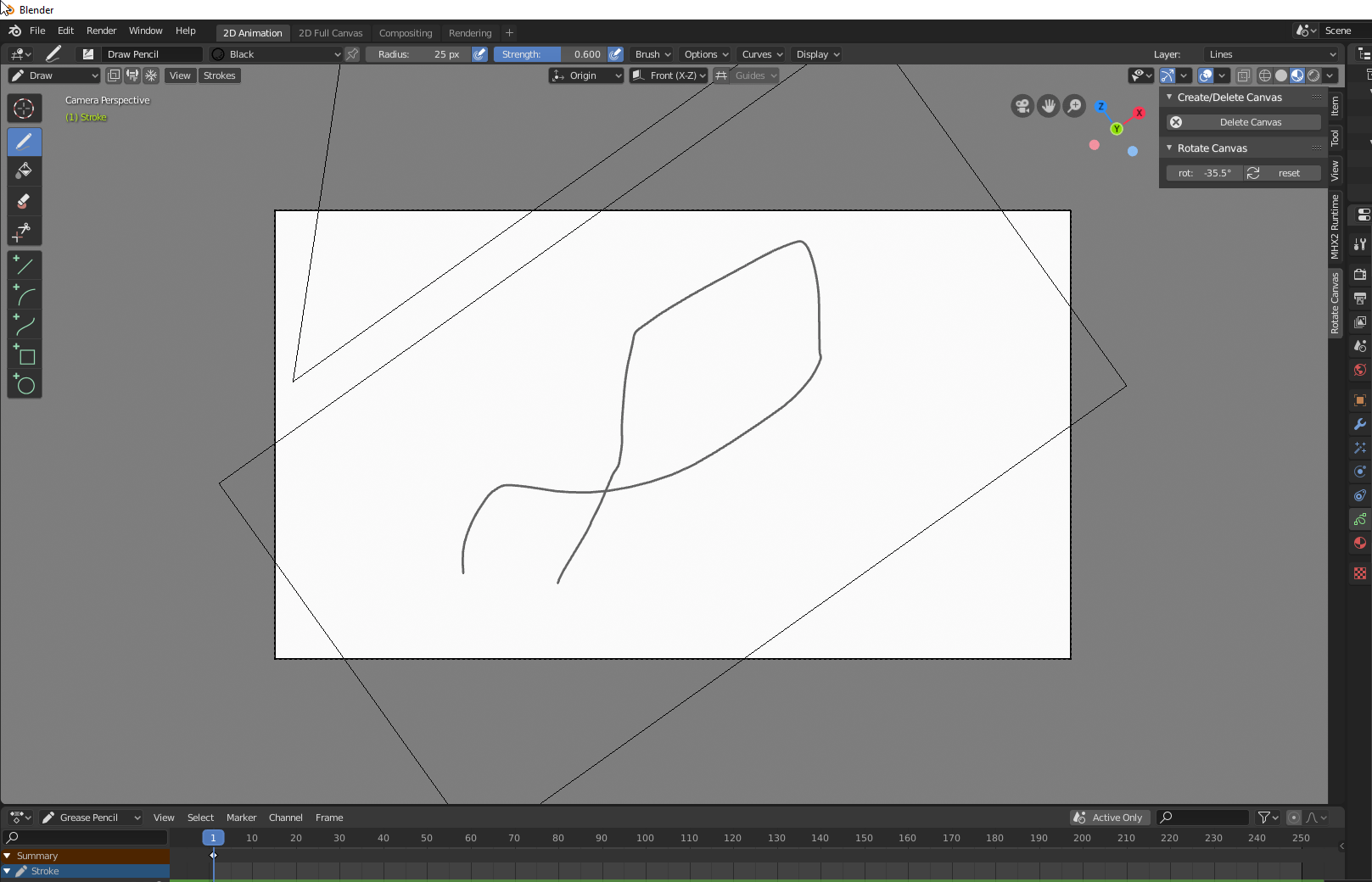
It would be very usefull to have the posibility to roatate the view localy in the viewport. When I want draw large vertical lines would bemuch easier to rotate the canvas (krita like) and draw it rather then trying to do it right with the canvas straight.
This is an update: a small addon that does what iI wanted. github.com/juanquico/addon_rotate_canvas
18 Comments
Here I posted a small add-on that does the job: 2D Viewport Roll
* @Flareless Roam * I liked it! i've done other script for the camera. But i realy like how you put the hotkey. I will try to replicar some like that in my script.
github.com/juanquico/addon_rotate_canvas
Hello guys, as long as I
ve resarched this hasnt been solved. This is my proposal, I work on design and advertising and know how important is this feature for those who work drawing. My proposal focus on precision of the feature and "universality" so it can work precise with, tablet or mouse. I hope Im not asking too much. Thank you everyone.* @juanpsolis * The reply on this proposal with the most upvotes has a modal operator addon that does exactly what you're asking for.
youtube.com/watch
* @testure * Just tested it, its cool and it helps, but it is still limmited.
I use these scripts to orbit, roll and change fov modal
I assigned
Alt+Shift+Middle drag to roll
Alt+Ctrl+Middle drag to orbit horizontal
Ctrl+Shift+Middle drag to orbit vertical
Alt+Ctrl+Shift+Middle drag to change fov
Pretty handy specially with pen which has no scroll. I'm going to change the rotational tweak behavior to linear vertical/horizontal and use tweak direction to switch orbit. i will post the updated version.
these are bare operator scripts i can package them as addon if needed..
{attachment ViewOrbitModalpy}
<kbd>Shift</kbd>+<kbd>numpad 4</kbd> and <kbd>Shift</kbd>+<kbd>numpad 6</kbd> respectively rotate the view right or left in a 2D manner (it rotates the view camera in its local axis). I know it's not as smooth as a good mouse drag but in case you didn't know about it, you have that in the mean time.
⚠ Note: you have to either be out of the scene's active camera or lock the camera to the view for it to work.
* @Craig Jones * This shortcut works in the grease pencil workspace. You just have to do either of the things I mentioned because by default the view is in the active camera. What do you mean by "set it to 2D"? We're in 3D space so I don't really get you here.
* @Craig Jones: *
Just to clarify, this is what I mean when I say it works in the Grease Pencil workspace:
Guys, check this : twitter.com/pablodp606/status/1146063560499318784
It's a good solution locking the view to the camera but i don't want to give the posibility to animate the camera doing that and if the camera is alredy animated.
* @juanquico * It can work like Alt+B, but making cutted part shaded, So you still can roll view and draw out of borders. You already can change color of clipping But can`t roll when in camera. {attachment 7014759jpg}
This means the ability to rotate (roll) the view when in camera perspective (without the camera itself rotating). Right?
This is a pretty much what i wanted. github.com/juanquico/addon_rotate_canvas
Here is two ways.
Anyway, you can clear rotation. But I upvote for easier and smoother roll than Shift+numkeys.
pretty easy modal operator to write. if there are enough people interested I might write one.
--- how to delete post? ---
* @Pawel Piotrowski * you can't.