
Support for variable fonts
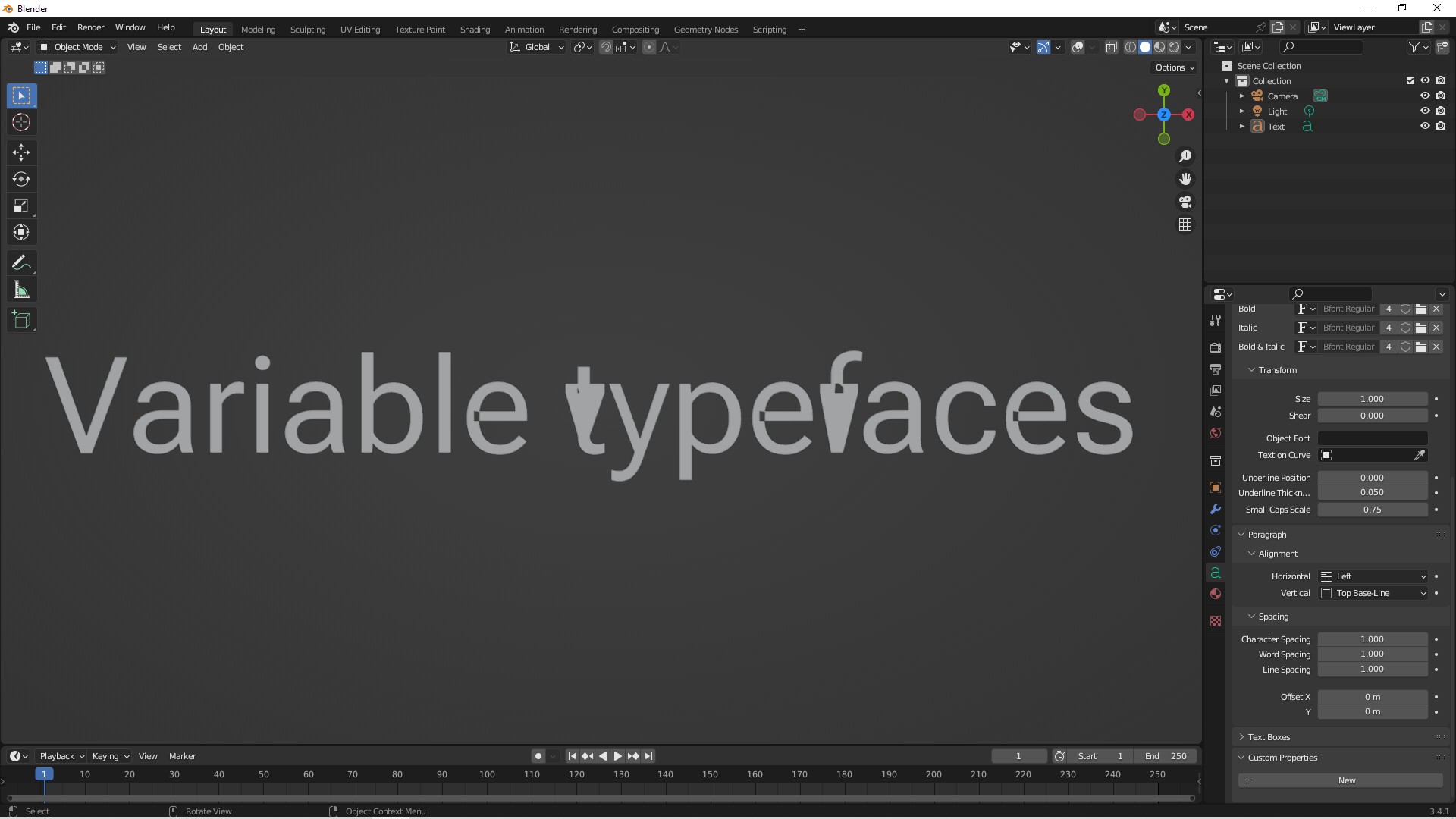
Hello everyone I'm actually working on a motion design project and I would really love to be able to access to all of the variable fonts parameters within Blender's interface so I could animate them all. Plus I realised that variable fonts are usually badly tesselated in Blender. As a graphic designer/motion designer I think this is a must have feature. Geometry Nodes took motion design to a whole new level in Blender, so let's make working with type in Blender as great as working with shapes. All the best
9 Comments
Type in general could do with more love in Blender! As a typography snob I'm having to arrange all of my type in illustrator and then import SVGs into Blender - which is time consuming and gets hard to manage / keep track of. If blender could allow detailed control of type it would make my life easier for sure. My main issue is the auto kerning is often all over the place.
Yeah I feel you. As a graphic designer I always tend to overrespect type designers and I hate having to dive into managing / tweaking shapes when it comes to typography. But yeah, that is boring overall when the default text is written like "T ext" because you don't have access to kerning and stuff by default
Having reread my comment, I'm not sure I was clear. I meant to say that at present Blender doesn't use the default kerning set by the font's designer. Blender just does it's own thing. I have a screenshot to example this but can't add an image or link to this comment - but this can be tested easily enough yourself.
It's such a shame because it's painstaking and detailed work setting the kerning to a typeface - a truly massive task. Not sure the reason Blender ignores a fonts default kerning, but would be awesome for someone to fix this.
Judgsing by the mind-bending things people are managing to do with geomertry node, it must surely be possible to fix all these things with some clever geo node noodling ...... i'm certainly not the person with the skills to do it, just sayin'!
Regrettably the kerning problem is a developer issue and not something that can be worked around using geometry nodes. The issue is how Blender imports font data, and how it fails to correctly bring in the data that would informing Blender how the letters are to be correctly spaced from each other (kerning). Setting the auto kerning is part of the design process that goes into publishing a typeface as a font. It makes a huge difference as to how the font looks as a whole and drastically impacts how easy or hard text is to read. As Blender doesn't currently use the fonts intended letter spacing, for text to look correct it has to be created in another software and then imported to Blender as an .svg or bitmap file.
Yeah unfortunately Geometry Nodes is no magical tool that can take care of every problem
Not sure it this is related to your request, but i noticed that Blender is much more efficient when the text is created inside geo nodes (string to curves node), as compared with creating a standalone text object and then bringing that into geo nodes.
Yeah I noticed that too, however I didn't try it with variable fonts. Though the problem remains the same, you don't have access to built in axis and opentype features. I found a nice addon called ST2 by Rob Stenson but it's still in beta stage and for some reason it doesn't work with Roboto Flex
github.com/coldtype/st2
This add-on seems to provide some kerning and variable font functionality