
A way to unhide a bunch objects at once, via the outliner
Would be nice to be highlight a bunch of objects in the outliner and turn them on (unhide) them all at once.
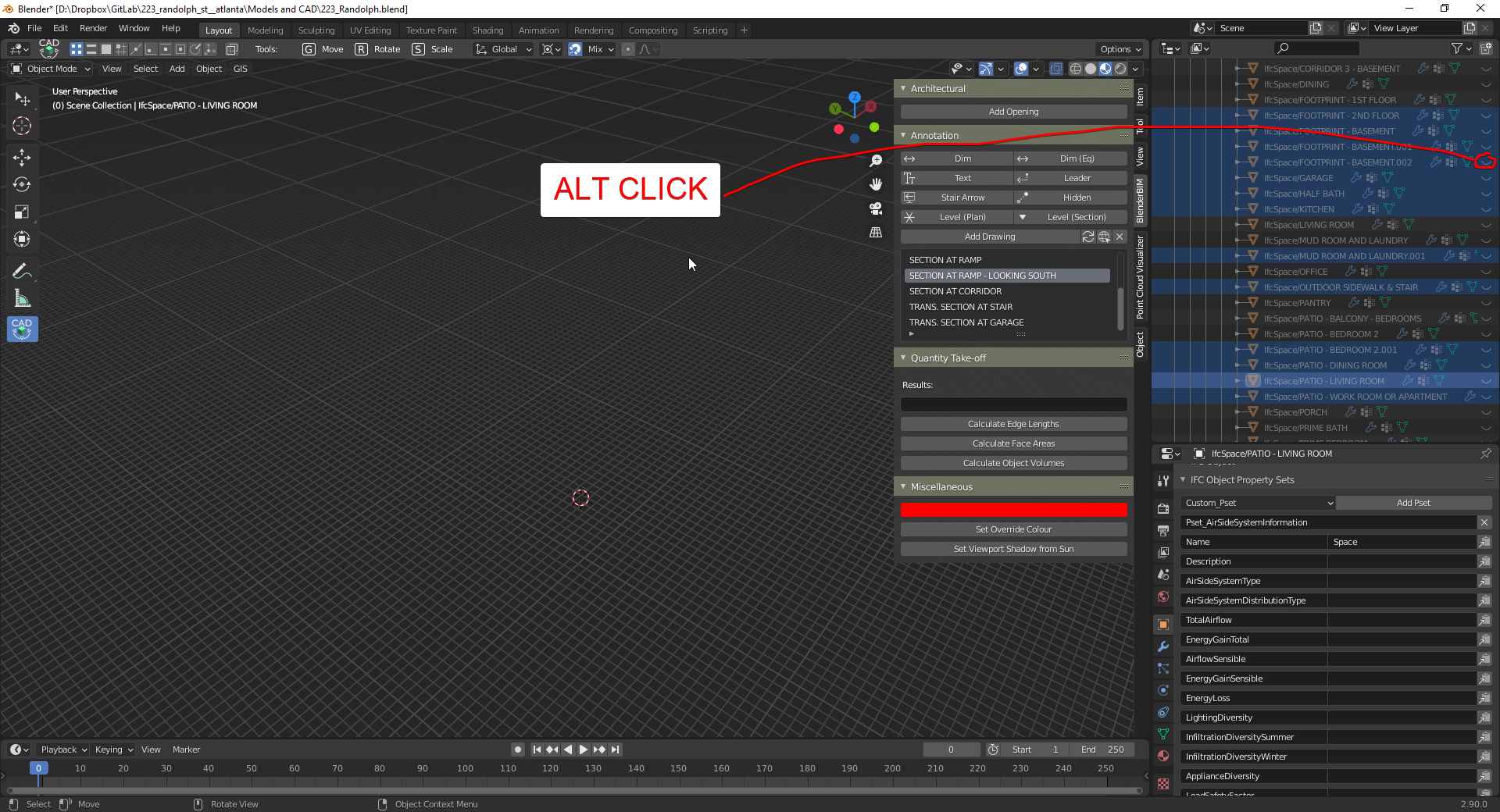
Perhaps, after highlighting them in the outliner, you could use 'alt' while clicking on the 'eye' to turn them all on at once.
5 Comments
Yes, that's how it should work. Indeed, for many other operators ALT+click is "set this for all"
Interesting. It already work somehow when you hige multiple (disable some option?), but not work to unhide (enable option). On GIF 2.91Beta, I click
LMB, thenLMB + ALT. I searched inside keymaps to maybe tune it for a bit, but can't find related keymap setting. It may work same as axis constraint - it exist under the hood and you can't customize key ( eg fromYtoC) until create constraint keymap setting yourself.* @IIIFGIII * because blender have that smart idea: you can't do anything on stuff that's hidden. So you must first unhide the objects in order... to... unhide them....
I love idiot proofing, totally makes my day.
* @-L0Lock- * Not in case of Outliner. Outliner keep items, u just change item parameters. It looks like some incomplete code after last GSOC.
A workaround is to link these elements to a new collection. Then Shift + Click on the eye icon of the new collection will hide / unhide its child objects. Kind of cumbersome but if you want to hide/unhide this specific set of objects, chances are you also want them grouped in their own collection.