
Texture Output in Shader Editor
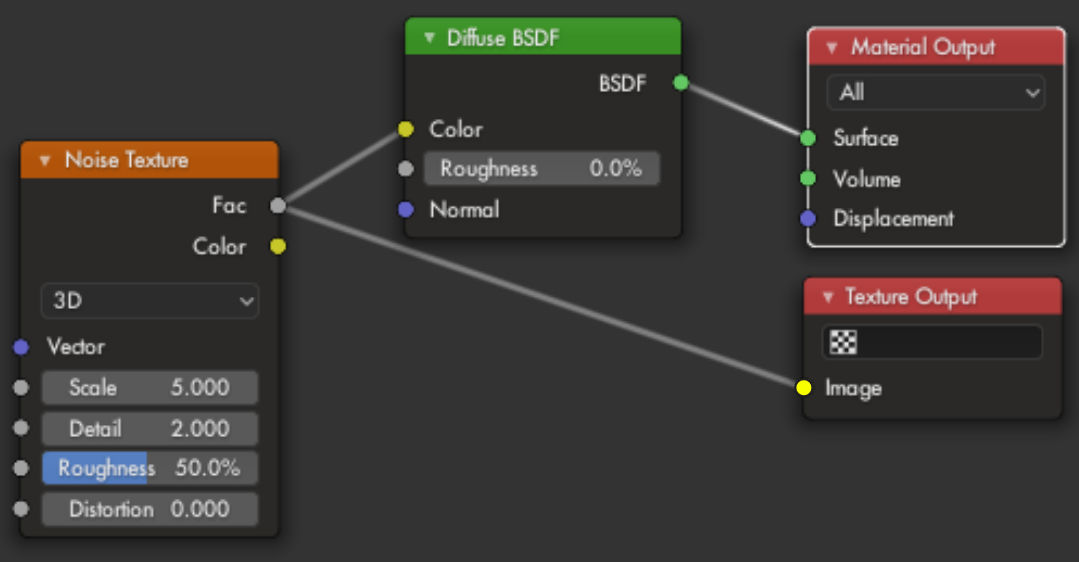
In the material node editor, add a texture output node, so that textures can be defined within materials. The node takes an rgb input. You can have any amount of the node in a given material, and for each one you can choose which texture to output to.
4 Comments
Unfortunately I don't see how this would work without a Sampling method. A Noise texture does not output an image and can, theoretically, output to ranges negative infinity to positive infinity along all axis.
For this to work, You would have to assign more information to the 'Texture Output'. <code>pixel_dimensions(x, y, z)</code> (which could come from the texture target you have there) and <code>location_in_space(x_min, x_max, y_min, y_max, z_min, z_max)</code> <i>(z for 3D textures)</i> would need to be defined. We need to know where, in the infinite space of the Noise Texture you would like to sample from.
In your case, code like this could work but may not produce the results you were expecting.
<code>to = texture_output for x in range(to.pixel_dimensions.x) for y in range(to.pixel_dimensions.y) lis = texture_output.location_in_space sampled_x = (lis.x_max - lis.x_min) / x + lis.x_min sampled_y = (lis.y_max - lis.y_min) / y + lis.y_min to.pixel(x, y) = noise_texture.get_color(sampled_x, sampled_y) </code>
The Noise Texture node, on it's own (and many other nodes), will never output an image for you without specifying additional data to work with.
It may seem the 'Noise Texture' does output an image but this is because the 'Vector' input has a default value which comes from the 'Generated' output of the 'Texture Coordinate' Node. These generated values come from. Mesh Properties - Texture Space dropdown. If you set the 'Vector' input to any unchanging value (such as the output from the 'combine xyz node') you will see it output a single color.
Many people seem to think images are being passed around in the node editor but this is not the case. Even the 'Image Texture' node does not output an image. The image gets sampled and a single color is passed.
This request is certainly possible. It just won't be as simple as you make it look.
I've seen a lot of proposals recently centering around integrating the texture/shader workflow.
Shaders and textures work very differently, so in order for these two systems to work together, there needs to be a way to pre-render textures using a different pipeline, and then cache them in some way. This functionality currently doesn't exist, and is going to be a massive feature update if it ever does happen.
Not saying your suggestion is bad or anything, just that in order for it to work it needs to be part of a much larger system that has yet to be implemented.
It only can be possible with baking. In old blender there was texture editor, but now it is frozen. I hope it will be ressurected once.
that's a job for a dedicated texture node system. In the way you put it it's a mid-way with AOV, which are already present in dev builds