
Node groups interface editing improvements
In 4.0, with the recent introduction of Panels (and new code in general) in the node groups interface, I think there's room for improving its editing. Bear in mind that I'm using the node group interface as reference, but this in my opinion should be considered for all current and future parts of Blender that will use it (like current asset browser and future vertex groups UI revamp).
1 - Moving sockets/panels
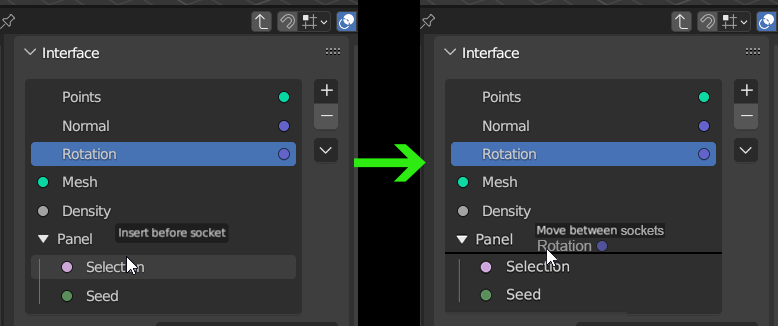 Currently moving these feels a bit "clunky" and with poor visual feedback, and although there is text that says
insert before/after
, I think it should work
like moving collections in the Outliner
, with a black bar that shows where you're gonna move the socket, and showing the actual socket that you are moving.
Currently moving these feels a bit "clunky" and with poor visual feedback, and although there is text that says
insert before/after
, I think it should work
like moving collections in the Outliner
, with a black bar that shows where you're gonna move the socket, and showing the actual socket that you are moving.
2 - Select and move multiple sockets
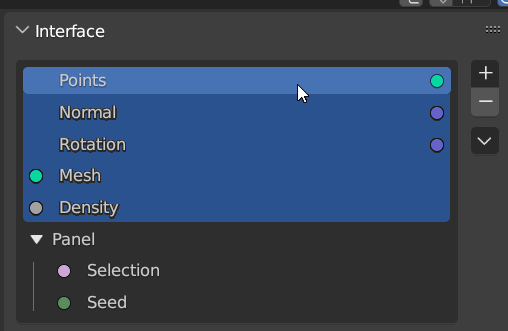
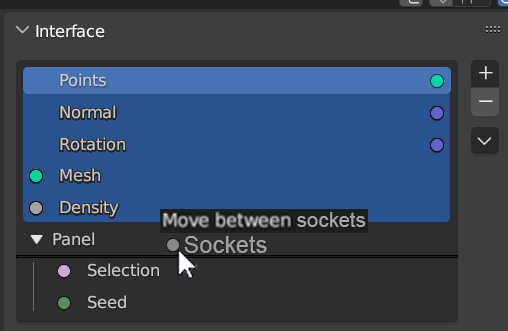
3 - Node group interface visualization
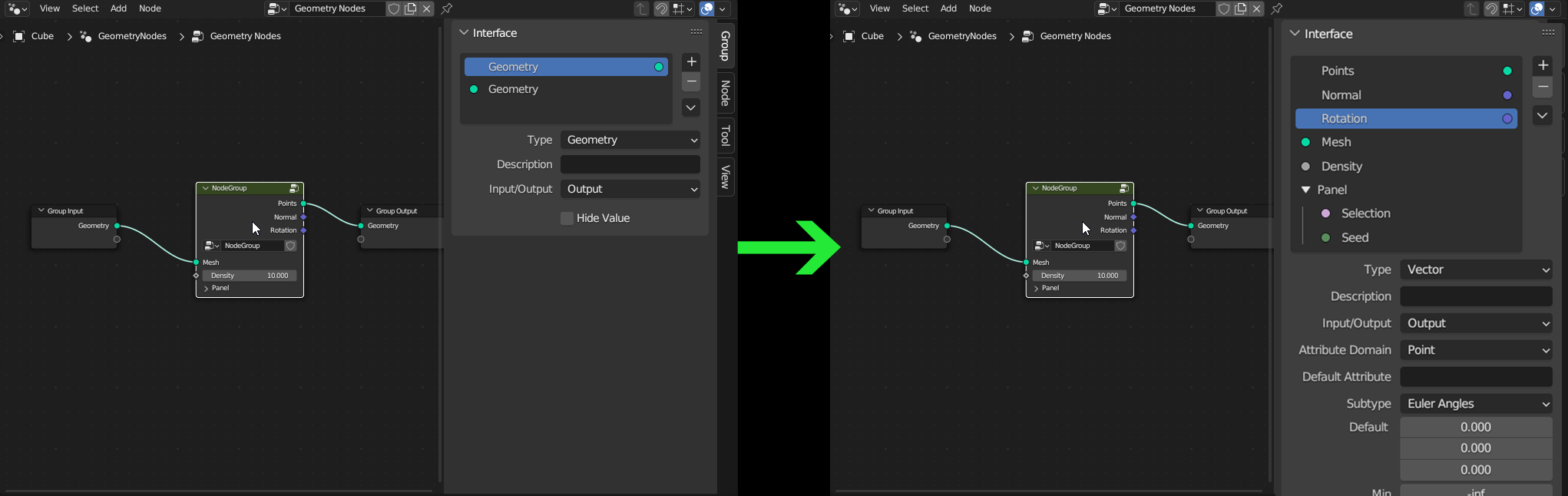 For editing the node group interface, you have to go inside the group first. While I understand the logic, to me feels a bit counterintuitive. I would expect that clicking on the node group would make appear the interface of that group, so that I can immediately edit and see the changes to its interface without going in and out of it.
1 Comment
I very much agree that these functions are very much needed in the process of use. I was wondering if it was possible to drag the panel directly above the sockets instead of just dragging the sockets into the panel.