
Option to disable the small dot in the sculpt mode's 3d guide/brush (A humble plea to the developers and blender).
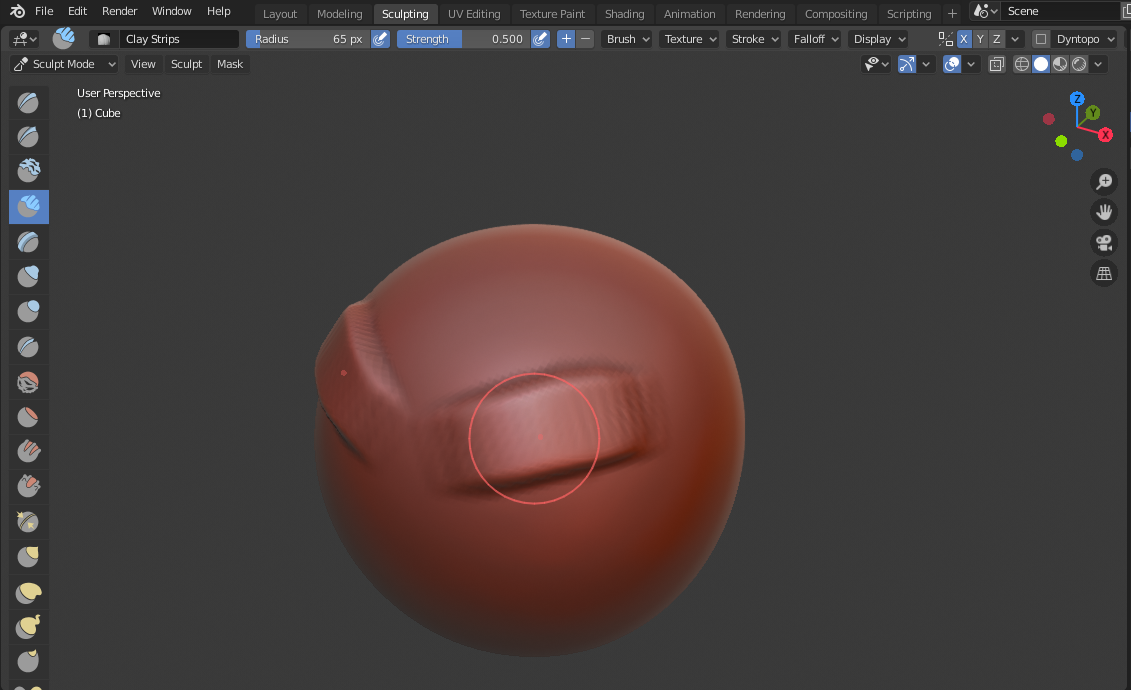
Hello guys. I would like to request a feature that would allow the user to disable the tiny dot that is recently added to sculpt mode's brush.
I can see the use of it in some cases but in my own opinion this can sometimes be a little distracting. At first I thought it would not be a big deal but the more I use the sculpt mode the more I notice how it can create some amount of distractions. I am not sure if some blender users will see it the way I do but I hope blender can give us some option to disable it. The old brush stroke alpha or guide was more simpler/minimal allowing you to focus more on your work and not be distracted with a small red moving dot.
I would like to ask this as a serious plea/petition to the developers. This really affected my sculpting workflow and I don't know what else to do aside from requesting this to be an option. Even a separate patch/ script would be greatly appreciated just to remove this please.
Big respect to the developers. Thanks.
0 Comments