
Shrinkwrap Modifier Option: "Match Surface Topology" & "Trim Unprojected" & "Target Collection"
The shrinkwrap modifier can be used for adding 'decals' onto the surface of meshes.
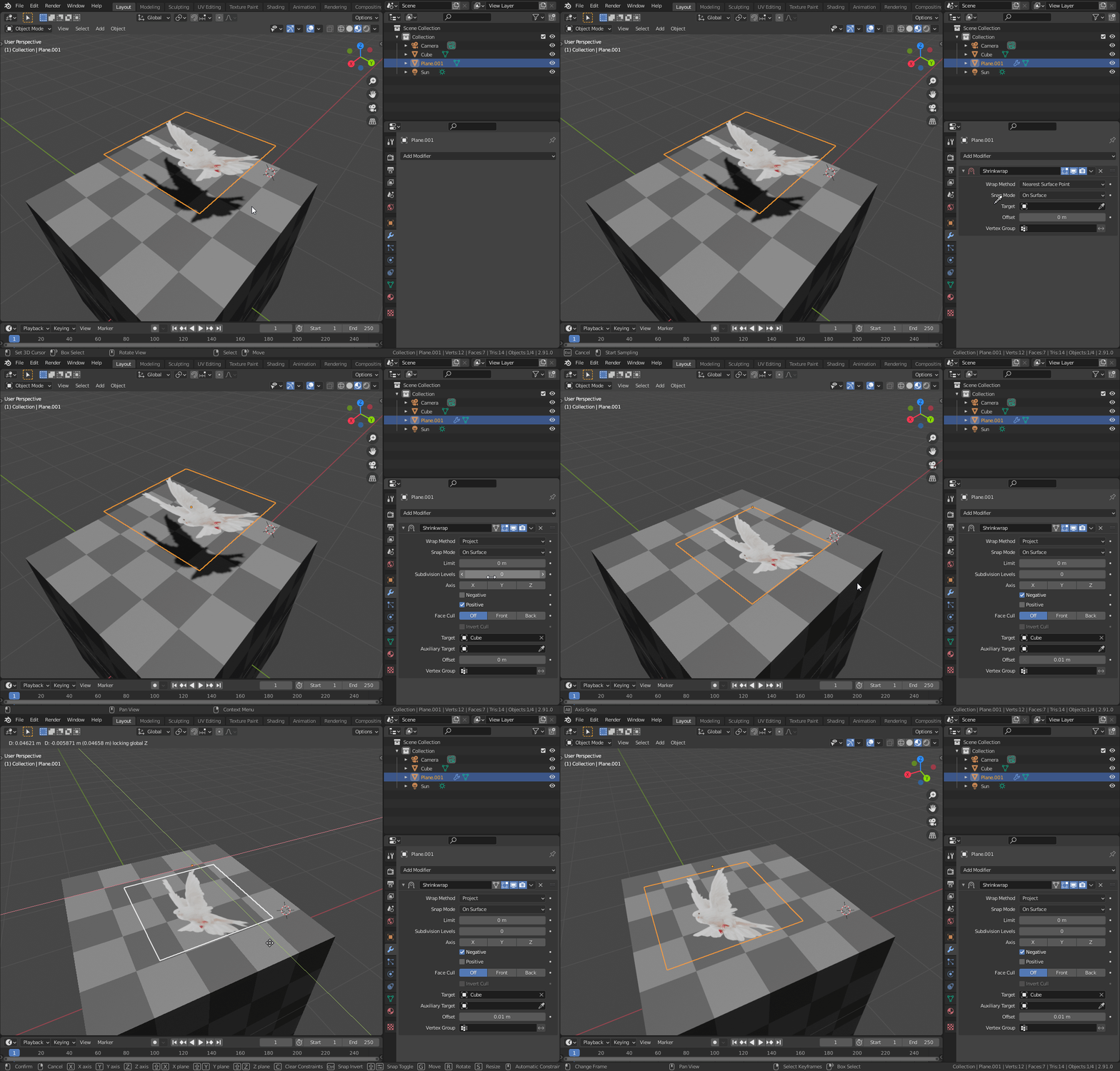
However there is an unfortunate limitation to this approach. The shrinkwrap modifier will only project the existing geometry, and not create any new geometry, meaning if the mesh being shrinkwraped is not perfectly flat and does not perfectly match the surface it's being projected onto, the result is less than desirable, and nothing short of unreasonably high levels of subdivision could produce an acceptable result. See below:
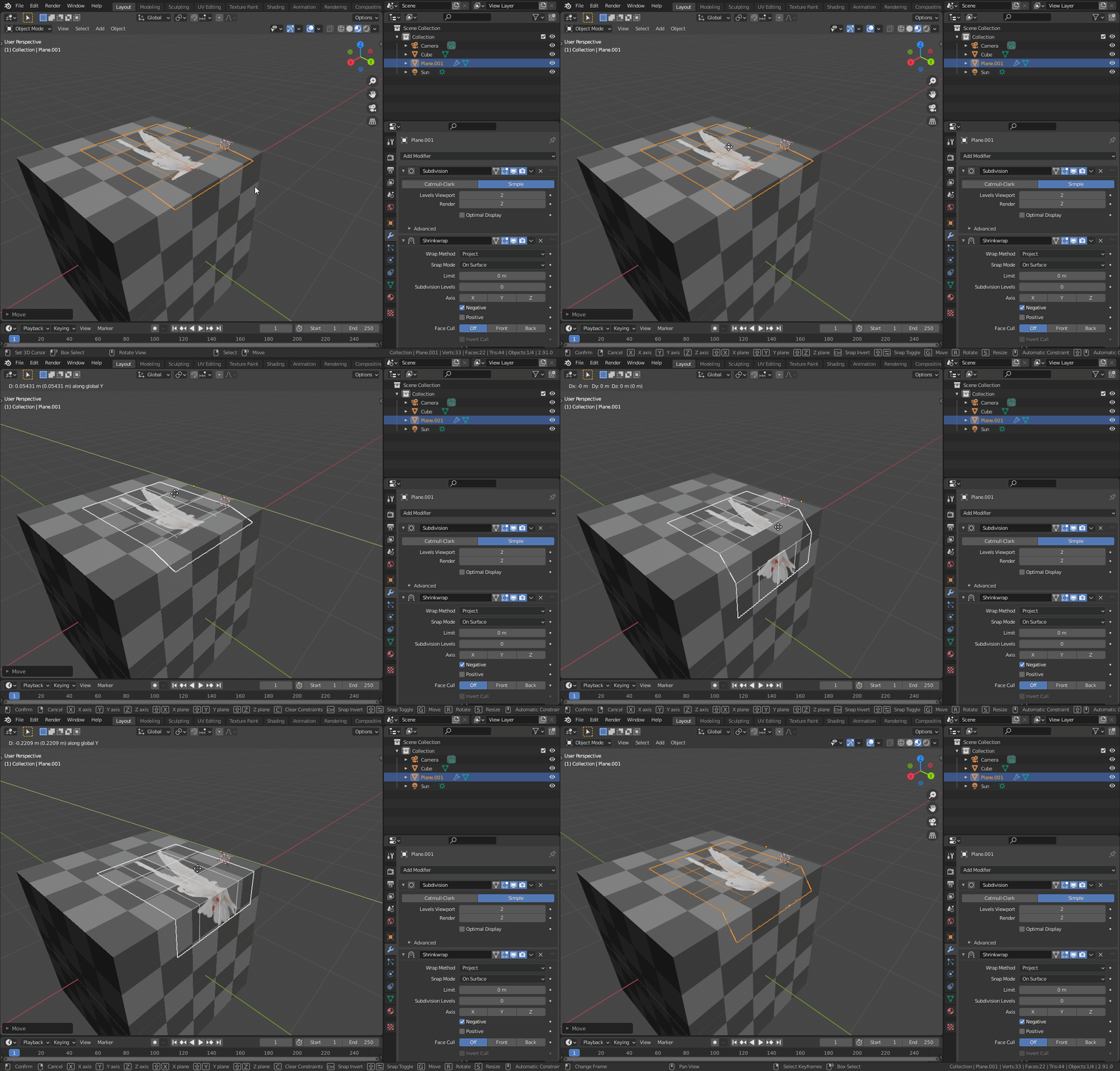
What I'm proposing is that three new options be added to Shrinkwrap modifier. The names is not important, but for this proposal lets call them: "Match Surface Topology" & "Trim Unprojected" & "Target Collection"
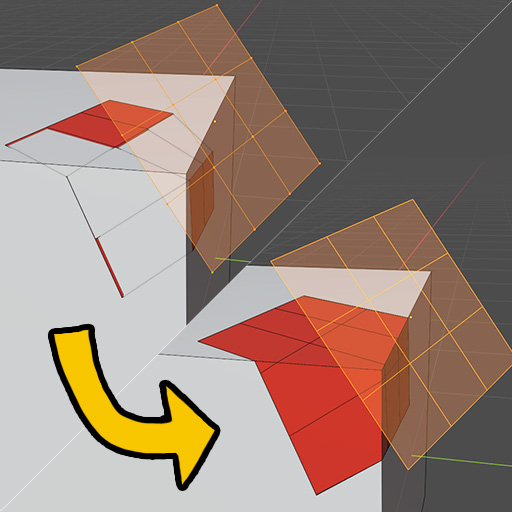
Match Surface Topology will cut the mesh being shrinkwrapped to produce faces that can project flatly onto the surface below, allowing for a perfectly flat decal regardless of geometry.
Trim Unprojected will remove faces that did not get projected because there was nothing to project them onto, or because they did not meet other criteria, such as the target surface exceeding the projection distance limit.
Like the recent enhancement to the Boolean modifier that allows it to consider an entire collection, the Target Collection option will allow a shrinkwrap modifier to consider all objects within a collection. With this you could add all the objects in your scene that you wish to project decals onto into one collection and move your decals between them.
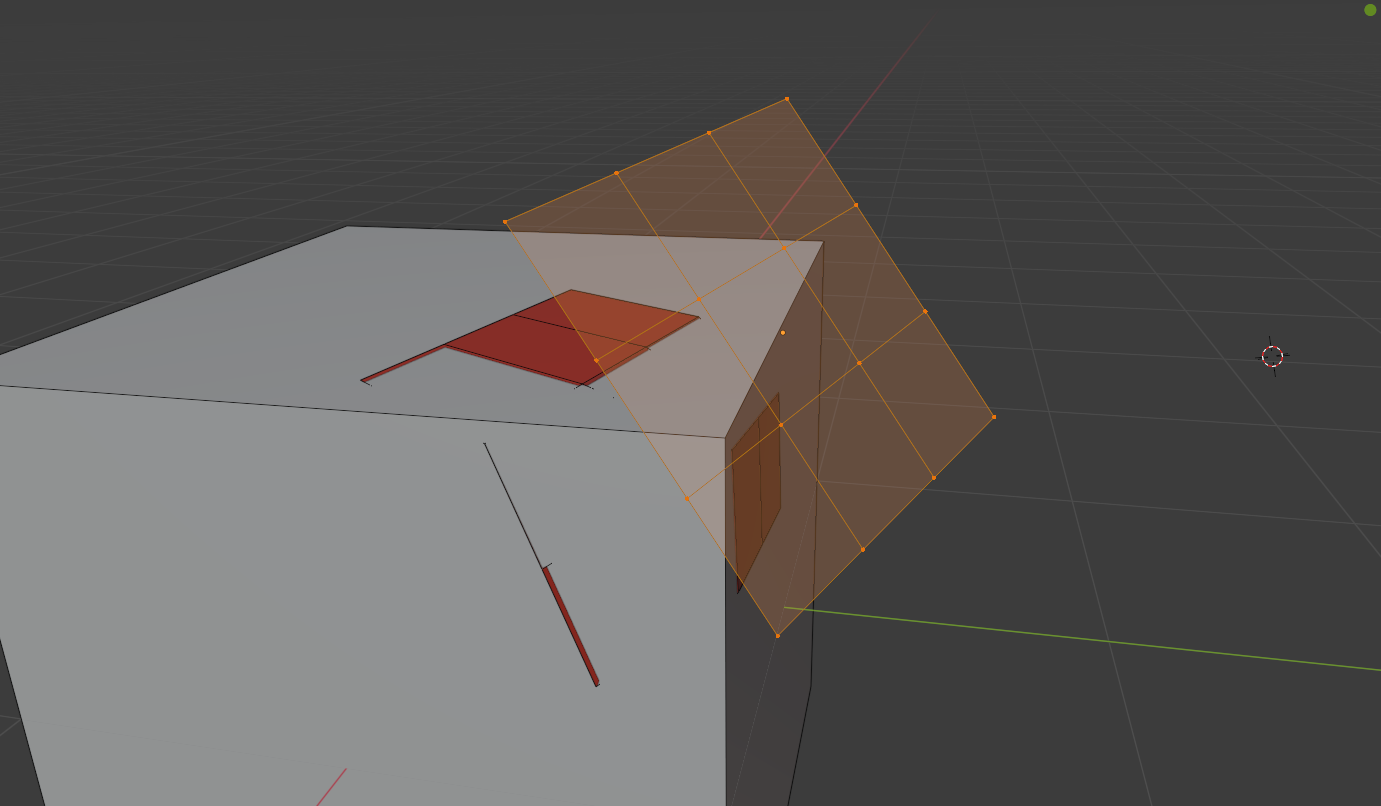
With these three options, perfect decals could be achieved. Transforming results from this:
Into this:
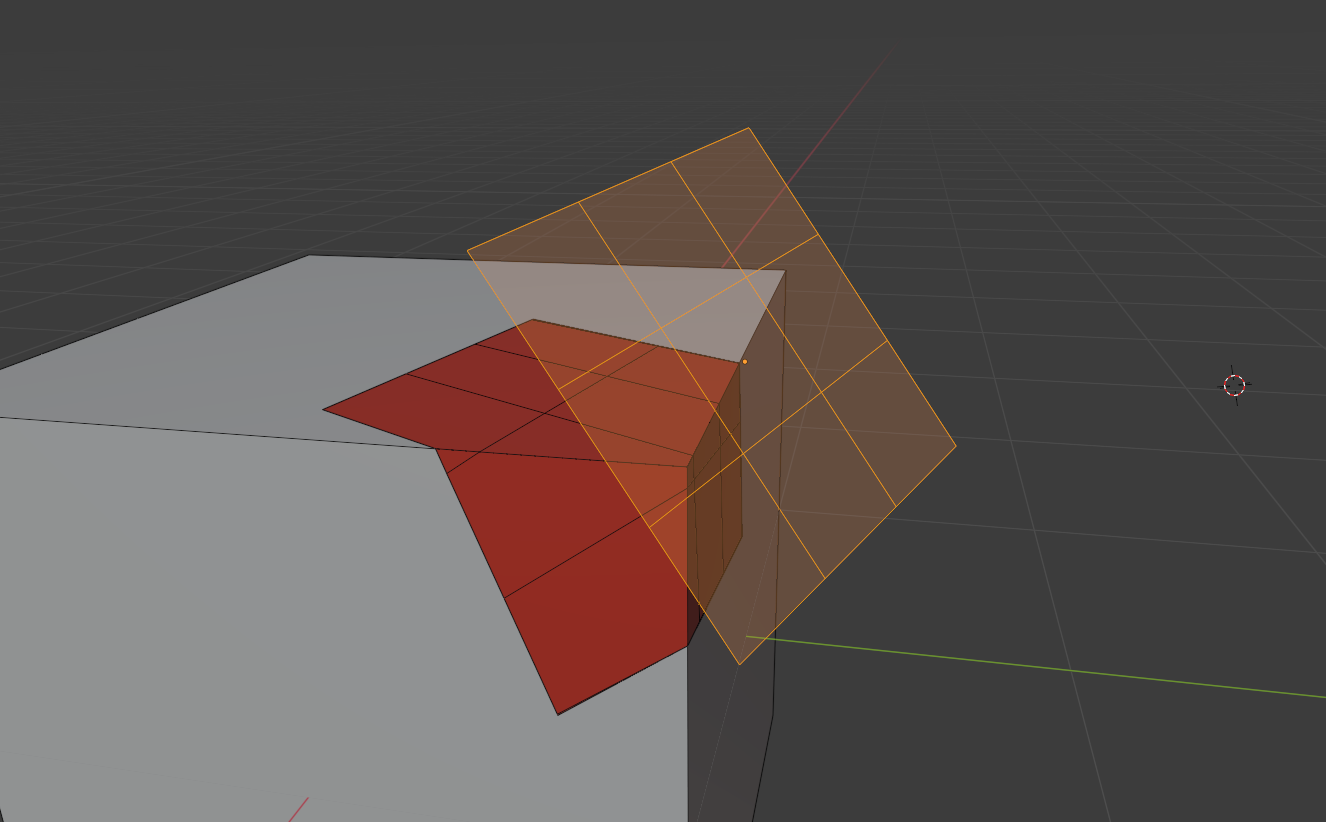
This would allow for easy non-destructive placement of decals on object surfaces that can be easily moved around from one object to another within a scene.
Possible decal uses:
- Set dressing (potholes in roads, scratches or bullet holes on surfaces, bolts, wires or other details on hard surface designs, blood splatters on walls, text on a sign, etc)
- 2D animation on a surface, such as hand drawn anime eyes
Benefits of decals:
- Compatible with baking workflow
- Compatible with export workflow to other software or game engines
- Can be easily 'applied' and then made part of an object
- Works with all of Blender's existing render engines automatically with no additional code
5 Comments
If you like this proposal, please share it around with your friends to get some upvotes on it so the developers can notice this idea!
I created a Blender account specifically to ask for this. I just started using this software a month or so ago and I need it desperately to create fake shadows for old games.
My current way of doing it is sub-dividing the decal as much as I can, then using the regular shrinkwrap, doing a limited dissolve and manually cleaning until I have the desired mesh, this can take me hours if it's a complex mesh as I do not only need to adjust individual polygons but also refine the UV mapping.
Alternatively, a way of precutting one mesh based on another (selecting which axis to use as reference), then going back to the regular shrinkwrap, could also work.
Options, options are always more than welcome :)
try adaptive subdivision. Although i upvoted the issue.
* @mrajendra2150 * Can't add a Shrinkwrap modifier under adaptive subdivision. Adaptive subdiv has to be the last modifier in the stack or it doesn't work.