
Easy Pivot Changer
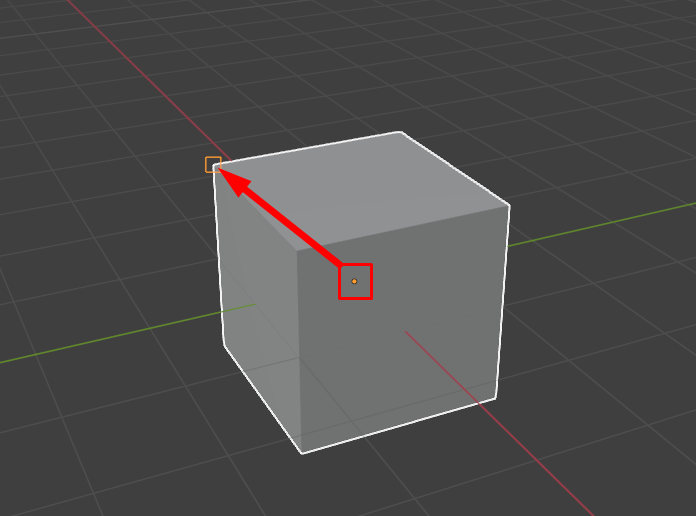
In Blender 4.0 we got an easy snap system, so I thought about a more comfortable way to change the pivot point for the object.
Example:
- Choose the object
- Stay in Object Mode or go to the Edit Mode (whatever)
- Press the hotkey (P)
- Choose a new pivot point for a selected object
- You can edit some additional settings in the left-bottom menu of settings
- Same rotation for the pivot as the selected vertex
1 Comment
In object mode you can check the option for transforms to affect the origin point only and then snap to vertex. With the rotation of the origin you mean when you snap to a vertex for the origin point to be placed on the vertex's normal vector?