
explicitly choose what texture gets used in Texture Color mode, in solid view
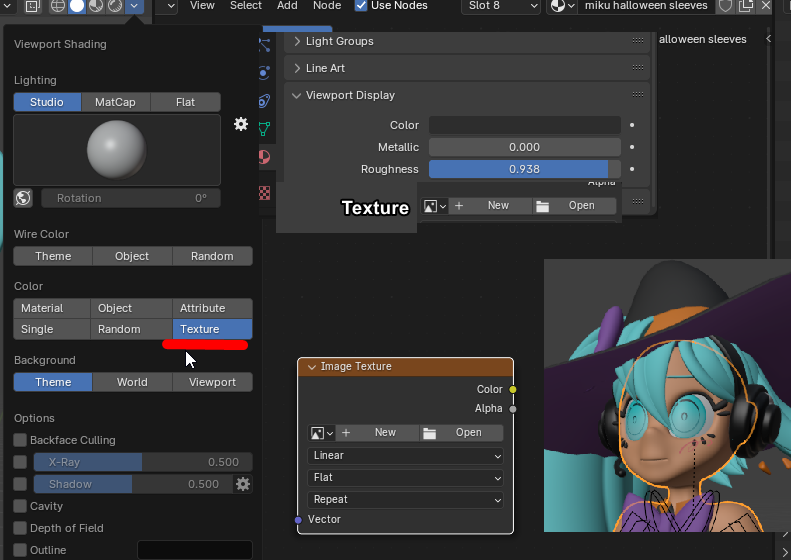
With texture mode selected, under color. The last texture node you click within a shader is what gets displayed in solid view.
This is incredibly inconvenient for several reasons:
- working with shader at all means that you mess up what you see in solid view later.
- And if you wish to not use a texture in solid view, just using a viewport color, you have to click an empty texture node within the shader editor.
This system feels very half-baked, but it could be a great tool, for example with eye textures, which would otherwise appear fully white (or whatever color you set) in solid view.
If, in the viewport display, you could explicitly set a texture to be used, in solid view, or not set any at all if you jsut wanna see a simple color, that would be the best of both worlds!
3 Comments
blender.community/c/rightclickselect/oyqY/
i use that: github.com/yiannipapazis/image_menus
i guess, what i would really like is to be able to show textures. in material color mode. It would be better overall to just not use the texture color nodde (atleast for me, i'm sure someone uses it for something)