
Sidebar (N-Panel) Manager
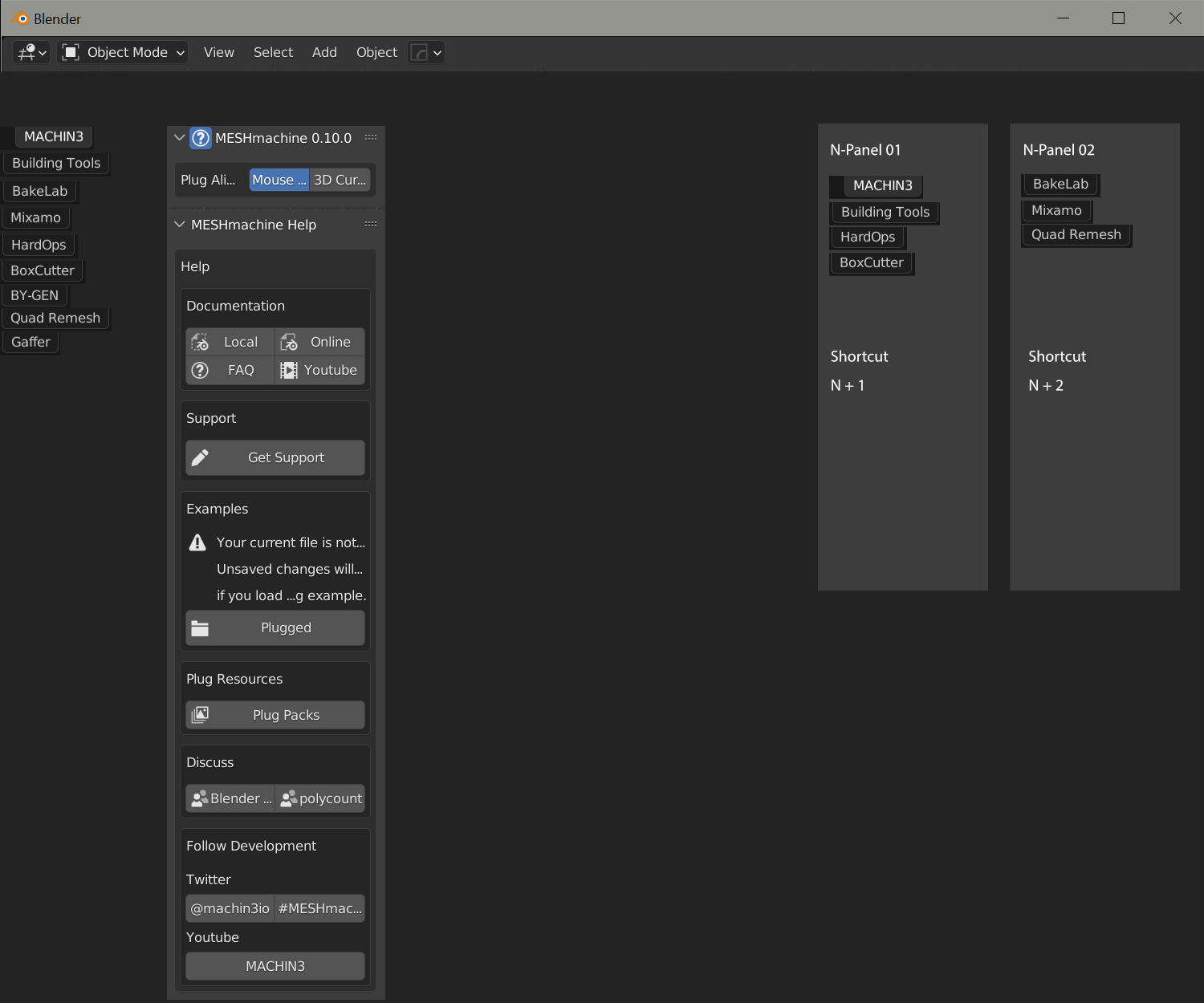
We all know the mess with the Sidebar if you have more than 5 addons fighting for screen space. Wouldn't it be nice to have a dedicated window for managing the panel? We could have a window with all addons, that we can unplug and move to second screen, where all the addons for the sidebar are listed and can be used. But also there can be the opportunity to decide which addons are shown in the sidebar for quick access. Than there would be the possibility to create different sidebars for different scenarios which can be accessed through a shortcut menu.
7 Comments
It's called the "sidebar". Since Blender 2.80, the BF has done an extensive work in givin UI elements proper names, and also encourages everyone to avoid using names based on shortcuts as it is not descriptive and easily unrecognizable from one keymap to another.
Sidebar — Blender Manual
i wouldn't know what he was talking about if he didn't mention "n-panel". sidebar sounds too generic and non-specific so i think it's good idea to use names that have become legendary already.
Not knowing doesn't justify sticking to either naming. By that logic:
Newbies have no clue what a <some shortcut> UI is. Forums are full of "n-panel", "ctrl A menu", "Z Pie", ... And nobody but experienced user know what these mean, and they make no sense when people have different keymaps - which is even more frequent since 2.80's new default keymap, differences between RCS and LCS keymaps, Industry Standard keymap, and workspace specific keymaps, Pie menus, the list goes on...
Meanwhile, descriptive names are just that; descriptive, the entry knowledge level is lower.
In both cases, you still need to learn things to some degree. And in both cases, you rely on how much other people around you repeat the names in order to remember them. The BF decided to pick the second solution since 2.80 because it at least makes names consistent between users and a bit more guessable.
Ok thank you for the advice, i edited the topic
Something is planned to fix sidebar, but nobody works on it right now: developer.blender.org/T76023
Did you try the Workspace from Tools subpanel? That way you can filther your addons and set rules for modes.
Ah thank you, really good hint! Didn't knew that the filtering was there.