
Node Editor: Auto pan while dragging
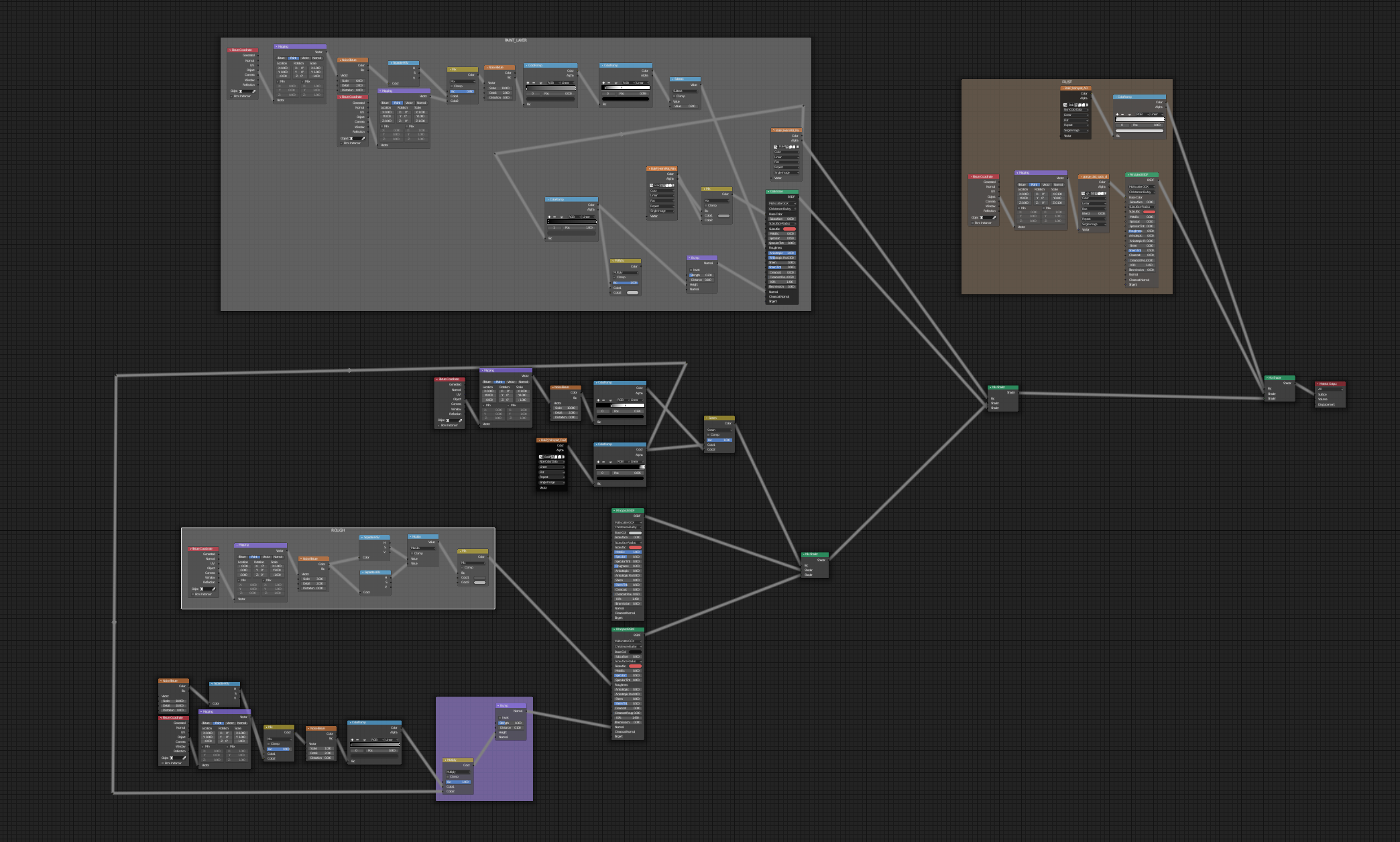
With a huge node setup, it would make connecting nodes (let's say, the furthest farthest left node with the far, far away right node) much easier. I don't know how you do it, but I move the two connecting systems close together, zoom in, connect them, zoom out, and move 'em back apart. This gets quite messy with frames and reroutes.
10 Comments
In Uneal Engine, if you hold ALT when moving an object, the viewport follows your mouse. And it's so f*kin handy.
You can shift+select node sockets and hit 'F' to make a connection.
* @Emir Sinan Gürlek * Nice one! But that only works, when Node Wrangler is turned off.
* @mrp * That is not true. I've Node Wrangler enabled all the time.
I just zoom out and => hover over source-node => hold (shift+)ctrl => click and hold right mouse button => drag the mouse cursor over the target-node.
Its a "Node Wrangler" feature though. Has to be activated via "Addons".
* @rbx775 * oh, nice! Thanks!
I make a reroute node, connect it then drag that little node way across the page.
This feature is finally in the current alpha master! I'd say we can mark this as done.
In substance you can grab the output wire then navigate as normal to where you want then connect to the target.
Like @ -L0Lock- mention, having the viewport to follow active node while moving it could be really helpfull (it can be an option of this pannel : i.imgur.com/HMwOsJd.png (for example press ALT to move viewport with the node))