
Bevel (Don't) Apply Scale option
Bevel scaling is a source of confusion based on several " help me! " and " solve bevel problems " I've found, and on my own expectations and needs.
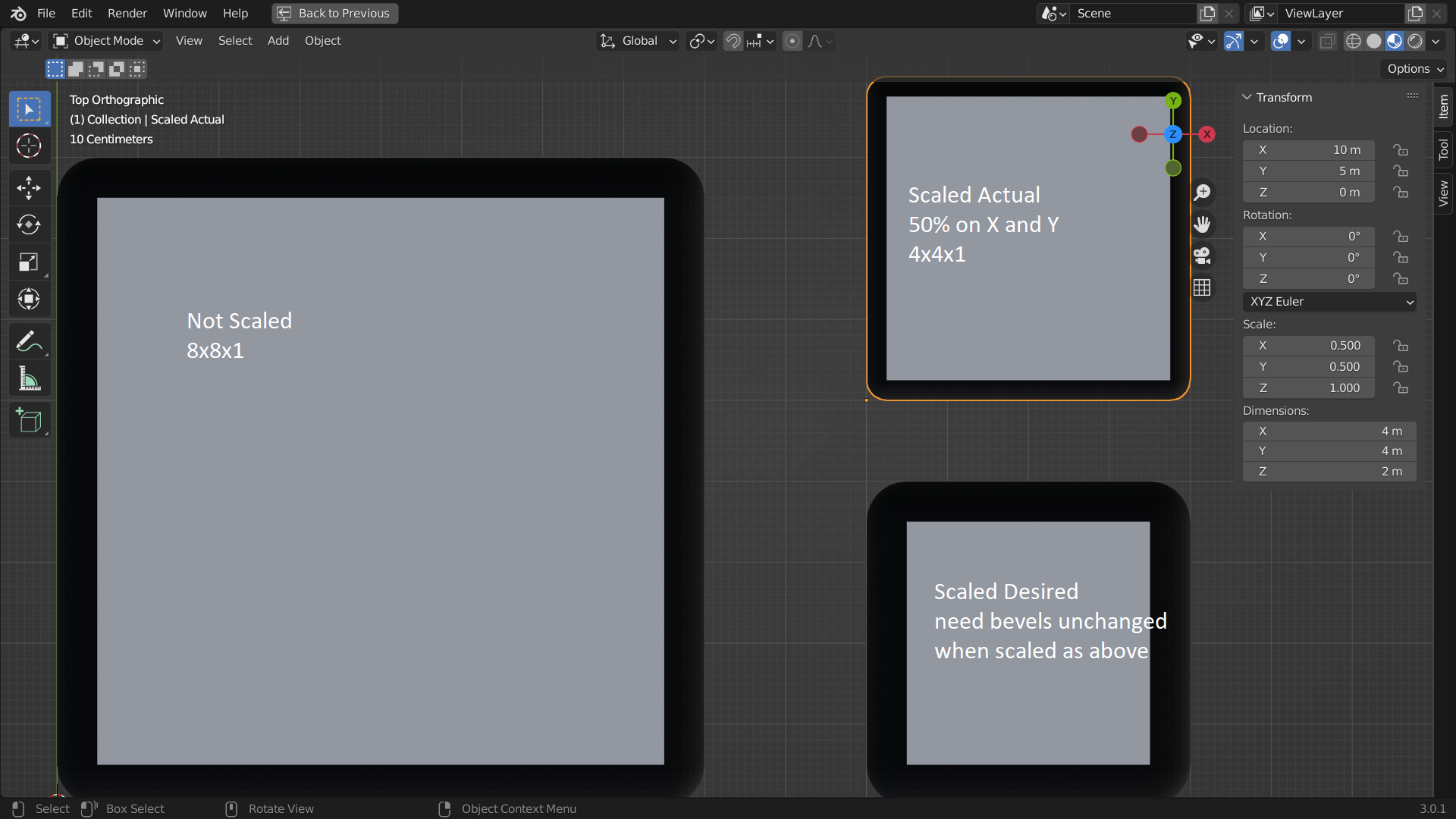
I need a way to apply bevel scaling with fixed width on all sides even as some of the object dimensions scale. Here we started with the Not Scaled box with beveling. Want to scale it down on X and Y dimensions but keep bevel width the same in absolute units. Scaled Actual shows what we get, and Scaled Desired is what we wanted.
Just Apply the scale you say? That doesn't work if you want to animate the scale change, nor if the object has Child objects (see bug T95562 , rejected unfortunately). In the image above, I applied the scale transform to "Scaled Desired" to show the desired result, but I needed to leave it scaled like "Scaled Actual".
Feature request: Add a Boolean property "Apply Scale" to the Bevel Modifier and Bevel Tool; on (by default) reflects the current behavior. When turned off, the bevel Amount or Width is applied evenly to both sides of an edge, or all sides of a vertex, of equal distance without regard for the object's scale values (whether applied directly, or from a parent by Child Of constraint, etc).
(Edited. Originally I had conceived this as a new Width Type, but realized this could apply to any width type or profile type.)
1 Comment
I think a better title would be: Bevel Modifier - World Space Bevel Option
The modifier is currently calculated in local/object space. Then the object transform is applied.
What you want is the bevel size to be calculated in world space.