
Editing Multiple Frames for Animation!!! SO POWERFUL!
Two very simple features I'd like to suggest... bare with me.
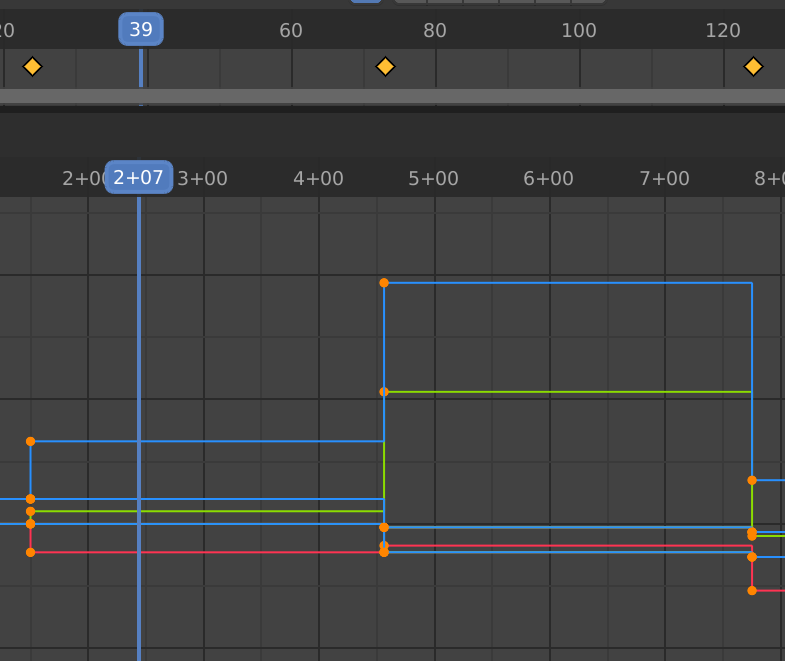
-THE PROBLEM #1- You can not edit multiple frames from the viewport. There are bootleg ways to edit multiple frames but they are not simple, sometimes pretty hard, and in no way iterative or intuitive. Proving to be stubborn splinter in any animators thumb, especially when a large/complex animation is concerned which the said animator would like to correct an error throughout or make an iteration. Time down the drain and one big headache.
-THE SOLUTION #1- Simple, create an option/setting/toggle somewhere ideal that will propagate any changes made to the animation from the viewport to all selected frames, not just the current frame. That's it. Disabled by default, otherwise you'd be more prone to make mistakes. This feature is SUPER powerful for fast, iterative animating and makes variations a breeze!
-THE PROBLEM #2- Re-timing an animation with a lot of frames can be a time sucker, The main issue is that one must select all forward frames, scoot, then re-select all forward frames onward from the last frame and scoot... so on and so forth.
-THE SOLUTION #2- You know how a keyboard works? Type a sentence except all the words are made with the same single letter. Woa, you want to insert a few letters! Simple, select the spot and type some more. Letters are inserted at the blinking bar! Delete a few and everything scoots back nicely! Now imagine I'm talking about frames. Simple! Have a hotkey for inserting and removing frames at the play-head that will automatically scoot all frames accordingly. This feature is also SUPER powerful for fast, iterative re-timing.
Both should be very easy and simple to add to blender as they are in essence just a couple short bits existing code assembled.
3 Comments
#2, if I'm understanding your needs, can be solved by selecting the keyframes you want to retime and press the S key to stretch them. They are stretched with the origin being the cursor.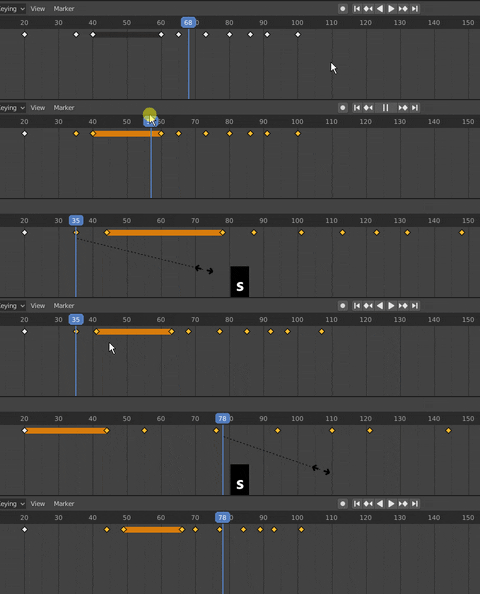
This is two proposals bundled in one place. Please separate them into individual proposals so they can be discussed and voted up on independently.
WOA SO GOOD AND EZ!