
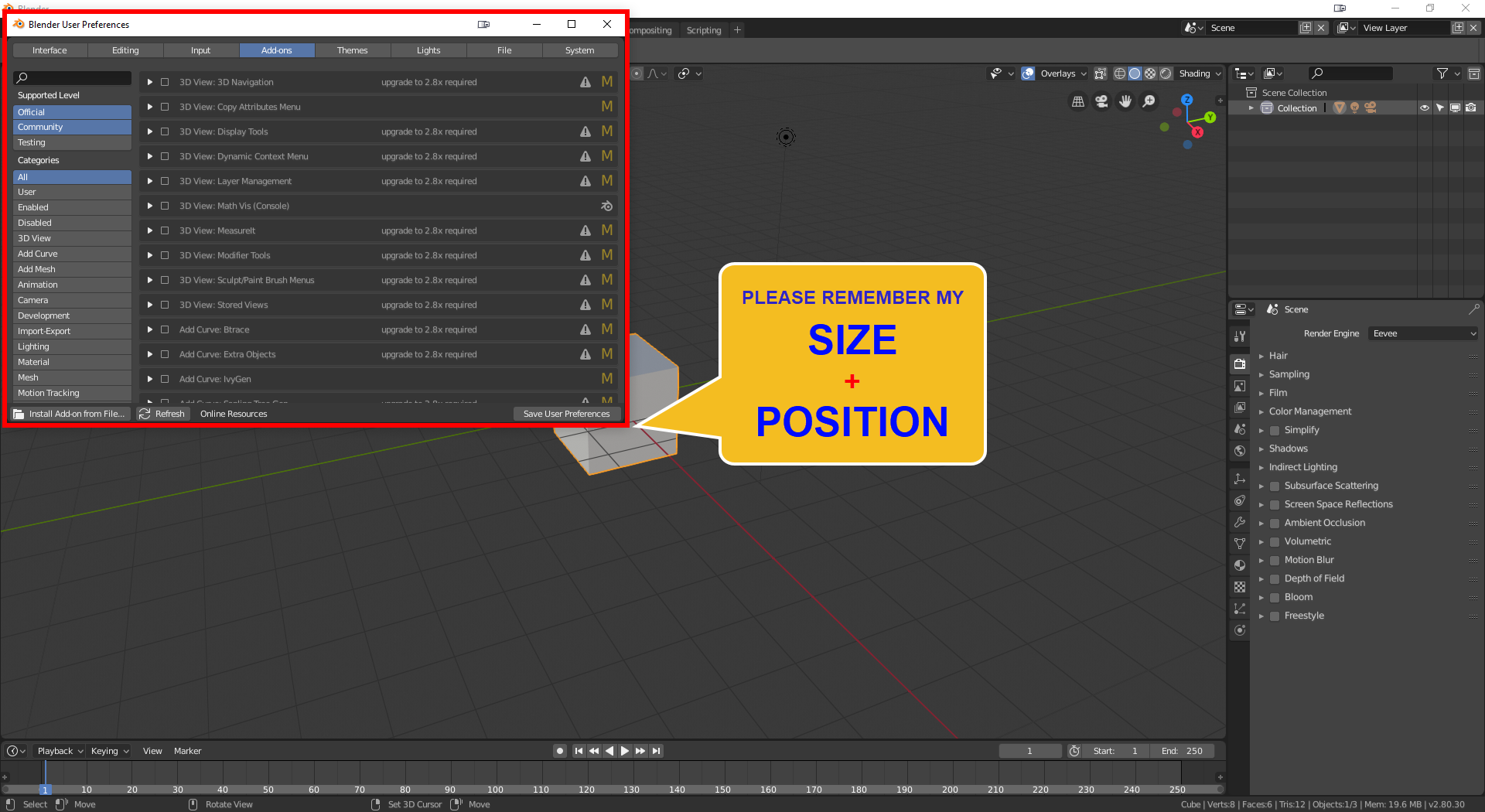
User Preferences: Remember Last Window Size + Position ??
For many years (versions) since I tried Blender, I wish that whenever I close the User Preferences window it will REMEMBER it's last size and position but NOOO! it's always back to it's tiny size shape on the top left of my primary screen (I use 4 screens btw).
It's Already Working on Other Windows:
Just like Blender remembers position and size of my other windows on my other screens as I save a project file, and I couldn't work or learn blender without this wonderful feature.
So why not let that annoying
User Preferences
window to
Remember last size and position by default
?
The bad Experience:
Every time I open it, I will have to expand it's size since it won't show everything and scrolling on this tiny window isn't very user-friendly.
Dear Devs, Please make it Remember
Size + Position
?
We can always reset it to default... right?
Please consider it, thanks ahead!
Just to be clear:
I'm not here to complain but to help improve for newcomers and hopefully some veteran Blender users. :)
Sorry about my bad English, Much Love!
13 Comments
yes, it's so annoying. Every time to resize this window.
Was just about to propose this but did a seach and found this post. :) I'm posting my suggestion below but on second thought, as mentioned, it's probably best adding a whole subcategory under Preferences > Interface called
Windowsthen add similar checkboxes for the other window types as well.New checkbox :
Save Preferences window size and positionSave Preferences window size and position when saving preferences.This is soooooo annoying. Hope it gets added someday. At least the minimum size!
I think this problem is due to how Blender manages more than one window. As far as I know, it is not capable of saving a configuration of multiple windows, it will only save the main window. It does not even save the size of a single window. Perhaps you could make a more general suggestion in this regard. Greetings.
This is sooooo annoying. Dear developers please fix this.
This should be definitely fixed.. But as a workaround, I started to open my preferences in UI area. Drag out an UI area, and hit Hotkey to open preferences there. ( I have set it to F12 )
It is almost as fast as opening the preferences window. And I actually like to keep it in an area, as I tweak for example my Keymappings a lot, so I can have them always right there..
imgur.com/a/NfCInOB Started to use Blender 2-3 weeks a go, so that the reason why I tweak my mappings a lot
Vote +1, would be greatly appreciated!
Until official release, this is the solution github.com/schroef/Custom-Preferences-Size/releases/
This is how the default size of File Browser looks on 4k screen, someone reported this issue on developer.blender.org as T71935 but apparently this is expected behaviour, issue was closed, no issue there... {attachment ExportDefaultSizePNG}
* @e-0 * it's terrible on 4K. also the line thickness going from only extremely think to crazy thick is a huge issue
I do not have that problem but I upload a vote for you
It's controlled based on the window when you save your startup .blend.
Save Startup file File Menu -> Save startup file.
@sebastianmroy: It's never saving the size and position, not even when I save startup file. It's getting back to it's default as I mentioned.
Also, why wouldn't blender remember it's size and position on closing the window?
Even if it worked with save startup file (which is not) it is not user-friendly at all.