
Add Walk/Fly button when in Camera View
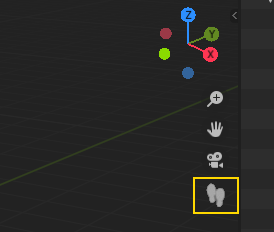
When in Camera View a button should be added the 3d viewport to toggle Walk/Fly mode, easy and user friendly access(the orto button actually disappears in camera view, so there is room for a navigation button).
8 Comments
should also be in Right click (or W menu) when camera is selected.
* @yoann softyoda * Good idea. I submitted a patch for that here: developer.blender.org/D6909
* @ tintwotin * Has other option been found ?
YES! i rarelly use it because it is so obscured on the ui, and I actually never use those icons, unless im on a weird pc, but that walk there, I believe I would give it some use!
* @Frederico Martins * Shift + ~ at any time, not just when looking through the camera.
* @thinsoldier * never worked on the french keymap :/
Would be a nice addition in fact
As i sometime have to model some interiors, i often take a walk to get a better idea of proportions. I mapped the fly mod to the ² key (above tab on azerty keyboard) and TAB to toggle gravity. Real time saver ^^. But yeah, putting it in the 3D view is a great idea !