
"Memocam" or "Memoview" Buttons
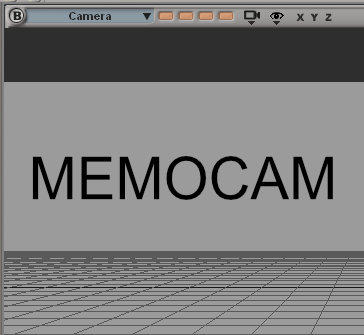
A couple of small buttons in each window (maybe 4-6), which represent a stored viewport with all shading properties (such as wireframe, shaded, hiddenline and so on..). These buttons recreate a camera position, a top, left or right view, depending on what has been stored in them. Left click to select, middle click to set and right click to delete a "Memocam".
9 Comments
Yes! That's a feature from Softimage I miss daily when working with other 3D apps.
This is really a nice feature, guys. Vote for it ;) If I have Time I´ll do video how it works in XSI...this might give you some hints, how usefull it would be..
It could look something like that.. All setting of the stored viewport will be recreated, wich makes it easy and very fast to switch to certain camara angels/positions you frequently check during you work. Some examples..
In XSI it look like that...
blenderartists.org/t/addon-stored-views-user-defined-3dview-presets-update-24-05-11/507516
i hope this will be updated for 2.8
@Bo Shi: ...yes, something like that, but without the "big" buttons on the right panel. In my eyes some integration in the viewport makes it much more usable... ;)
@Bo Shi: Integrating this addon and also making a widget for this would be nice.
@Bo Shi: good that those addon exist at least - desv do not care about this - those addon exist from 2011 - 7 years if in 7 years devs do nothing - i hope at least this addon will be in 2.8
...yes, and its a really handy feature. It´s like setting a kind of "keyframes" on your viewport. I use it a lot to block out camera positions for later animation or to return quickly to pre-configured viewports with certain visibility settings.