
Allow Custom Properties as Inputs for Material Nodes
Objects can have custom properties. Custom properties can be used to control various things, through drivers or otherwise. However, it's very complicated to use custom properties to change values inside a material.
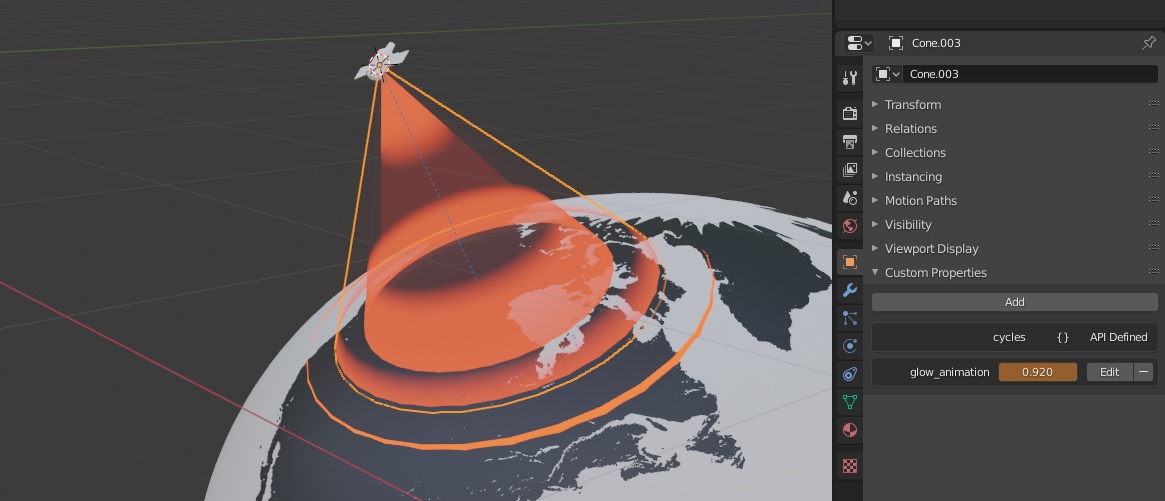
Wouldn't it be awesome if you could use custom properties to control a material? For example, you could animate the UV offset of a scrolling texture, the strength of an emission value, or values controlling a procedural material with custom properties defined on a per-object basis. Each object could have its own values, even though they share the material!
It could either have its own input node, or it could use the Attribute node.
Advantages:
- You can easily animate material properties of multiple objects using a single linked material
- You can use one property to easily control multiple materials at the same time
- You can have multiple different materials, each controlled by a custom property of the same name. This makes it easy to have interchangeable materials that still have custom controls.
Video demonstration:
https://streamable.com/e/c41yyy
Disadvantages
- It was considered for Google Summer of Code 2019's "Improve Cycles/EEVEE for Procedural Content Creation" project, but was considered too complicated for that.
- A really complicated and awkward workaround exists. You can unwrap all of a model's vertices into a single point on the UV map, and use a UV Edit modifier to move those vertices in one axis, which lets you transfer arbitrary numerical data from an object to material nodes. You can even use a driver so that a custom property controls the modifier, which controls UVs, which material nodes can read. So technically this is already possible, just needlessly complicated.
10 Comments
You can also use the object viewport color to transfer information to the shader per object. You only have 4 channels though and each channel is limited between 0 and something like 6, but it is a workaround. It would be nice to have a regular interface to do it or using the attribute node.
Here are two partial solutions, although I'm hoping for improvement.
This is how one can easily reference an object custom property as an input blender.stackexchange.com/questions/176235/per-object-custom-properties-in-shaders
And here is a partial, complicated method using drivers blender.stackexchange.com/a/194229/111042 which is at best clumsy.
So there should be something like an Attribute drop-down to select Material.
I agree that accessing this data should be a part of the attribute node.
right click the custom property and choose copy as new driver, then paste the driver onto the material parameter you want to control.
* @3d illusions * This will unfortunately modify the shader for every object it is applied to. The proposition is about modifying custom attributes per object
That's kind of how the Attribute node works, except we can't set a custom attribute. So that's how we could implement this.
Most wanted. I usually serials multiple custom properties into object pass index. For example tens are for hue, hundreds are for brightness: 101 is the code for dark red 901 is bright red then in the shader i use modular division and integer division to separate tens from hundreds. Pass index is the only property input from object.
* @yasharjk * You can also use the viewport color to pass info to the shader per object
* @Gorgious * Ohh man that wasn't there in 2.79. It's a life saver i'm glad it is added thank for notation.
* @yasharjk * Yeah it still has its limitations but I find it better than the object pass because you can input float values, and you have 4 channels