
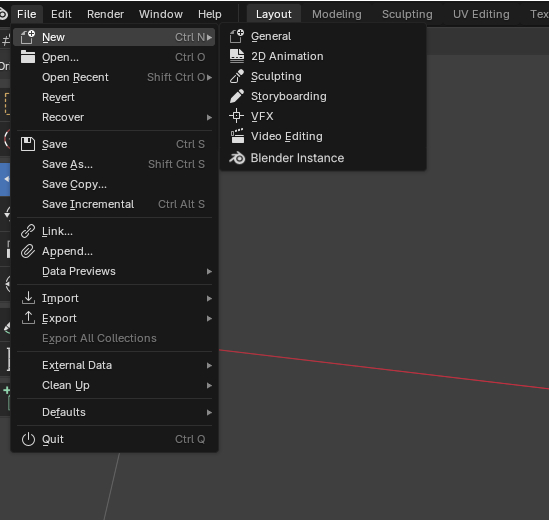
New Blender instance from File menu
Don't know if this a good idea but I found myself in a situation where I had to open lots of Blender instances. I found it boring that I always had to switch to Windows explorer to do it, so, I don't know, it's not much but maybe not such a bad QOL improvement. What do you guys think ?
4 Comments
The fastest way to launch an instance is to middle click the icon in the taskbar...
This!, same for Linux and Desktop Enviroments that allow it like KDE Plasma, or you can simply bind a shortcut key in Window Managers on linux etc.
I use this method as well, and while it does the job well, I agree with the author: Blender should provide a native operator for this.
I think it would be neat to have not just the option to open a new instance but also to open a file in a new instance or open a certain preset in a new instance.
So I propose something like this:
File --> NEW ****As new Instance --> All new File Entrys ****All new File Entrysd --> Open --> Open as new Instance --> Open Rescent **** As new Instance --> All Rescent File Entrys **** All Rescent File Entrys
Something like that