
Fix Drawing of Points when Wireframe Overlay is enabled [5.1]
There was a bug fix in Blender 5.1 that changed how the wireframe overlay is drawn with points.
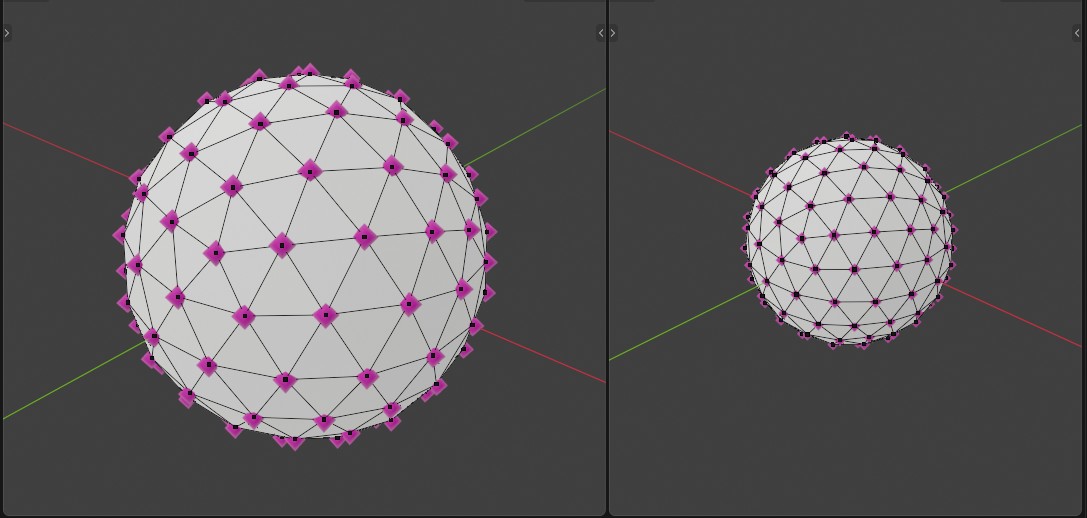
Because of this change, points now have a tiny dot inside them when the wireframe overlay is enabled.
This is how it looks in 5.1:
This is how same same scene looks in 5.0 with exactly the same settings:
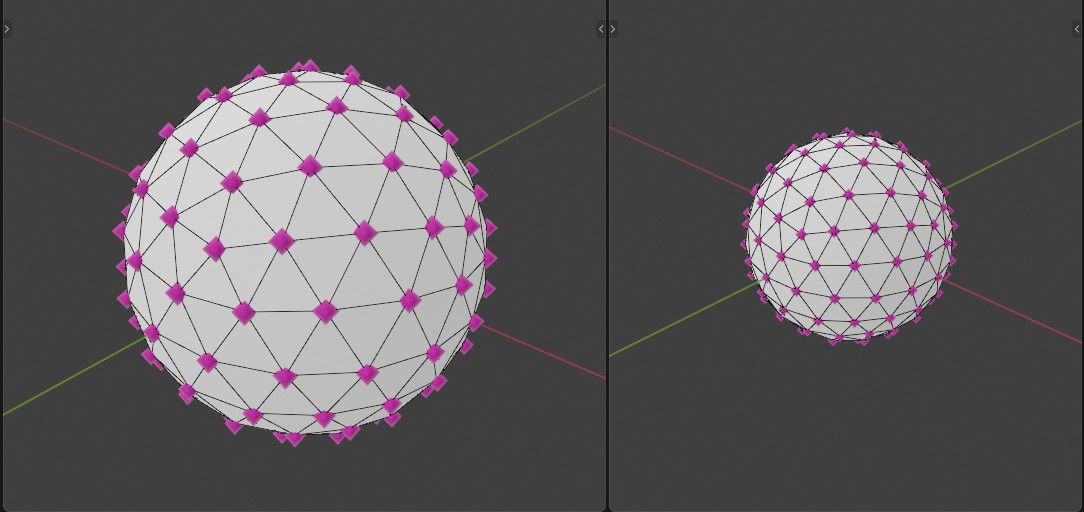
There are three kinds of reasons why the version in 5.0 is better: visual, usability, and schematic reasons.
Visual :
- The point is already drawn, so the dot inside the point doesn't add any useful information; it is redundant visual clutter. My strong personal opinion is that dots inside points are ugly. It makes the viewport restless to look at.
Usability :
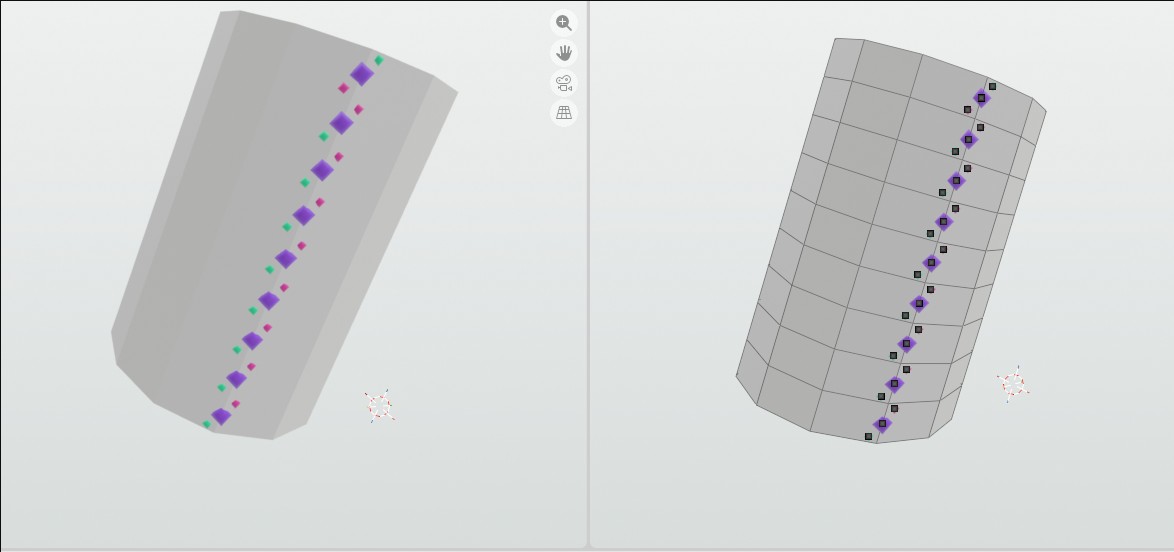
- The Dot will cover the Point when dot radius gets small. You can turn off the wireframe to better see the dots, but that is not a good solution, as you may want to see the wireframe too. In the example below, I visualize different face corners with points that have different colors. When wireframe is enabled, I don't see the colors. But I can't disable the wireframe, as then I don't see where the edges are.
Schematic :
- I would argue that the separate wireframe of a point is a bit of a nonsensical concept. The wireframe of the point is the point itself. Data defines the position of that point, and the point is drawn to that position to visualize the data. We don't need to draw another point to where the point is, as is happening now. It is reduntant.
Currently there is one solid reason to draw the wireframe for the points. It keeps points visible when they get too small, for example, when zooming out. This could be fixed, for example, by giving points to the minimum radius, which would be used if poitns get too small to be drawn nicely.
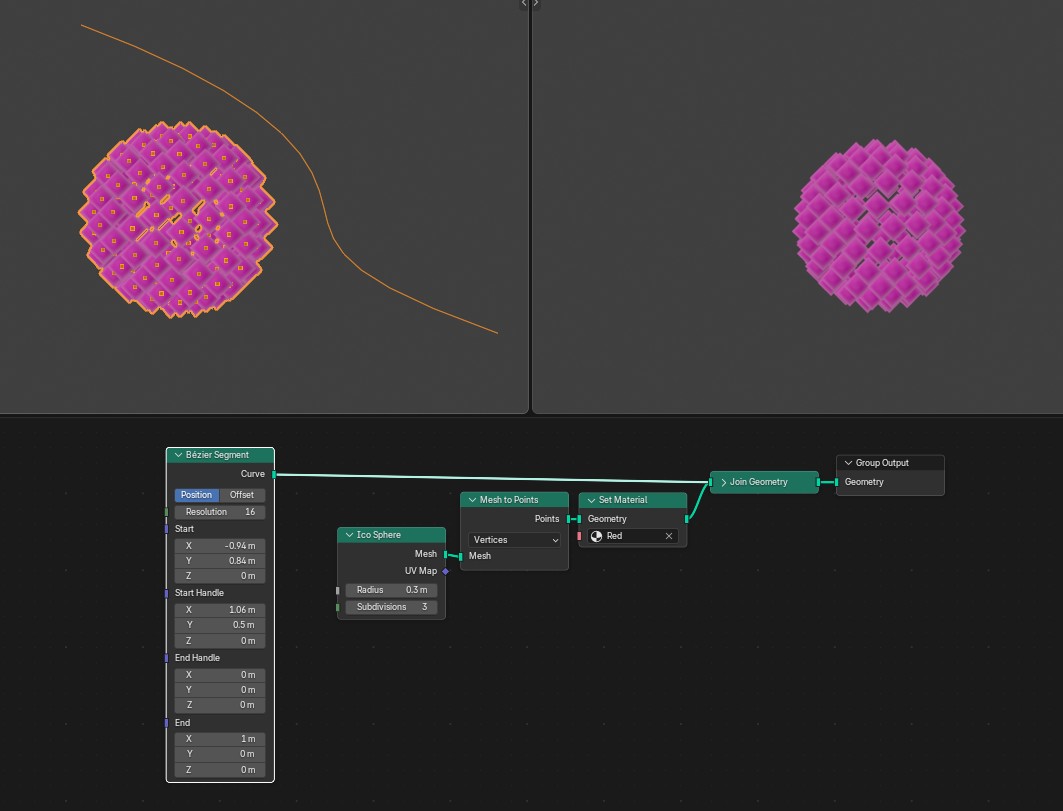
Lastly, I would ask if points should be moved to Overlays? For example, curves are drawn only when Overlays are Enabled. In my view it would be more consistent, if Points would behave as curves, as they serve similar purpose, something to be seen only when working, but not in renders.
Left side, Overlays enabled, Right side, Ovelays disabled:
2 Comments
This seems like a bug. Can you make an report?
I've made one, two weeks a go: projects.blender.org/blender/blender/issues/155564
It's not a bug but expected behavior after a bug fix. It is now matter of if this behavior is what we (users) want or not.