
The FPS indicator is not showing the correct value.
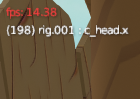
In Blender, I selected frame dropping to watch a somewhat slow animation in real-time. The render engine is active, and Simplify is enabled in the render settings. When I check the playback speed, it appears to be playing at 30 fps. However, the top left corner still shows 14-15 fps. This makes me doubt whether it's actually playing at the real speed. The playback speed seems correct, but the fps is incorrect. This is despite having an RTX 4090 graphics card. The viewport speed adjustments are working, but the FPS indicator isn't showing it.
2 Comments
This is more a bug report than a feature request I think. If it's not working as expected, consider reporting it as a bug.
You might have set Frame Rate Samples to a large value, which would cause Blender to use more frames than are necessary to calculate the average FPS. Could you try lowering it to see if it helps?