
New nodes for compositor editor (Bundle Item Statistic, Get Bundle Item by index and menu, Repeat, Combine Bundle, Separate Bundle, Join Bundle)
Hello, dear Blender developers. I have been working in Blender in the Compositor editor to obtain a gradient fill of a stylized object, and I have some needs for working with the compositor editor. The fact is that I took the color mask render layer using AOV and made each mask gradient using the "Gradient fill" node group (fig.1, fig.2),
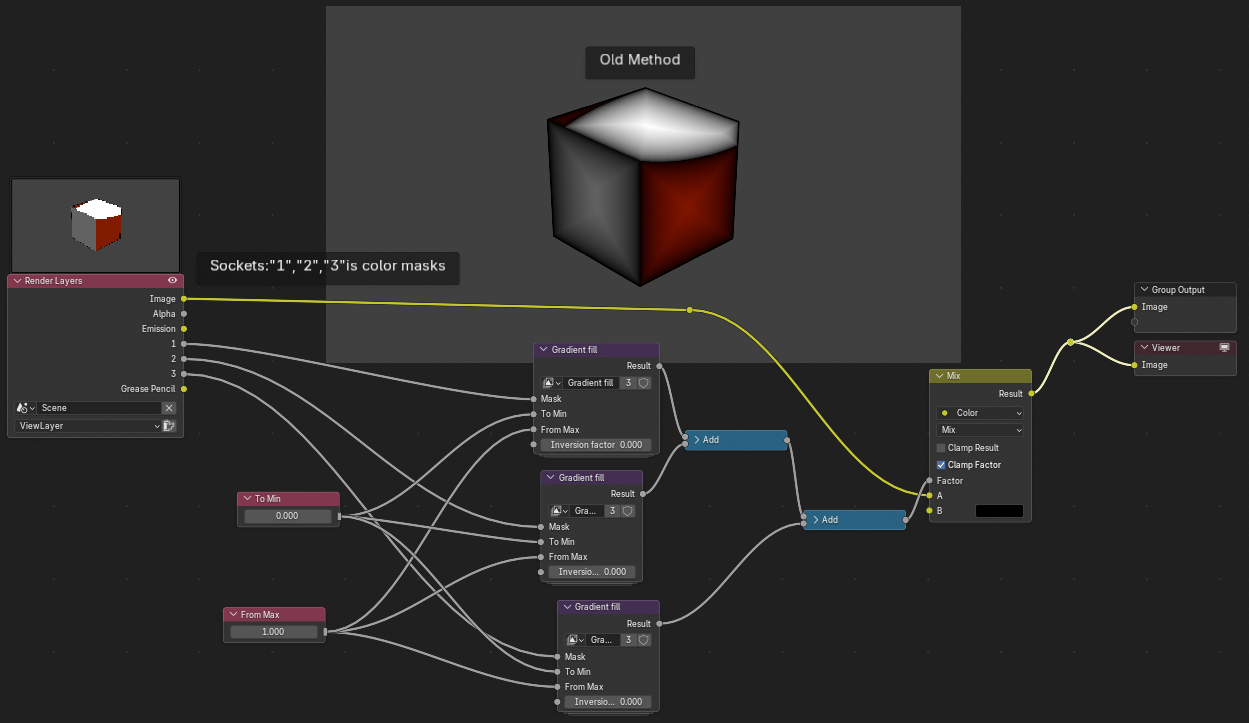
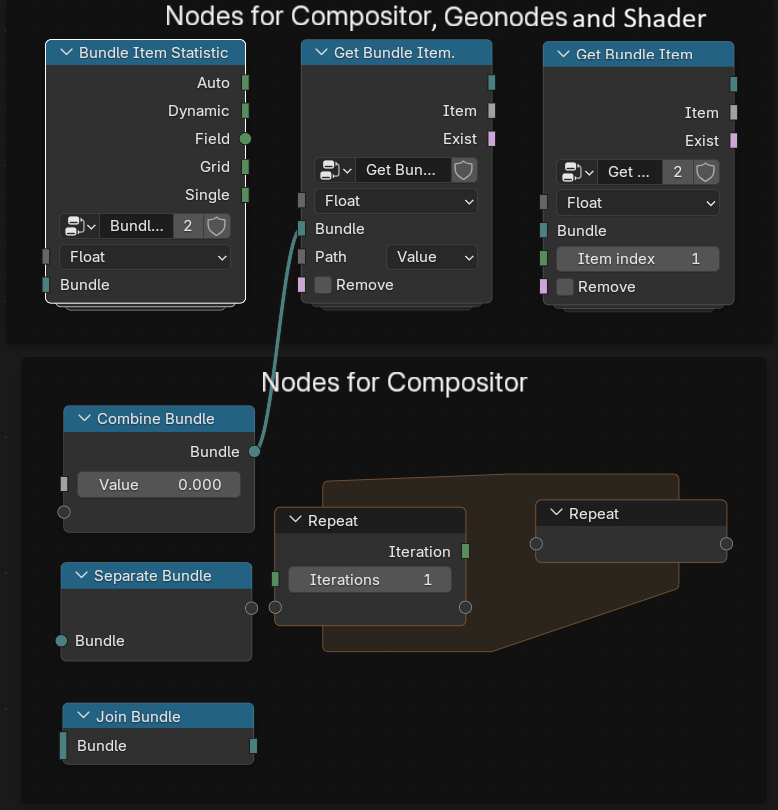
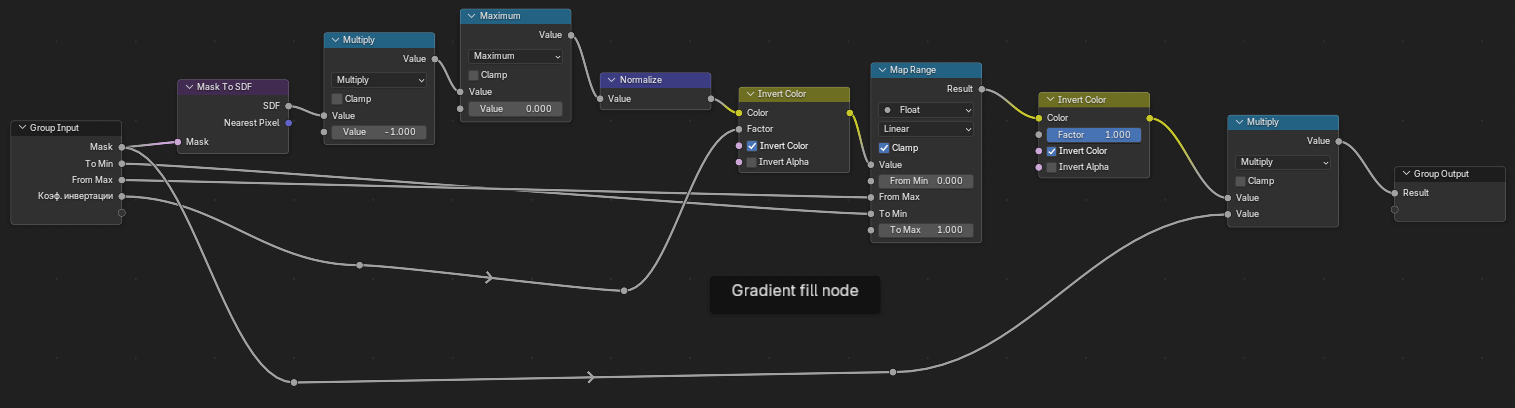 then I added all the gradient masks from the same group and used the "Darken" node as a factor to make some areas dark and others light. The problem is that the more masks you need to process, the more nodes you need to connect, especially the "Gradient Fill" node group. It is possible to simplify the node tree, especially when there are many sockets in the render layer node. If you add the nodes "Repeat Zone", "Separate Bundle", "Join Bundle", and "Combine Bundle" in the Compositor editor, as well as nodes not only for Compositor but also for Geonodes and shader nodes, such as "Bundle Item Statistic" and "Get Bundle Item", with the ability to select Path not only by string but also by menu and index (fig.3).
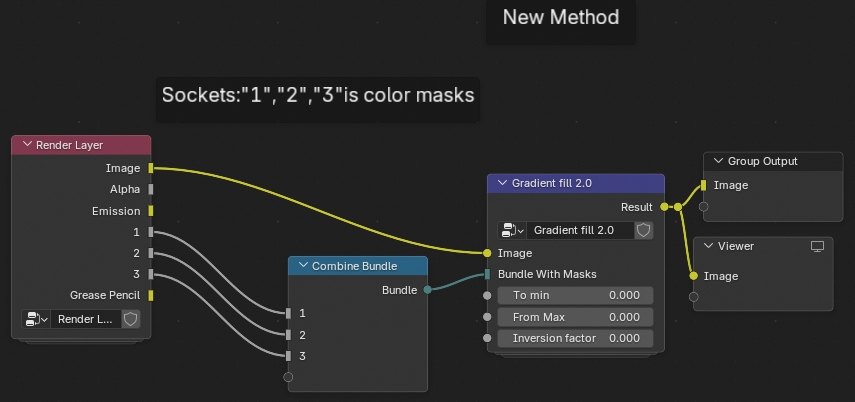
 The new method of creating a gradient mask works as follows: when the sockets with masks are combined into a bundle, the bundle is sent to the "Gradient fill 2.0" node group through the "Bundle with Masks" socket (fig.4).
 Then, the number of masks in the bundle is calculated using the "Bundle Item Statistic" node, and the number of required shapes is added to obtain the number of masks (fig.5).
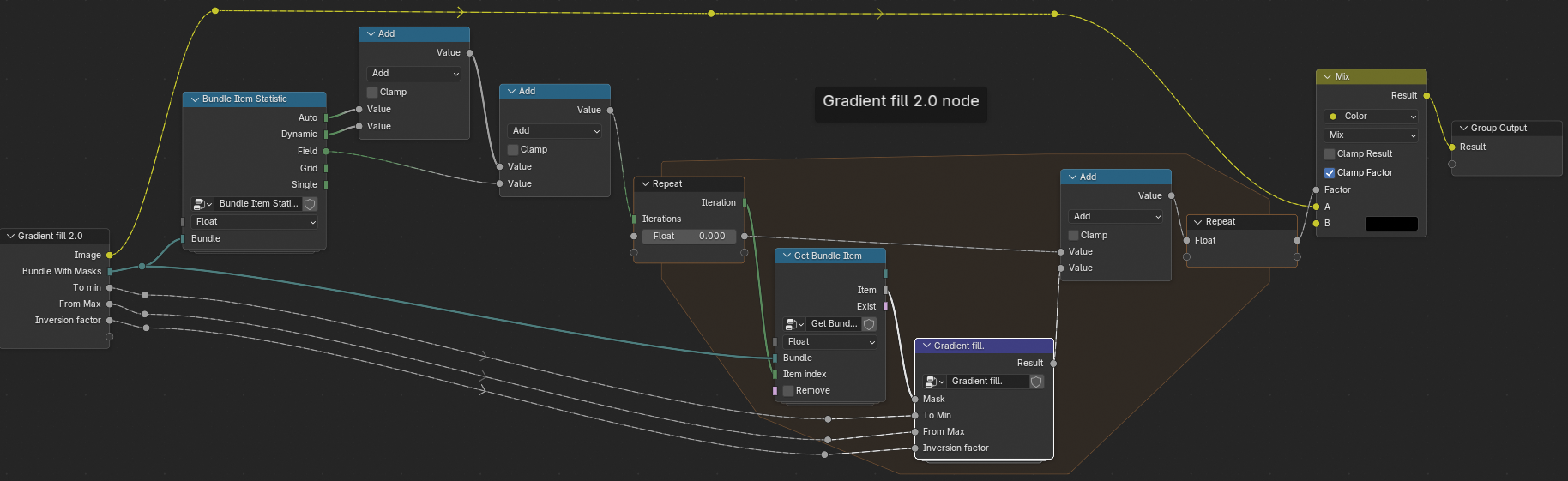 Finally, the number of masks is passed to the "Repeat" node through the Iterations socket. Then, the iteration connects to the "Get Bundle Item" node via the "Item index" socket to retrieve the mask from the bundle by index. After that, the mask is made gradient, the gradient masks are added inside the "Repeat Zone", and then the sum of the gradient masks as a factor makes the areas of the image dark and the rest bright. You can make the dark area brighter by changing the minimum value (To Min) of the masks, as in the "Map Range", and expand the brightest using the "From Max" value and even invert the gradient mask. With the help of the new nodes that I suggest you add, you can not only use them to convert regular masks into gradient masks in bulk, but also use them to build neural networks from nodes. For example, you can use the "Combine Bundle" node to combine input data in any quantity, so you don't have to recreate the number of sockets in the group of nodes that act as neurons. Then, you can use the "Bundle Item Statistic" and "Get Bundle Item (by index)" nodes. and "Repeat" can be used to perform mathematical operations on a large scale, such as adding all values, multiplying them, finding the maximum, and so on.
0 Comments