
Align Viewport Axis to current Transformation
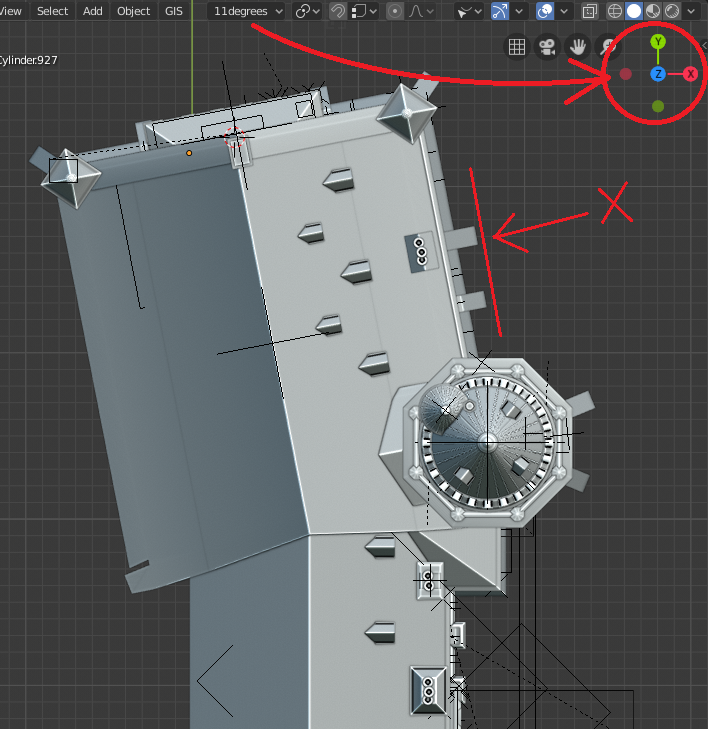
I think it would be very helpful if the viewport Gizmo would follow the Transformation Orientation, so it would be possible to align the view according to the necessity, instead of the "always global" orientation.
3 Comments
Try Shift+ (Num7 / Num3/Num1) for example. in most cases you can align to faces. And if you can't, just snap cube in the proper position and align to it's faces. Also Ctrl+Shift + Nums can work too{attachment 9334358jpg}
and yes? it would be nice to align custom orientation
* @ Vyacheslav * Oh, that's really good! That's helpful already; the Axis there will be a "plus", especially for those who don't know that shortcut! Thanks! :)
* @iemersonrosa * as far as you want orthogonal views, now it is simplier to create cube on the plane (rotated to cursor on plane), parent all to cube, resete cube`s rotation. When you will finish, you can just clear parent and get initial rotation.