
See mapping info when using Object Texture Coordinates
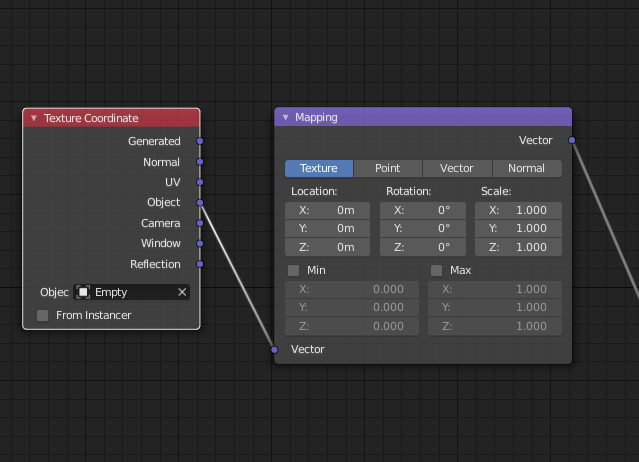
When using an object, such as an empty, to set the texture coordinates it would be a good idea if the Mapping node displayed the location, scale, and rotation data set by the object.
This would be useful in situations where a user wants to change to a different texture coordinate, such as Generated, but still preserve the the previous look. They could input the previous values manually.
8 Comments
Though it might be nice to have an output node which only purpose would be to display any value obtained as input.
In this case, pluging-in the texture coordinates would make it display the x y z coordinates in Loc/Rot/Scale.
* @-L0Lock- * AFAIK they are not 1 digit. It is 3d-distributed vector field. So preview is Ctrl+Shift+click with Node Wrangler or emissive node
They are values anyway. X Y Z, R G B, and so on.
This sounds more like something that should be handled with a script or add-on. I'd be worried about cyclic dependencies if we used the proposed approach.
Had another idea on this: How about a view that pops up on hover over a socket to show the current values at that socket?
Mapping doesn't apply to an object or object coordinates, it applies to shading points. The value of the object vector is the offset from the origin of the object (in this case, the empty) to the current shading point. It has a different value everywhere in space.
Perhaps Output -> Viewer type nodes for each or the data types (Vector, Colour, Numeric value etc.) would be a good approach here. AN has such nodes.