
Objects Overlapping-Selection Issues
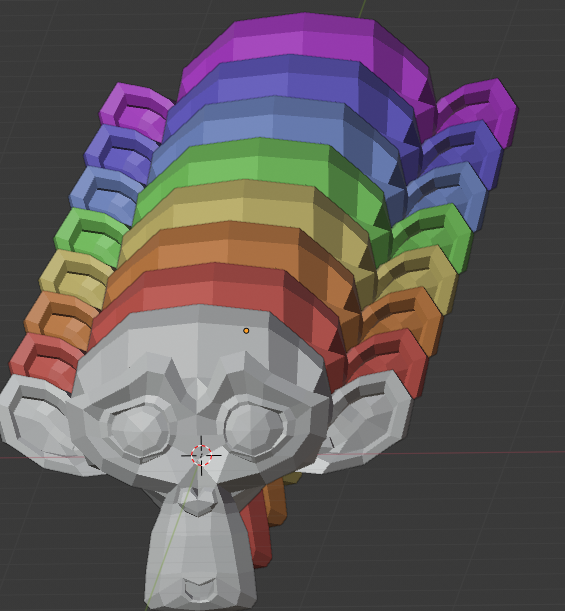
If multiple objects overlap, there is a problem when making a selection. Use the shift key to make multiple selections. Then I double-click it to deselect it.
If the objects do not overlap, it works normally. However When objects are overlapped, it behaves abnormally. The object behind it is selected and cannot be deselected by shift double-clicking.
There is a need for improvements in the selection and deselection of overlapping multiple objects.
Movie link drive.google.com/file/d/1QG0b_XwDHdyyD6tVrA72UMPswPCAGeS8/view
3 Comments
True, this behavior isn't good, i used to deselect all an do all again with more precision, but it is not good, deselect should be easier when multiple object overlap.
good one!
This behaviour is driving me insane at least once every day.
Having to adjust the view to deselect an object so there is no object behind it is not only ridicoulous, but also not always feasable when working with complex mechanical models.
Another "solution" that is presented often is ALT+click and deselect by name. Let me tell you that is a NON-solution if you often work with files provided by external sources or when you have to work with files that were converted to FBX from a STEP file for example. One can't rely on correct and clear naming. Even if the objects are named logically it is kind of useless in many of my usecases. Choosing between "bolt1, bolt2, ..., bolt12" or "flange1, flange2, etc" is impossible.
I would be fine with all further development of Blender stopping for 2 years if it meant this would get addressed. Not kidding or exaggerating. This is EXTREMELY frustrating.
If anyone knows a hack or maybe a keymap trick to resolve this, please do share.