
Implement the "Save Over?" Window when saving an existing project
Hello!
I am jumping from version 2.79 to 2.81 and I have noticed that the overwrite warning no longer appears.
In 2.79, when you press Ctrl + S to save the changes made to an existing project, a small window appeare with the message "Save Over?" to confirm if you want to save the changes.
It would be great if you could include it in future versions of Blender. I am very clueless and that notice has helped me with many projects. I think it would also be useful to other users.
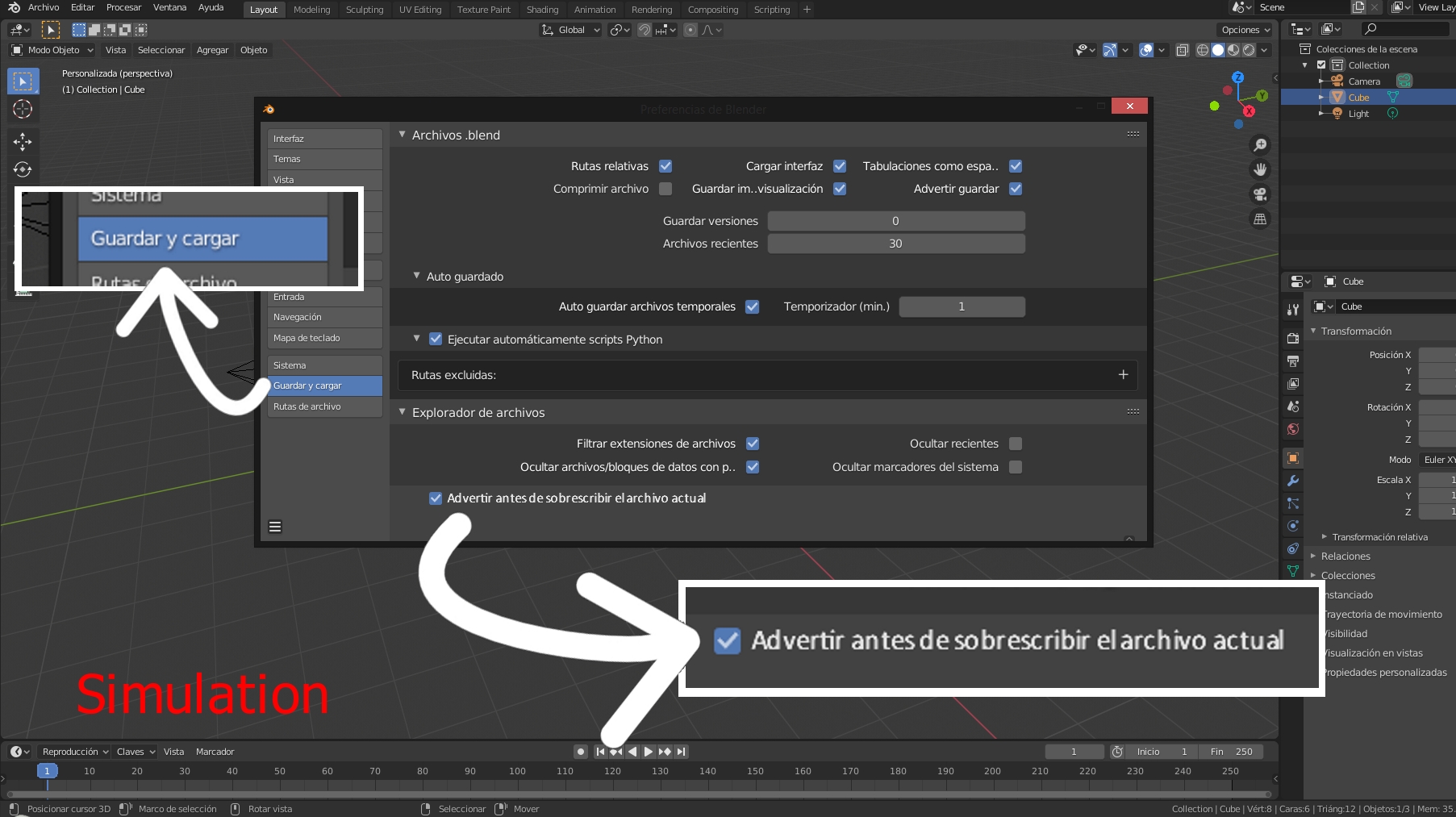
The fellow @ammusionist has kindly suggested that the option "Warn before saving over current file" could be included in Preferences (maybe in Save & Load). That way, each user could choose whether or not to activate the overwrite warning. I think that it is a great and useful idea!
Thank you very much for your really great work! Blender is fantastic! ^^
Regards!
2 Comments
I think this was removed to make it more in-line with common user experience for most other applications (Not just 3D) where Ctrl-S is to save the current file over the prior version of itself.
It would probably be good to have an option in settings to "Warn before saving over current file" or similar though.
Note: If you find you have accidentally saved your file over a prior version of itself, you will find the previous version in the save folder with an extension of ".blend1"
(By default blender only saves 1 prior version, but you can change the settings so you can have multiples. This may well help if you ind this is a problem you encounter often)
MORE INFORMATION
* @ammusionist * Hi! Thank you very much for your comment and suggestions. Keeping the automatic copy made by Blender (.blend1) active is a good way to avoid losing projects. Thanks!
I think your proposal that the "Warn before saving over current file" option is included in Preferences is fantastic. That way, each user could decide whether or not he wants the warning to appear when saving changes to a project.
With your permission, I will modify the publication to include this.
Thank you very much for your help, ammusionist!
Regards!