
move tool option for sequencer
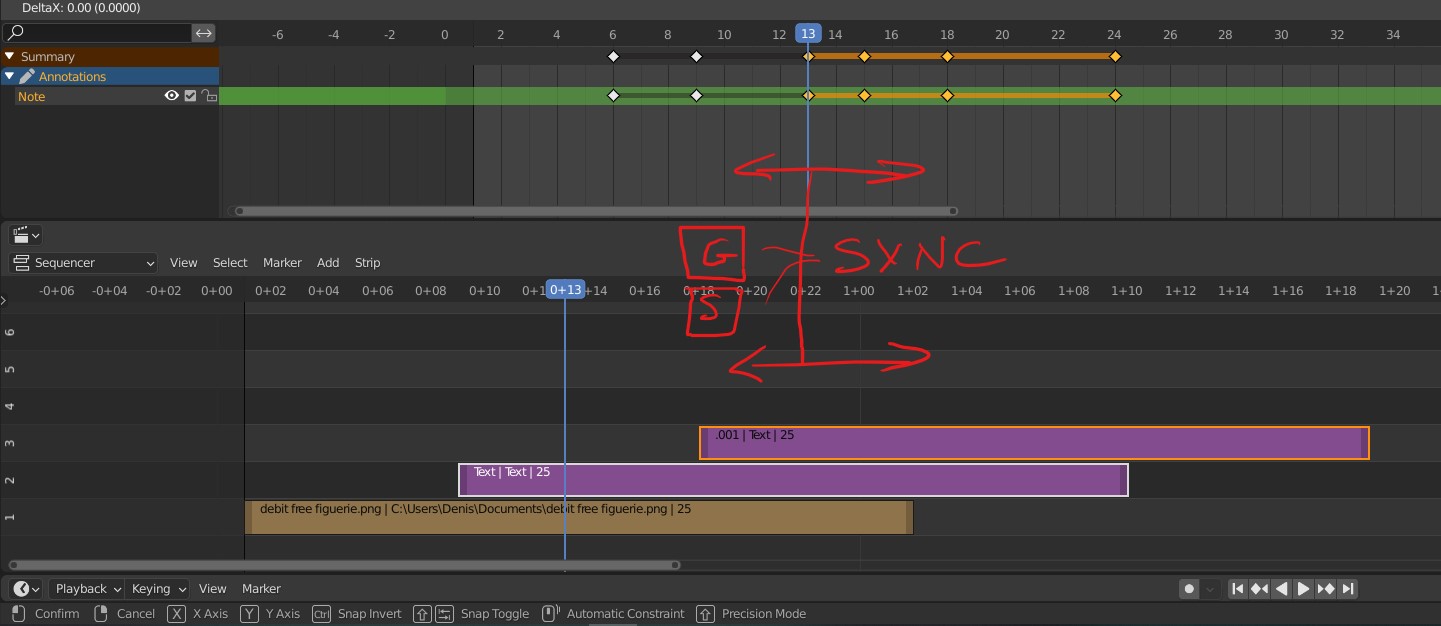
I use a lot the sequencer for video review. But I need to sync my edit in the sequencer AND my grease pencil comments. I'd like a hotkey for the move tool to sync the translation between my selected keyframes (dopesheet or greasepencil) and the selected elements in my sequencer timeline.
I guess this option could work for the scale tool and any other timeline (graph editor, NLA ...)
4 Comments
In the View menu of both editor check Sync Visible Range and they will be in sync. but slightly offset if you have panels opened.
* @ tintwotin * Thanks, nice feature! I didn't know about that.
thanks * @ tintwotin * . I knew this option.. it's really cool for view-sync, but that doesn't work to MOVE keys in both editors in the same time... For exemple if you want to shorten or extend your edit, I'd like to move my greace pencil AND strips at the same time, instead of having to remember the exact number of frames and do the action twice.
I found an addon that Moves keyframes in grease pencil and dopesheet at the same time : gitlab.com/andarta-pictures/gp-move-column But the sequencer is not included .