
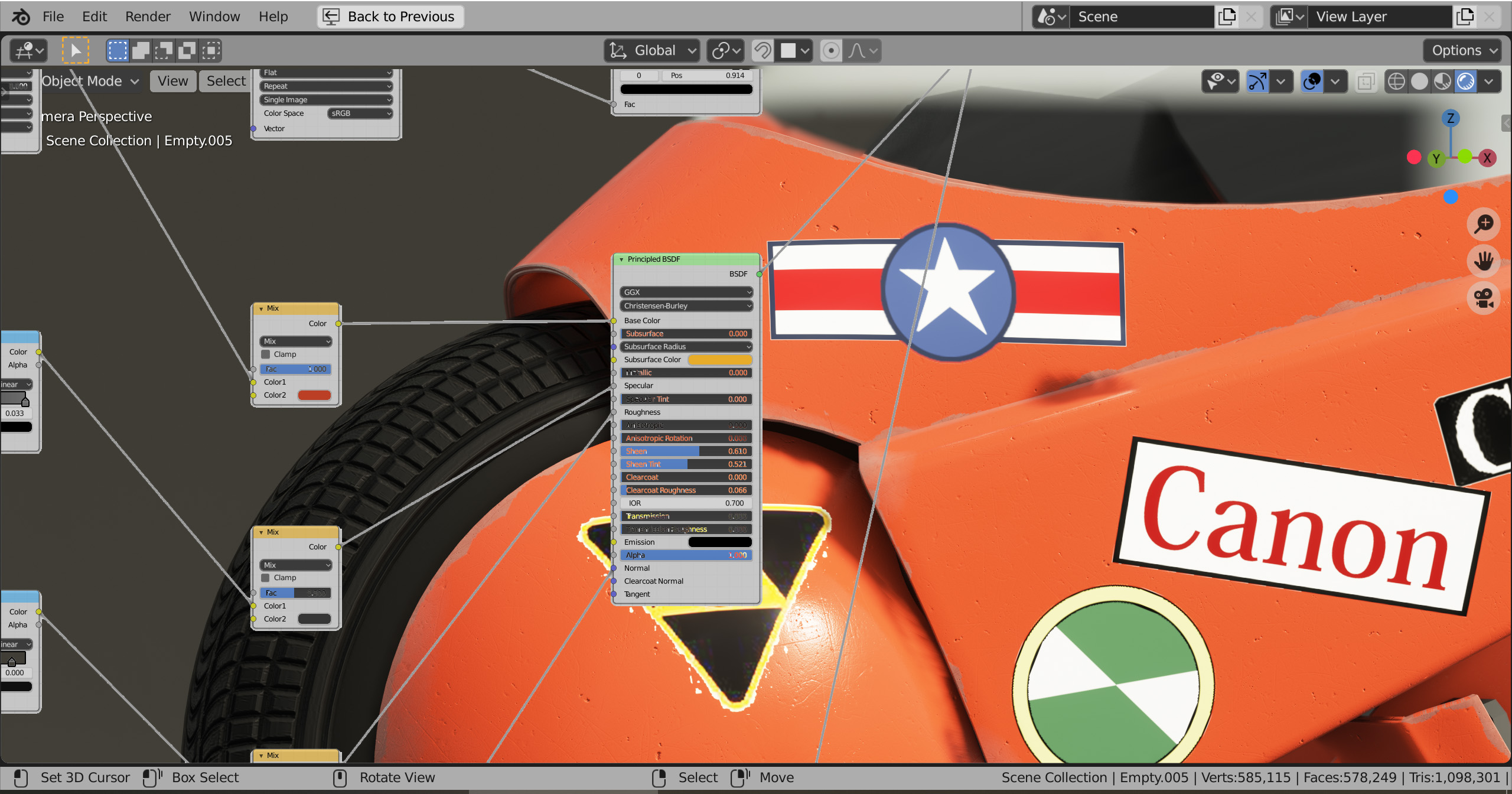
shader editor as a overlay in the 3d view
the basic idea is to combine the shader editor and 3d viewport. This could work like any other mode, in the 3d viewport, where you switch between it and the object mode. When activating it works like the shade editor but the 3d view as the background.
7 Comments
What you're asking should be the way around, a backdrop of the 3D view in the Shader editor because i don't think this is feasible.
Could be nice to have... But will it really be worth the development effort?
Renders might obscure the node setup if colors are similar. So further UI tweaks need to be made. Harsh dropshadows, etc.
Without render upscaling (i.e. x2 pixel) this will increase render times for Cycles alot, since viewport renders will be used in a bigger area. So upscaling needs to land first, at least when used with cycles.
* @rbx775 * thanks for the info, I have no knowledge about the technical difficulties. I can see where the current way is better suited for full renders. I was more thinking of when working on small parts on a scene withe region render or eevee.
I think this is excellent idea - just be a toggle to enable disable and background is simply the render result - no need to do other windows or anything like that - just update the background of this window.
eeeeeh, idk about this one, m8: it's one of those things that sound like a good idea on paper but in practice it could be really distracting, depending on your scene
As nice as it looks it bring another problem, how do you move the nodes or move in the scene? Maybe a toggle to switch back and forth...
* @xdanielcalderon * "When activating it works like the shade editor but the 3d view as the background." Pretty self-explanatory.