
Mask Groups
<h4>How would it look/work?</h4>
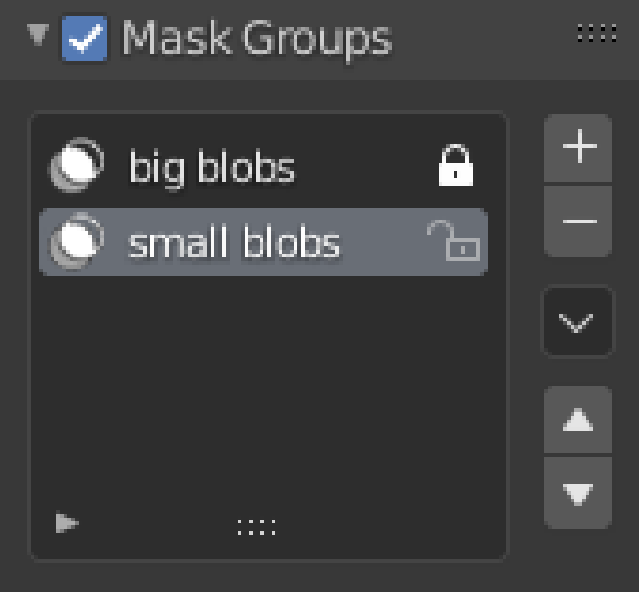
The selected mask group would be the active one. To not have a mask at all you could either have an empty group or you could uncheck the checkbox which would disable the masks.
It is basically just the vertex groups but for masks.


<h4>Why?</h4> Just because it would be nice to use for scale like features.
<h4>Why the checkbox?</h4> Basically this
<h4>Possible problems</h4> <ul> <li><b>Speed</b> (remeshing would get slower the more masks that you would have if you choose to preserve masks)</li> <li><b>Multires modifier</b> (it might get weird there but I'm not sure)</li> <li><b>Checkbox</b> (while sculpting there should probably a button somewhere else where it would be more accessible)</li> </ul>
4 Comments
facesets and vertex colors can do this jom now
* @ Vyacheslav * maybe vertex colors but not facesets since they're binary
* @Anže * usually you need binary mask. But yes, it is better to have universal method.
Since this post makes an amazing job illustrating how this might work i will just come up with a use case example. Since Multiresolution does not allow for multiple sculpt layers yet and it could take a lot of time before they get implemented, this could be the next best thing for the moment. Experimenting with multiple mask patterns to quickly test different combinations of surface variations also thanks to the erase multiresolution brush.