
Only affect first contact connected mesh in sculpt mode. (continuous connected selection/implementation)
Hello guys. I would like to propose a feature that would allow users to sculpt only the first contact connected mesh in sculpt mode.
I am not aware of any current features that can make this. The lock original normal and plane although very useful, it does something different. The topology auto masking is also different; only exclude mesh that are not connected.
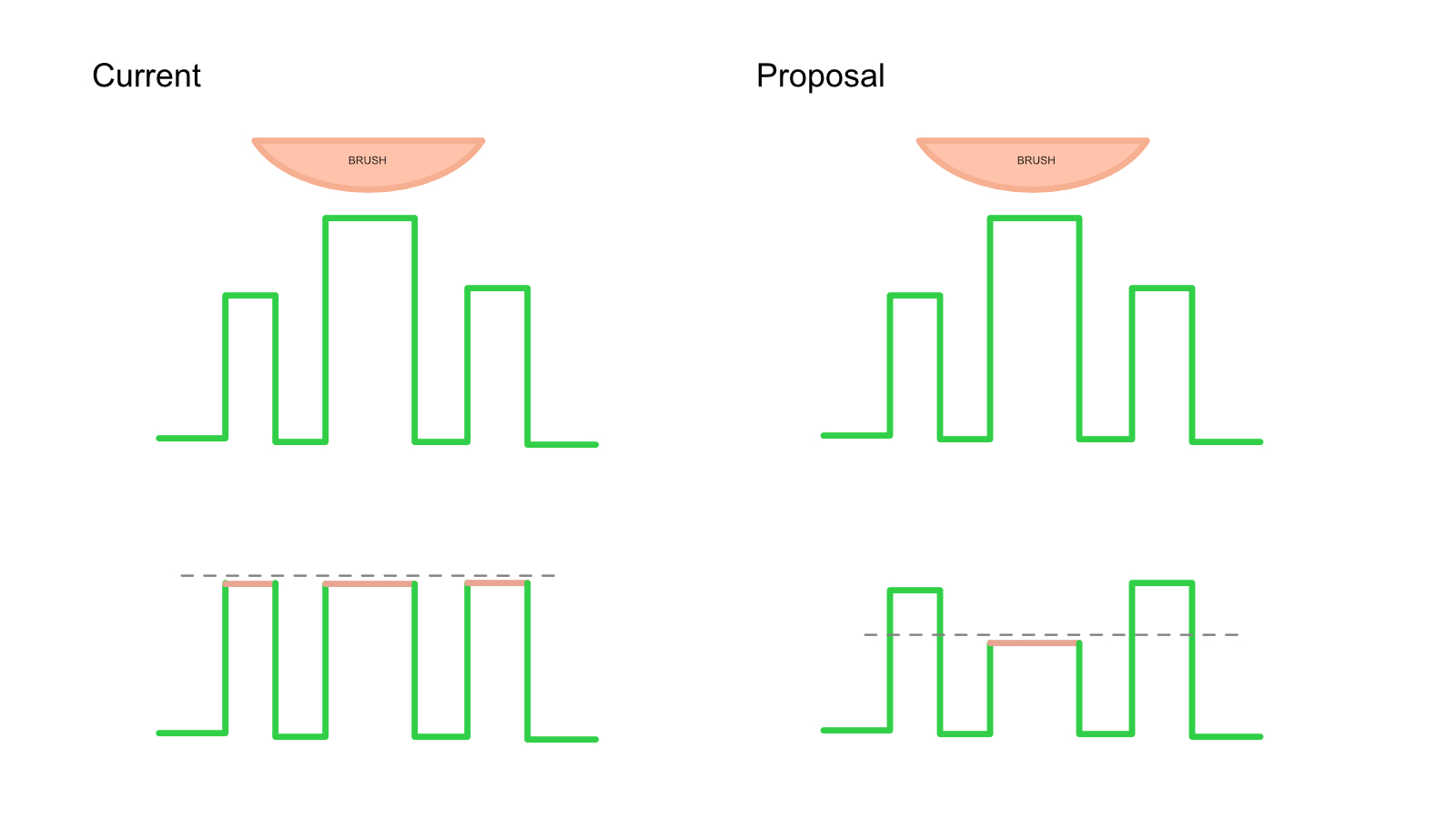
The proposed feature would implement the functionality inside connected mesh. It will prioritize the closest mesh connected to the first mesh that comes in contact with the brush cursor.
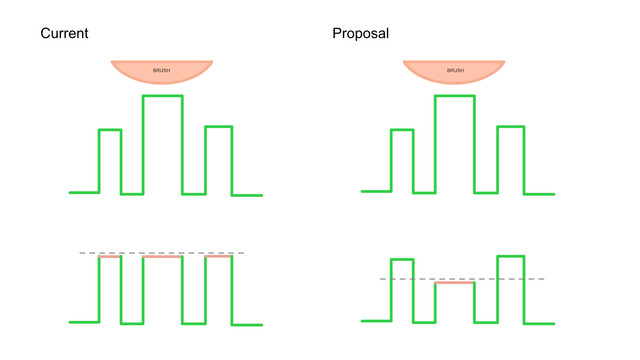
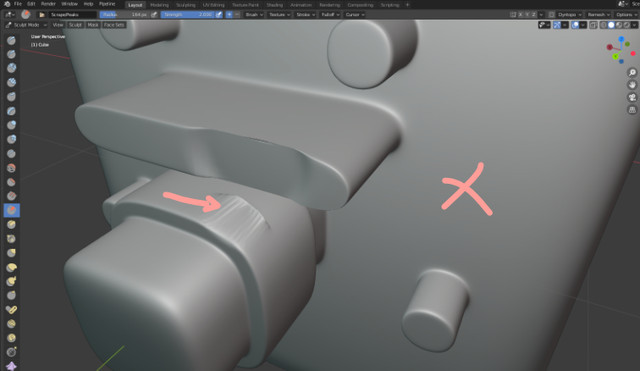
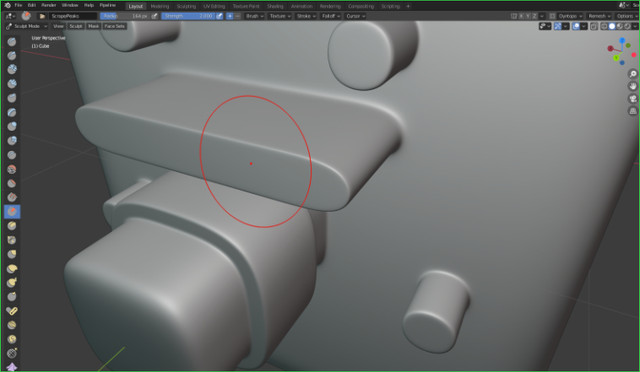
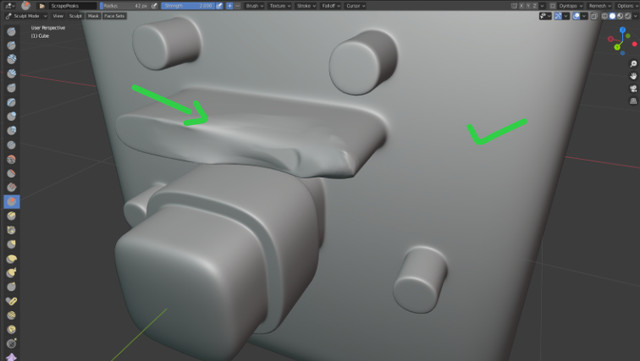
In the diagram below. The left example represents the current behavior available. On the right example we can see that the sculpt brush only affects the first mesh contact connected.
Although there is only one mesh, the sculpt brush prioritizes the first contact and the next. In the current brush implementation, the brush affects everything it hits.
html diff online
I hope we can have some kind of feature similar to this in the near future.
Thank you blender dev team.
8 Comments
Edit: I was missing it. It's called Topology in Auto-Masking section of the brush settings.
The way I see this working is controlled by a topology distance value that masks parts that are over a certain threshold in terms of surface distance even if the areas are close in space. Of course this calculation needs to be quick for dense mesh.
* @Ge Ro * Currently the easier workaround probably is by using a mask.
* @johnpdelacruz26 * Sorry, I didnt use sculpting for a while, but this feature already exists in brush settings :)) prnt.sc/ut8u11
* @Ge Ro * The topology auto masking if I am not mistaken only masks objects that are not connected. The feature I am proposing is for a single connected object.
* @johnpdelacruz26 * No, the hint is not very specific, but this limits the brush influence to a topological distance (measured from affected vertex to the next connected vertices) on a continuous mesh, proportional to brush radius . I use it a lot in zbrush and this works the same. prnt.sc/utkna6
* @Ge Ro * What happens when you long press the mouse/pen and move it slightly around the perimeter? I think brush affects the other mesh right?
Or am I missing something? What settings did you changed? Because in my case the other mesh are still being affected by the brush when long pressed and moved a little.
* @johnpdelacruz26 * gyazo.com/8d4e1f0f903a227785d0f242f3ec999b As you can see you can move even parts that are crossing and not separated. Just brush radius and Topology mask checked. I prefer to have the brush size in scene units not screen for consistency. And don't forget that unfortunately undo affects the settings you change in the UI and It will disable the topology checkbox if you undo your first brush stroke.
I guess you are right. Maybe I am not looking at it closely. The behaviour might be slightly different from what I am expecting but it probably does the functionality I am thinking. Thanks.