
Keymap editor
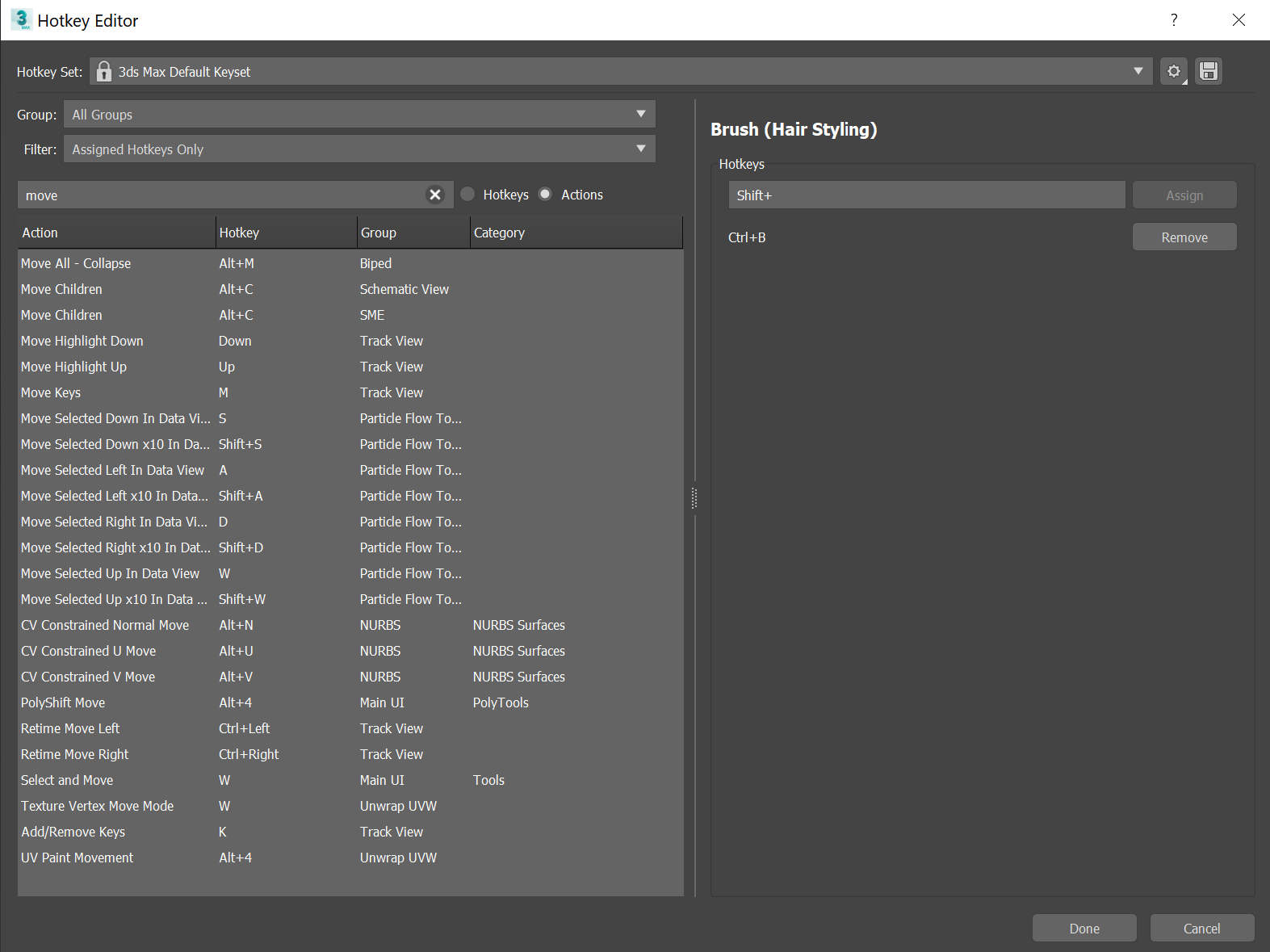
Please have a look at 3ds Max' hotkey editor to improve upon Blender's. This specifically refers to the editor being able to 'read' the hotkeys that are typed into the key-binding section, rather than manually inputting them. Moreover, commands are listed alphabetically with their associated hotkey and where they reside in the UI, rather than starting from the UI. This way, commands can more easily be filtered according to the interface location they belong to so you won't have to expand a bunch of dropdowns to, for instance, find commands associated to sculpting.
Finally, I would prefer to have a clear naming convention for all commands: having 10+ brush select entries does not help human reading. Instead, if it were to state: 'Clay strips brush', 'Smooth brush', 'Pose brush', etc, it would. Similarly, you would have 'Select all', 'Deselect all' and 'Select all toggle' to ensure each listing is concise and clear. By listing all commands available to keymapping, users will more easily find the commands they are looking for. Python tooltips as command input should be an addition, rather than the default behaviour.
6 Comments
There is a design task for a visual keymap editor
developer.blender.org/T76678
and a design task for a refactor of the keymap system.
developer.blender.org/T68884
You might want to provide input there.
Maya's quite nice too:
* @-L0Lock- * That's a nice way to visualise which keys are still open for mapping.
Max isn't good example. But blender's hke should be improved anyway
* @impacman * Basically, the entire search and organisation structure of Max should be used imo, whereas the blank side on the right pane, could incorporate all of blender's stuff with the keys, their use (press, release, etc.) and the options for specific tools.
* @Hologram * agree