
Shadow Catcher: Keep Shadows in Ray Visibility as an option when Glossy is turned off
It will be very useful for integrating objects on a shot backplate and using an HDRI shot at the position of the backplate for rendering if I can turn off the Glossy of a floor plane using the Shadow Catcher but the shadow will still remain for reflections.
Or simpler described: The floor will be transparent but the shadows of the objects on the floor will be visible for reflections (black: opaque - white: transparent).
The reason is that I need the information of my HDRI AND the shadow for the reflections.
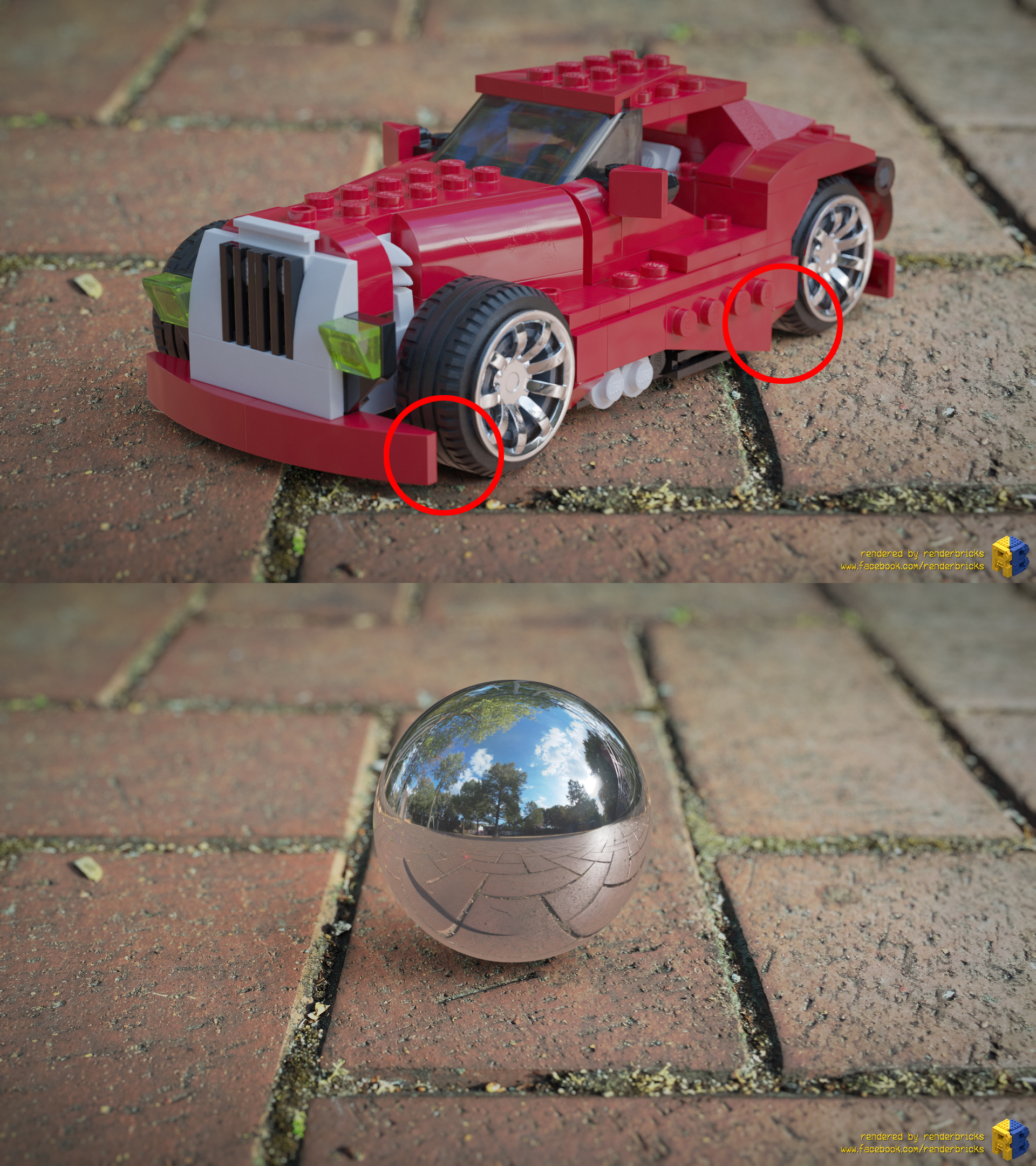
My attached picture shows the issue at the tires. I had to turn off the floor's Ray Visibility to get correct reflections of the HDRI for the metallic rims. But then also the shadow of the car will be ignored for the reflections. The rubber material of the tires will show now the floor reflection of the HDRI only. The correct result would be: black (or much darker) tires.
If I keep Glossy turned on, the original floor plane material will be reflected what is wrong.
The solutions would be a reflection of the shadow and the HDRI by keeping the shadow (opaque) on a transparent floor plane.
UPDATE: I added a rendering with a chrome ball what shows the issue very well. The shadow of the Shadow Catcher feature isn't visible in the reflection. The dark line on the left hand side in the chrome ball is the shadow of the Ricoh Theta V. The ball shows the HDRI reflection and not a correct reflection of the backplate because the backplate is added by compositing. ;-)
1 Comment
Bump!