
2.8 Improve Box Selecting Tool UI (Improving workflow)
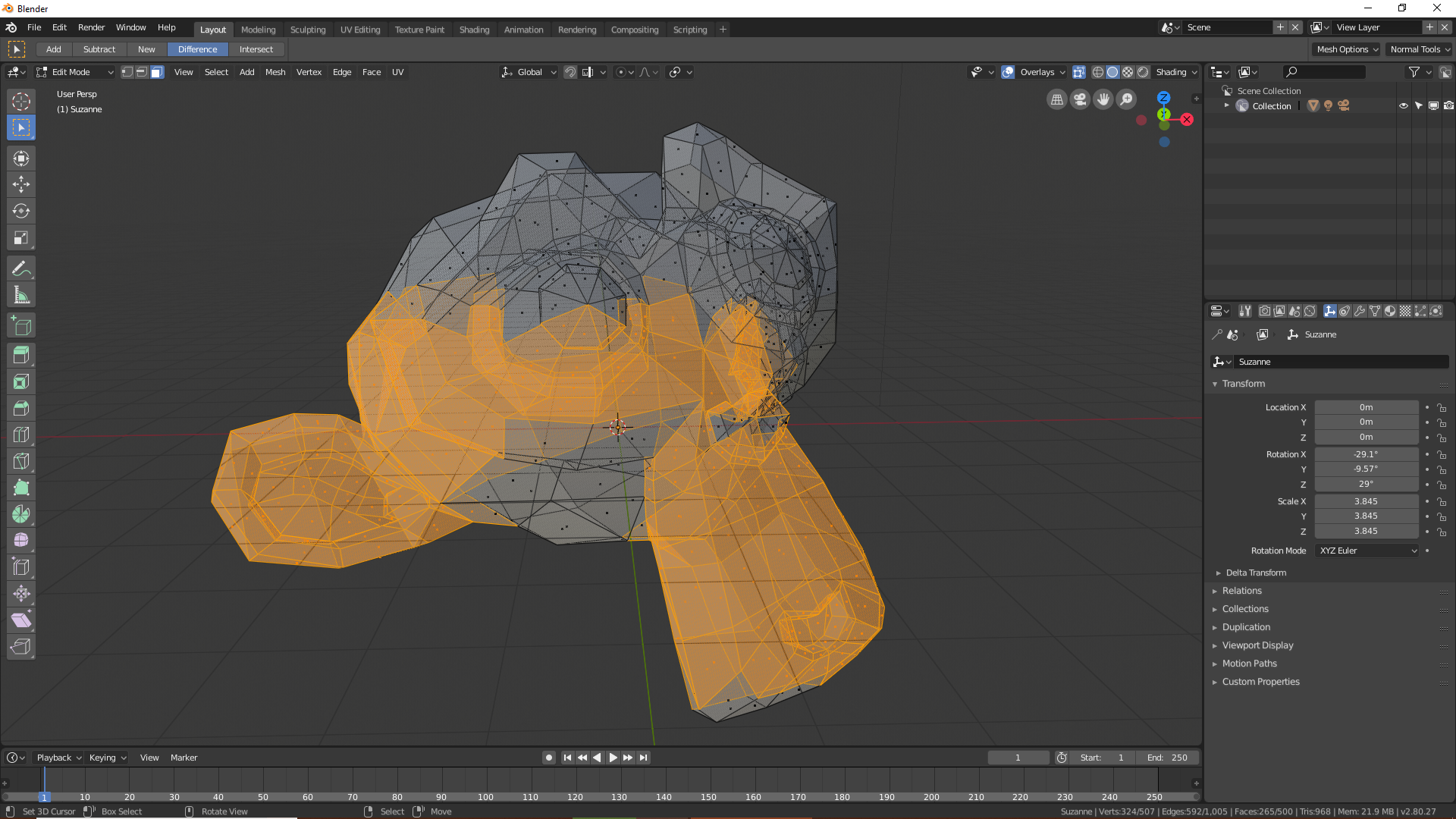
I found the box selection tool in 2.8 a big game changer for me. Not having to press B every time you have to box select is great. And you still have the 3d cursor. It should be the default tool selected when you open up 2.8. But one inconvenience of the box selecting tool is that it doesn't have shortcuts for changing modes. Like there's Add, Subtract, New, Intersect, Difference. If New could be regular dragging in viewport, Shift + Drag for adding selection, and Ctrl + Drag for subtracting selection, Alt + Drag for Intersect and Ctrl + Shift + Drag for Difference, it would be so handy and fast. A shortcut for switching between Box select and lasso select, will also be very helpful. Please implement this, dear devs. I use the select tool a lot right now. But having to go up there and switching to subtract then subtracting selection then going back to switch back to new selection mode is so annoying and hinders my workflow and probably the majority of other users. So please do look into this. You guys are doing great with 2.8, lots of love from me. Keep going, devs, you're awesome!
4 Comments
Yes, definitely, shortcuts for those should be added. And we have discussed making it the default tool also.
How do you know if a dev decides to undertake my suggestion?
@jamesprakashjc:
Unless it's mentioned in a podcast or the dev notes, I don't think there's any way to know at the moment.
The recent addition of the "New selection" "Difference" and "Intersect" modes to 2.8 box select makes me think this is probably the plan. All that's missing now is a way to assign the right behaviors to the right modifiers on all the multi select modes, and it's going to be amazing.
@velu: That's good news. They should at least let us assign shortcuts, and I'll be happy.