
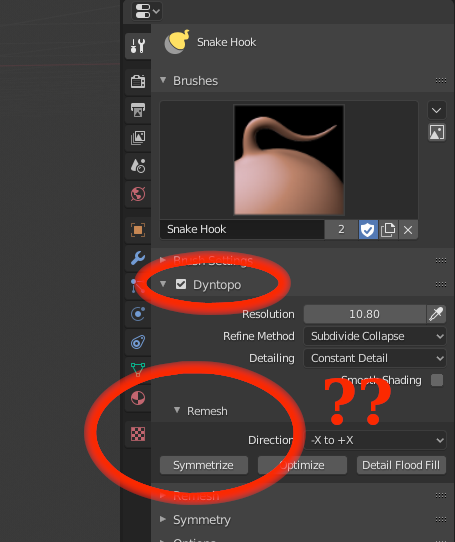
Move the Symmetrize option in Sculpt Mode out of the Dyntopo Panel.
Today the Symmetrize button is inside the Remesh subpanel, inside the Dyntopo panel of the sculpt mode.
But it is a very usefull command that we can use even when we are not working whit Dyntopo, such as when we are working with the REMESH workflow. And as we can actually use it when the dyntopo is off and we are using the REMESH workflow, it would make sense if we didn't have to enter the dyntopo panel to access it. Wouldn't it?
4 Comments
Actually this Remesh subpanel could be renamed as it conflicts with the new Remesh workflow. Or, if the symmetrize options were moved to somewhere else, this panel colud be extincted, moving the detail flood fill button to the main Dyntopo panel.
Long time UI mistake lol... Requested many times... 🙃
How do you mark something as done? This is already fixed in master.
Yes, I will fix this..