
Curve Bevel consistency
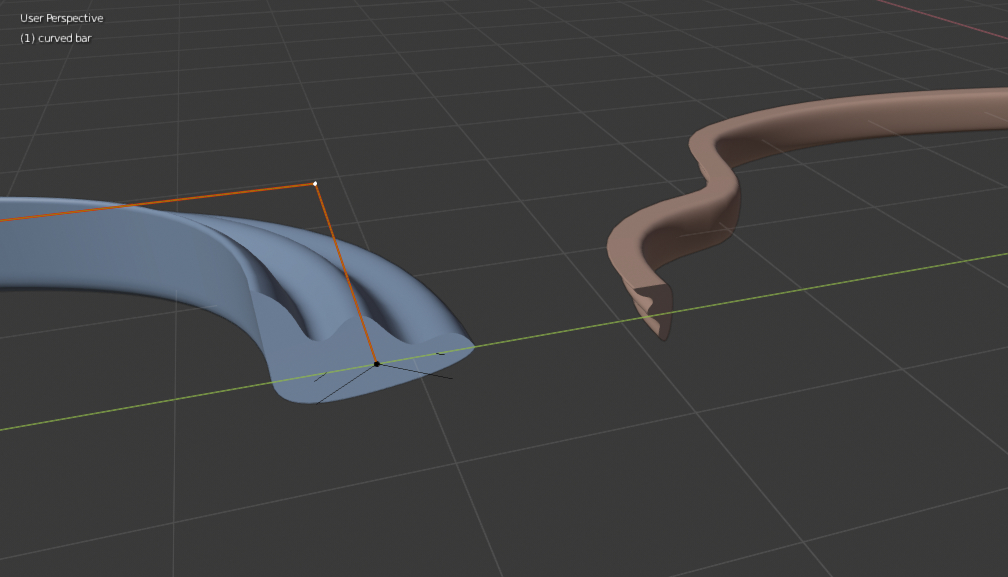
So, it seems that if you use the same curve as a bevel more than once, it will not produce the same results. I don't understand why that is but it would be swell if it can be made so that I get the same result if I use the same curve more than once and not have to duplicate it however many times I would like to use it.
13 Comments
Radius, tangent, scale, substeps. All it matters. Check it please. I have the same for bezier and path {attachment 7061324jpg}
* @ Vyacheslav * that's right, he must have something wrong, I can't reproduce this "bug"
check here: devtalk.blender.org/t/gsoc-2018-bevel-improvements/440/423
* @momotron2000 * I don't know what that link was supposed to go to but my issue is with the bevel for a CURVE, not a bevel MODIFIER.
I can't reproduce it have you checked the radius of individual points? shortcut is Alt+S {attachment Clipboard01jpg}
They do. At least they should considering they were duplicated.
* @FirstDonDiego * yep, they do. Just checked.
* @FirstDonDiego * I do think this problem was never solved. But I dont know. I cant really work with curves because of this tapered problem of the ends for example.
blender.stackexchange.com/questions/53475/how-can-i-extrude-curve-shapes-onto-curve-without-tapering/53486
* @Sam * Why not? It is about correct projection of current shape along curve. It works fine for 2D (right), I hope it can be made for 3d (left). The problem is projection wit tilt. So let`s think, how it can be extruded manually. If it can be don manually, it can be repeated by program. {attachment 7074741jpg}
* @ Vyacheslav * yeah exactely that problem. Would be great if that would be fixed
Does both object have same object scale?
* @rabatin.dominik * I'm assuming you're asking me but yes the scale is the same but the issue overall is more than scale because if you look at the image I posted, not only is the size, wrong, so is the rotation and orientation.
* @FirstDonDiego * you should check radius, tangent, scale, substeps how Vyacheslav pointed out. I can't get the wrong effect without messing with those settings