
Image Editor Scopes in the VSE Viewer
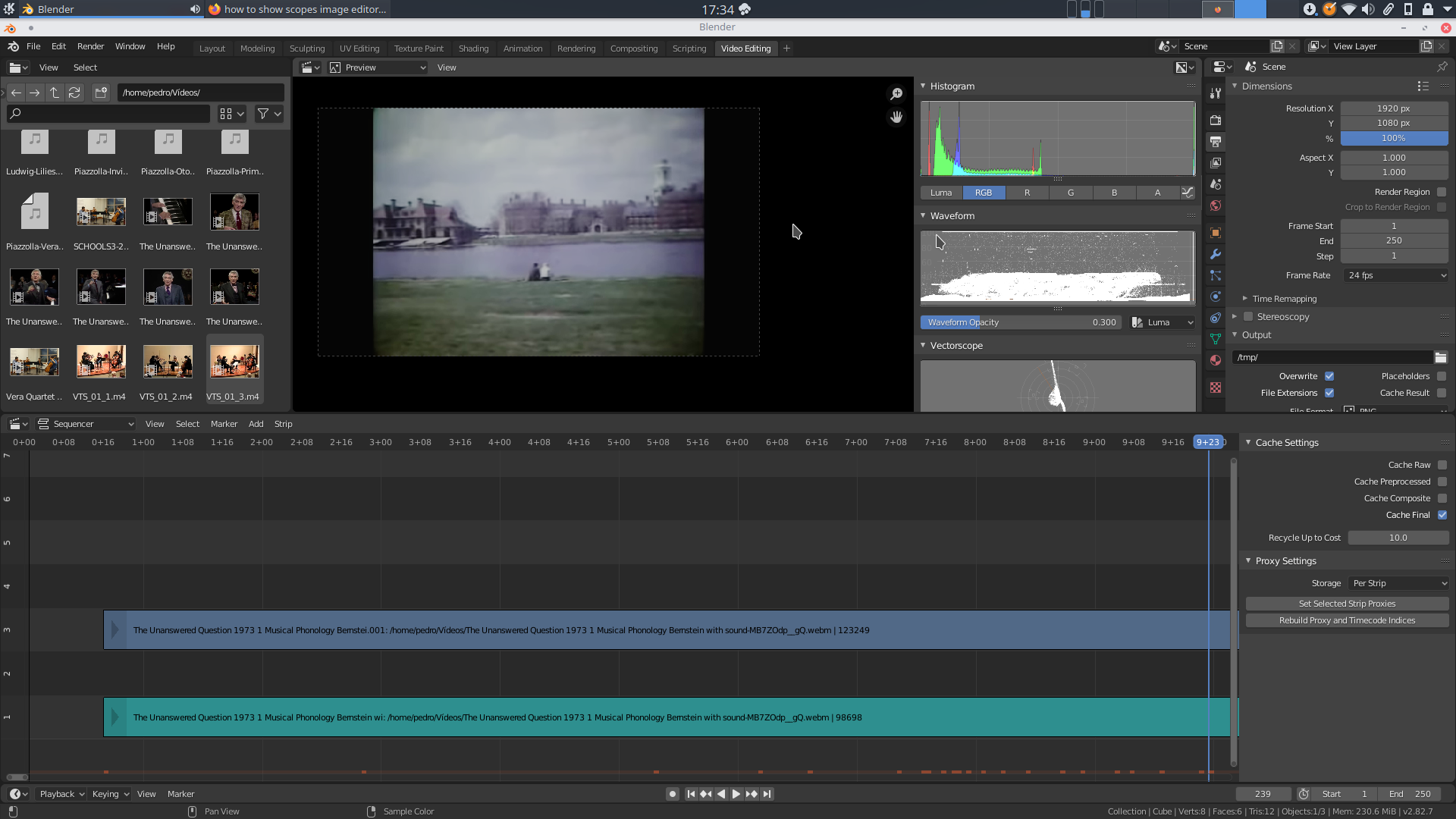
Hi all! I was wondering, in the spirit of consistency and since Blender's image editor has such nice scopes available in the sidebar, would it be possible to bring them over to the VSE viewer as well? The current ones, while they work, leave a lot to be desired.
6 Comments
Since I brought this up, I just saw an old suggestion on this forum that advocates for basically the same thing, but for the compositor:
blender.community/c/rightclickselect/DWdbbc/
Perhaps the scopes don't need to be nodes, like he's suggesting, but in my opinion they would benefit both the VSE as well as the compositor, by having them in the sidebar, and they would unify this part of the interface across the three editors.
What is it you are missing from the scopes of the VSE? Is it having them in the sidebar? Or the view options? Notice how the playback speeds drops for each scope you add to the VSE, so having them all in the sidebar may be a playback speed killer. The VSE scopes in comparison with the image scopes: i.imgur.com/ThIsy0I.png
* @ tintwotin * I am not a developer, so I didn't realise that by having the scopes in the sidebar they would be always "open" in the background, thus affecting performance. If that's the case it clearly won't work. However, from a consistency point of view, it is a bit strange that the very same tool would be in a sidebar in one editor, and part of a dropdown menu in another. Perhaps there could be some sort of show/hide option if the sidebar seems like the right place to put the scopes, allowing for playback speed to remain unaffected.
That aside, the VSE scopes look very dated, have little detail and hardly have any reference lines or boxes, compared to the image editor ones, which is my main issue with them.
They would also be super helpful in the compositor, be it on the sidebar or as nodes.EDIT. NVM about the compositor. Just figured out how to preview the compositor's output in the image editor with the nicer scopes. Pity the adjustments can't be previewed in realtime
* @ tintwotin * For me, there are more scope options available in the image editor than VSE such as individual color in the histogram and multiple types of waveform. It also looks nicer in the image editor. I am fine with how it works in VSE and actually prefer it rather than viewing it inside the sidebar in my workspace. For my usage, I am using the scopes to color grade my videos so the scopes are more useful for me inside the VSE and is not affected by the performance impacts viewing multiple scopes.
* @jimsmol * Truth be told, it doesn't really matter to me where they are, but in both the image editor and the vse they are quite lacking, and they are very useful tools for color correction. Of course Davinci Resolve, Premiere and the like have very nice scopes, but also the Kdenlive ones are ahead of Blender's in terms of ease of use and visual representation.
imgur.com/a/GZMeHdc
* @pedrorrodriguez * They are definitely lacking and could use improvements. Still a good first step would be getting parity between views instead having different implementations and options. A dedicate program will have more tools but I know Blender and it let me set up like this
imgur.com/a/0NACb81