
Render Elements
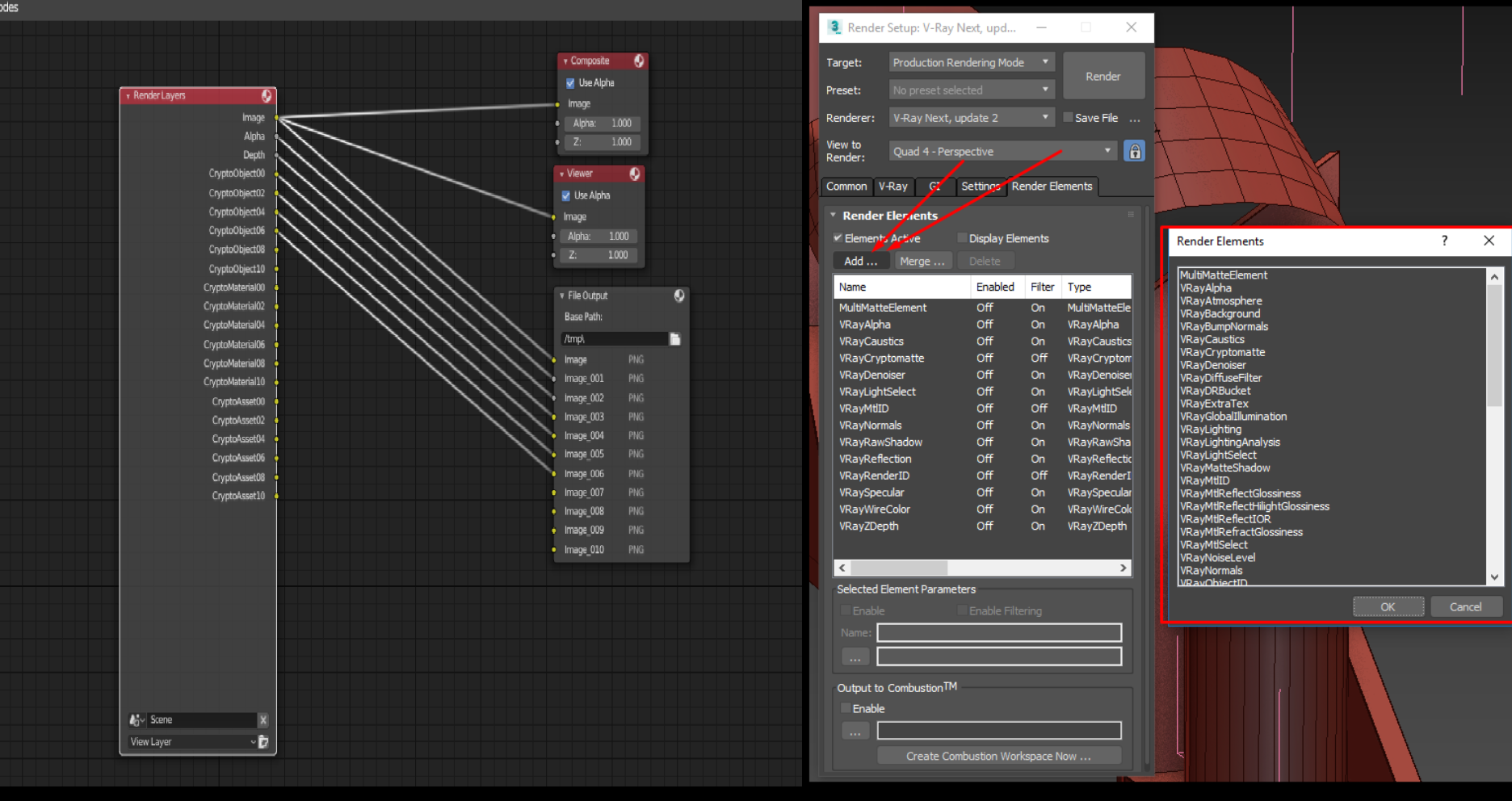
Hello people. I have been a Blender and 3Ds Max user since 2012. One of the things that seems most complicated to me is the creation of rendering passes in a folder with their respective names. Something that in 3Dsmax is relatively simple, in Blender it seems that it is not. Of course I know I can generate an EXR with all passes, but many times in the post I would like to use separate passes or even just generate some PNGs from the passes. It is not very feasible in production to have to link all passes to each node link in the output folder. Using the 3DsMax system for example, we just have to choose the output folder and then select the passes we want to render. Okay, after clicking render, we will have all the passes with their respective names in the folder we pointed to as "output". " There is a Blender 2.79 addon that automatically generates links, but even so, I don't think it's the best way to do that. The addon is called "save_all_renderlayers_and_passes". Link to addon: github.com/Tlousky/production_scripts/blob/master/save_all_renderlayers_and_passes.py Anyway .. I would like to know what is possible to do something simpler for this process? This would make it much easier for more people from other 3D programs to migrate to Blender. Thank you very much.
2 Comments
It seems to me that you've adequately described a problem, but you haven't really proposed a specific solution to that problem. It's not really sufficient to say "make it simpler" or "make it like this other program". What, specifically, would you envision a new workflow to look and feel like in Blender? Include mock-ups that illustrate your idea.
Hi! You can make a node group for having at least names of rendered passes done in some order on start. You can append it to every project you want. To link R Layers with File outputs faster you would have to check Node wrangler shortcuts* its called "Lazy connect". At the moment it seams to work differently that documentation says. [Link] ( archive.blender.org/wiki/index.php/Extensions:2.6/Py/Scripts/Nodes/Nodes_Efficiency_Tools/ ) As for the names, destination and containers - You name all the file outputs like you need in the order that you need {attachment COMP_1_STEPPNG} . I do it this way cause I need my own order for comp in PS where I made an action that uses specific names of the passes and their order . Next - Make a Group node (select File Output node and press Ctrl+G, Press Tab to edit , name it as you want and name input node link names in it the same way as you named your file output nodes. Just for future clarity. For having every file exported in a different file folder it would work the same. {attachment COMP_2_STEPPNG} . The last step I do manually - join Render layers node With this node group. Now you can always append this node group in every other project (File->append ->select file ->node group ->the one ) and simply link with Render Layer node as you want. {attachment COMP_4_STEPPNG} You can change destination folders in it and a specyfic file container png, jpg, tiff,..others for every pass separately and you don't have to name all the output files as you need every second time. {attachment COMP_3_STEPPNG} . Maybe there is or there will be a keyboard shortcut that links Render layers faster with file output, (you mentioned an addon) but to find shortcut for node wrangler addon you have to make some research. By clicking Documentation link in this addon in the preferences you get a message: "The add-on documentation is in migration process." There's a link to some archive documentation so maybe something has changed and there is a hidden shortcut ;P??? -> [Link] ( archive.blender.org/wiki/index.php/Extensions:2.6/Py/Scripts/Nodes/Nodes_Efficiency_Tools/ ) Have a nice day!