
Automatically group objects into newly created collection
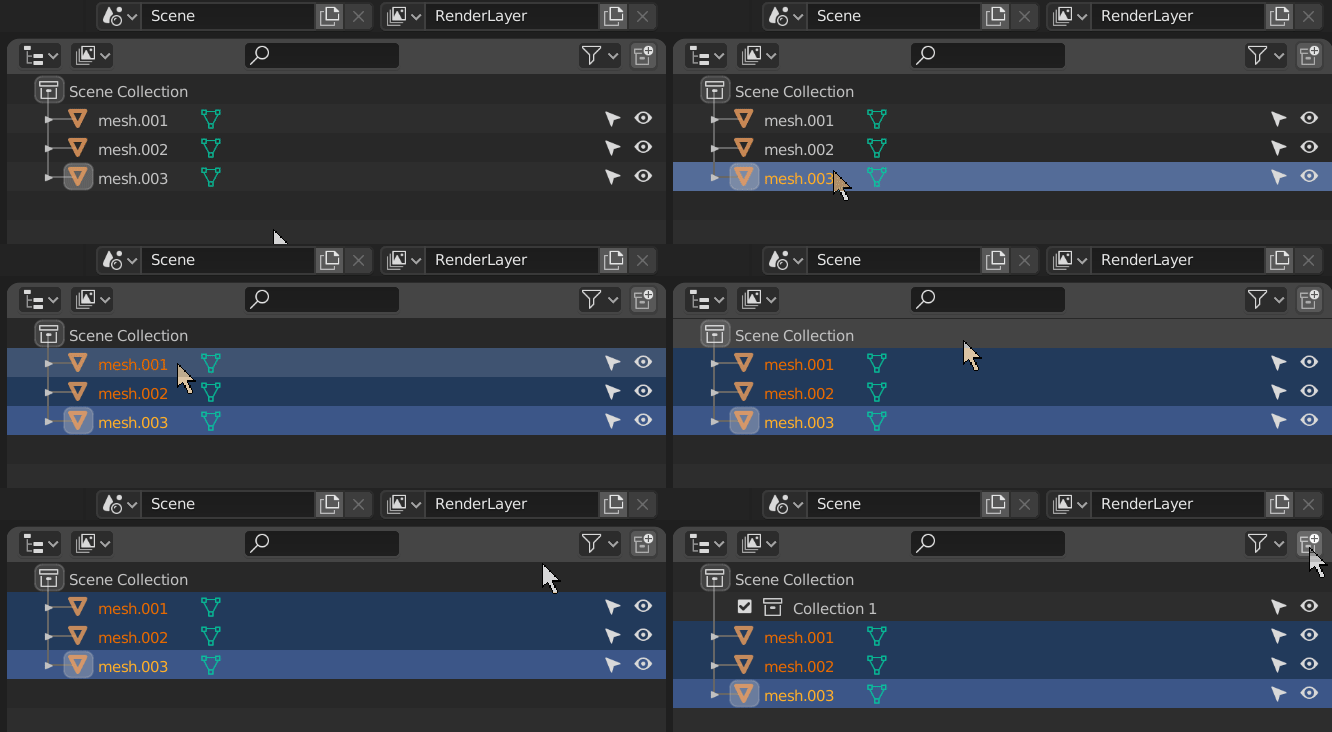
In the Outliner, it would be convenient if the selected objects were automatically gathered (grouped) into the newly created Collection as soon as the user clicks on the New Collection icon. Just similar to how layers and groups behave in Photoshop:
Current behaviour: (when the new collection is created, the user has to manually move the objects into the collection)
Proposal: (once the new collection is created, Blender would automatically move the previously selected objects into the collection)
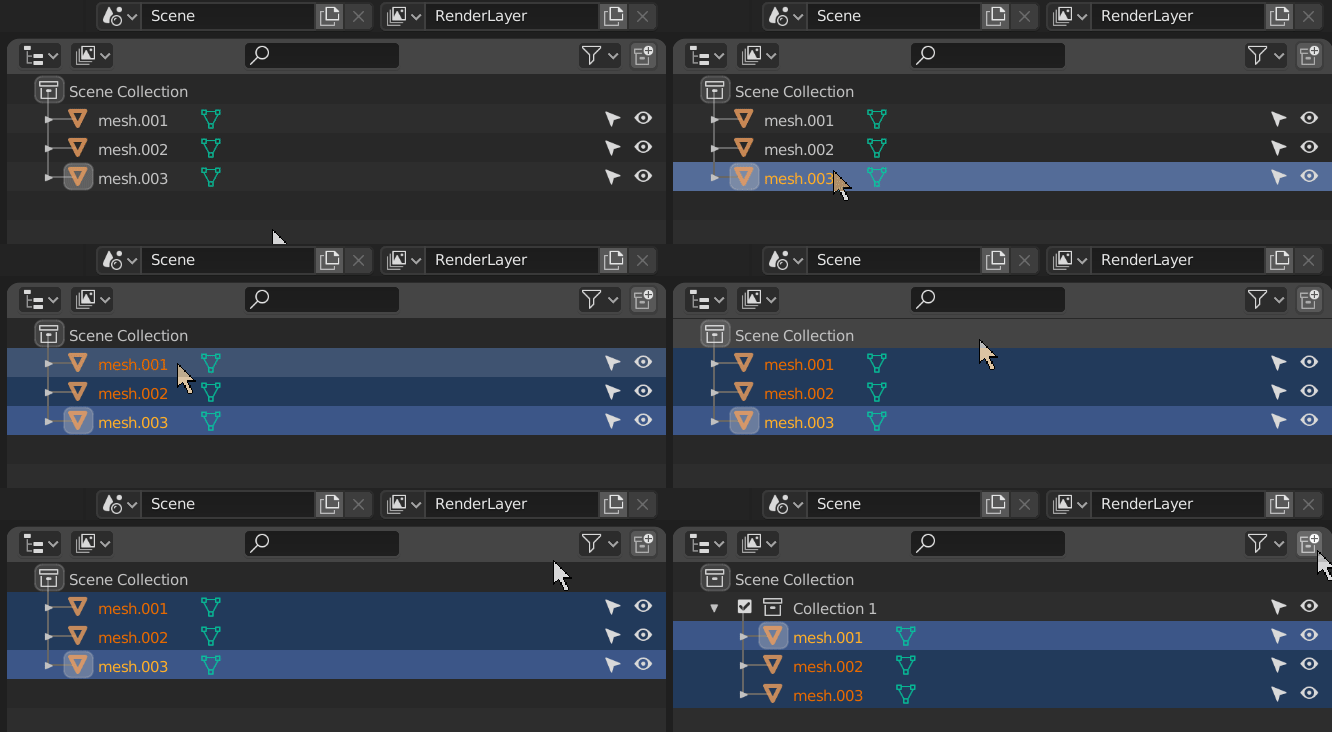
EDIT: Maybe a modifier key (SHIFT/CTRL/ALT + LMB) could be used to select objects prior to click on the New Collection icon.
Also posted on DevTalk:
- devtalk.blender.org/t/blender-ui-paper-cuts/2596/4123
- devtalk.blender.org/t/gsoc-2020-outliner-discussion-and-suggestions/13178/22
7 Comments
Upvoted, but I prefer for it to use a modifier keys (the Alt+clic proposed)
* @bernou.samuel * +1 for modifier key. But why
Alt? Blender UI use Alt to assign parameter for multiselection. In Outliner we useCtrlto add some item to selected, like "and this". So maybe just button - just collection , button +Ctrl- collection + selected. Not something critical, but IMOCtrllooks much logical.* @IIIFGIII * Agree, I said
Altbecause it was the modifier proposed and I admit that I did not lookup at all the discussion, so I assumed there was a good reason to use this one instead of the other.Actually even
Shiftfeel more logical thanAlt.Altis usually used for opposite behavior in blender. So eitherCtrlorShiftis fine by me (these two sound like "add" ;) ).I thought of that too. Seems logical. But this feature would force people to always have to deselect everything before creating a new collection. I'd prefer to have this same operator under the outliner's right click menu
* @ Lsscpp * Or maybe ALT+Click could be used (as suggested by @TheRedWaxPolice) : devtalk.blender.org/t/blender-ui-paper-cuts/2596/4124
* @ xan2622 * Even better the both of them! :)
@everyone:
Your point of view is welcome, please comment: devtalk.blender.org/t/gsoc-2020-outliner-discussion-and-suggestions/13178/337