
Open multiple file instances inside Blender
Often times I am working inside multiple files and on MAC OS it is especially difficult to have multiple instances of the app open trying to navigate between them. (I am aware of the workaround to open a new blender instance on mac). PC is less of an issue but its annoying to have multiple instances in seperate dialog boxes you have to click through vs just hitting a tab like on a web browser.
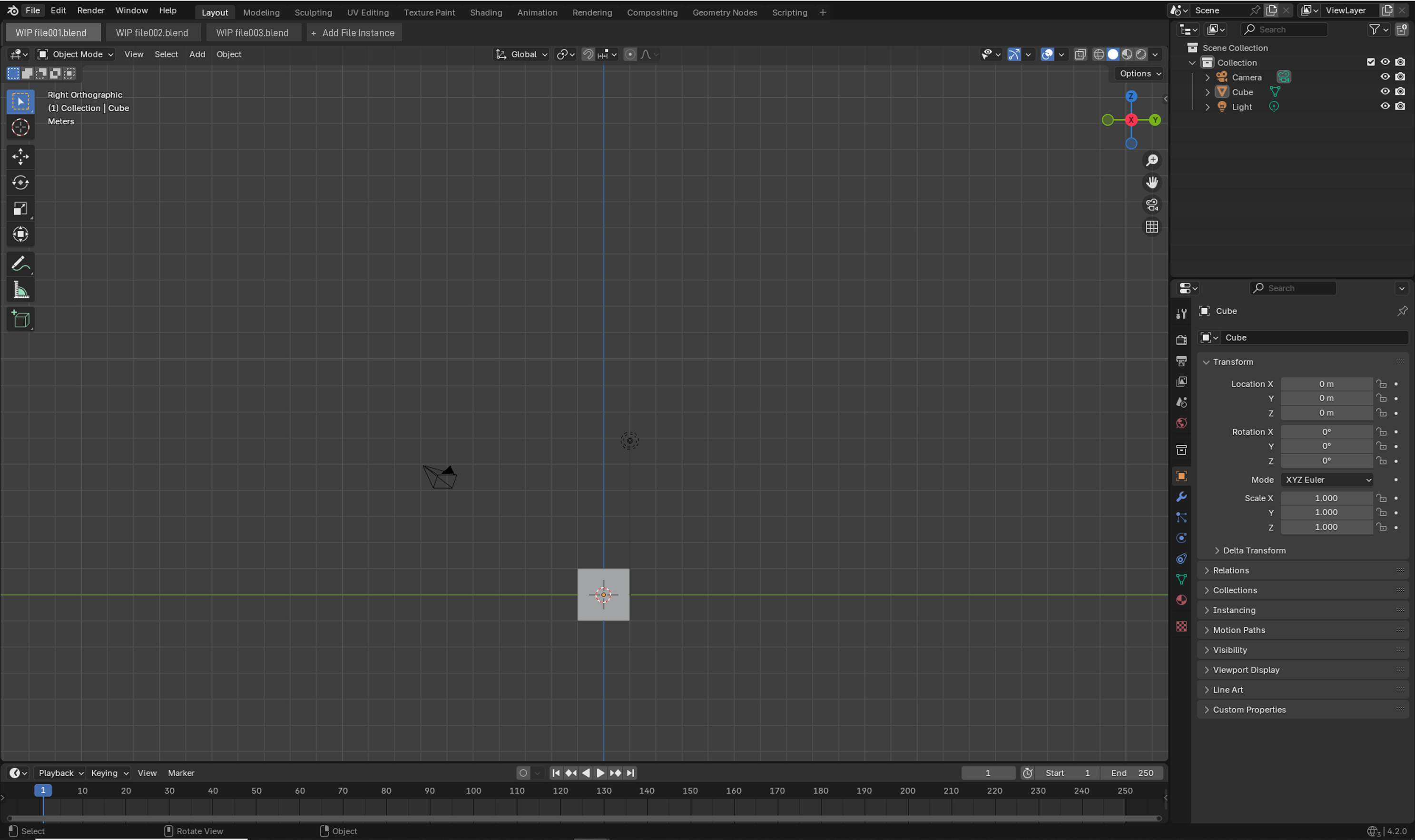
shown in the screenshot is how I imagine the tabs could be displayed in the viewport
3 Comments
Alt+ Tab on linux and win or Command + Tab is faster than reaching for tab on screen with mouse.
Also a no from me.
This proposal would require a full change in blenders UI and file behaviour, as essentially the full blender instance is the file. Take the different working space tabs in the header for example, those belong to a single file.
Also what would happen if one file hangs and crashes? All my other potentially unsaved files would be discarded and/or corrupted as well.
The tabbed approach is actually quite uncommon, only browsers and some text editors and/or office software support it. If i take unity, unreal etc. i also have to open each project in a seperate instance despite it being a pain from time to time.
As a workaround you could attach each file as a seperate scene into a single file if needed.
That’s a definite no from me. Blender’s UI is already cluttered, and adding another header feels like wasted space and potential confusion. Personally, I prefer working with multiple instances spread across my screens (+ sometimes spread across multiple virtual desktops) —not just in Blender— but I understand that’s not ideal for those with only one monitor.