
Pose Pose Animation Insert [Alt] should work like other multi-select [Alt]
For many workflows in blender, it is possible to select several objects and use the ALT key to affect all selected. An example is to allow several objects to be visible.
It should be possible to select several armature bones (after adjusting each) and use Pose::Animation::[Alt]Insert to set loc/rot/scale on each (if a given fcurve needs to be inserted).
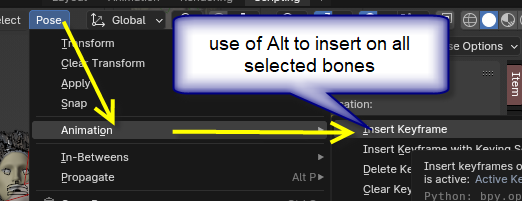
as in the following script:
### insert keyframes on all selected bones, pos & rot
for pb in bpy.context.selected_pose_bones:
    print(pb.name)
    pb.keyframe_insert( 'location' )
    rmode = pb.rotation_mode
    match rmode:
        case 'QUATERNION':
            y = pb.rotation_quaternion[fc_Idx]
            type = 'rotation_quaternion'

        case 'AXIS_ANGLE':
            type = 'rotation_axis_angle'

        case _: # one of several Euler types
            # verify one of several Euler type
            if rmode in ['XYZ','XZY','YXZ','YZX','ZYX','ZXY']:
                type = 'rotation_euler'
            else:
                print( 'unknown rotation type', o.name, pb.name, rmode )
    pb.keyframe_insert( type )
1 Comment
which version are you on? As far as I can remember insert keyframe has always worked on all selected. And I tested in 3.6 and 4.0 No need to press ALT