
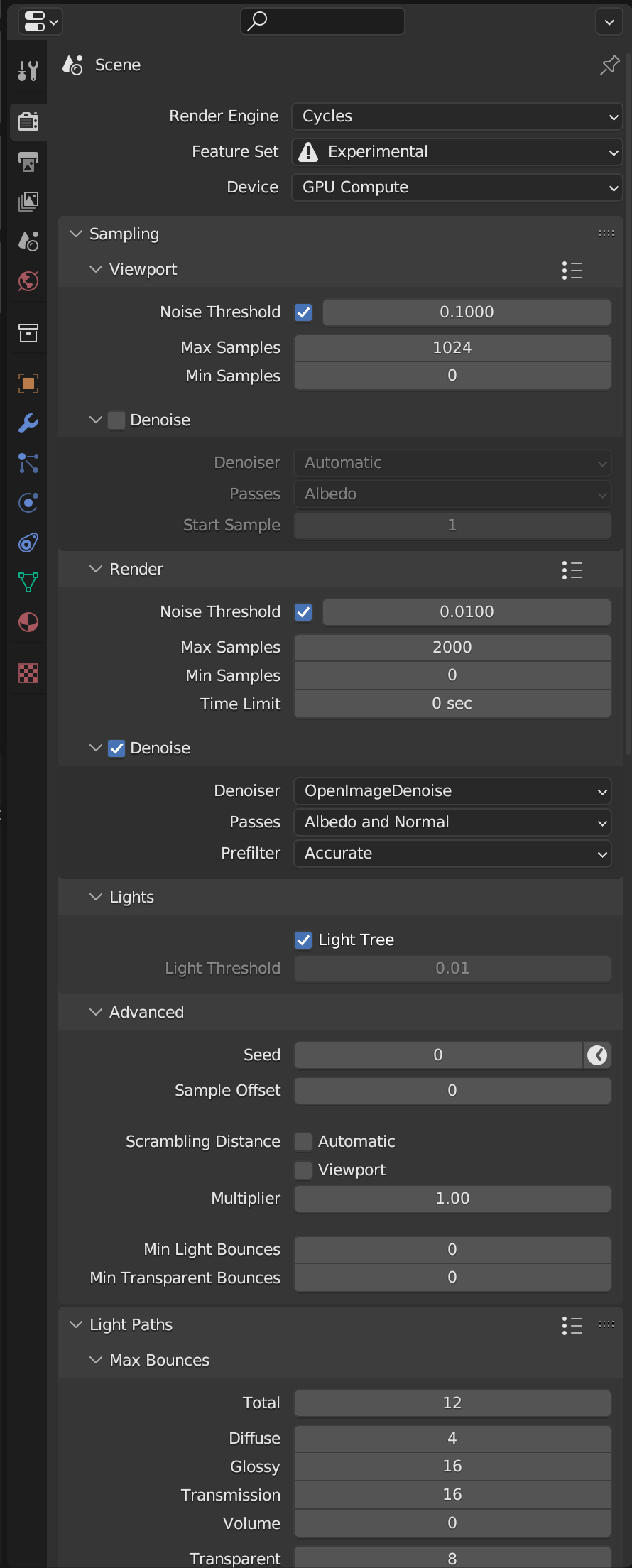
Collapse all menus in the Property window with Shift + A
Just as Shift + A expands/collapses all items in the Outliner, Shift + A should allow you to expand/collapse all menus in the Properties window.
I often get annoyed that there are so many menus expanded on certain tabs, and feel the need to close them all one by one.
5 Comments
To be fair, you can click and drag to close every panel in "one" action. But yeah, unifying things here would make sense.
I didn't know that! Thanks for the tip. I'll be using that. But yes, I think a hot key would also still make sense.
You just blew my mind.
ctrl+clickon the panel header will collapse/expand all its sub-panels. Althought it has no effect on other panels.I'm not against a feature like this, but it shouldn't be
Shift+A. We should save that shortcut to for example add modifiers when in the Modifiers tab.In the Outliner we should change it to be the Add menu, like everywhere else in Blender.
That makes sense! I'm happy to use any shortcut.