
Basic touchscreen support
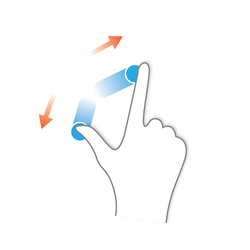
There are some workflows in which it is interesting to work with touchscreen support: visualization, sculpting, retopology, 2d illustration and more. All Autodesk products support touchscreen gestures for many years. With this gif I show how you can interact in Maya.

The gestures only modify the view, they do not interact with the objects, only the mouse or pen do it.
Proposed interaction:
- 1 finger swipe -> orbit
- 2 finger swipe -> pan
- 2 finger pinch -> zoom
palm rejection to avoid unwanted movements
Optional:
- 1 finger grab the object if you tap on this
This type of proposed interaction is used by many 2d and 3d apps so it is quite standard.
You can try this type of interaction with any touch device you have, even your phone using chrome in this web application. The only difference is that this webapp uses inverted vertical panning, I prefer the standard. stephaneginier.com/sculptgl/

and Blender:

en.wikipedia.org/wiki/Pointing_device_gesture Here I leave a video of the 2012 of wacom: youtube.com/watch
18 Comments
I have a multitouch dell canvas tablet display and would really like to see this. There are lots of people out there with surface pro/surface book too I'm sure.
Agreed, Touch is very handy and I would love this with Duet Display Pro on my Ipad.
great idea
As time goes on this feature will be more and more wanted. As programs such as super display that can turns your android phone and tablet into a drawing tablet for Windows and similar can done on apple too. the traditional drawing tablets are getting cheaper and more features rich. I am hoping gets done soon or blender will be left in the dust.
Is there any news about touchscreen navigation support in blender? Just trying to set up my surface pro 6 for "on the go" sculpting. Zbrush navigation without keyboard is horrible, so i moved to Blender. It would be super nice if bledner will support navigation and changeing of the brush size with touch and stylus.
I loooovee it! Thanks for the URL interaction.
It might be nice to have orbit mapped to a three finger drag so it doesn't interfere with painting, sculpting or active tools. The main reason I would want this type of navigation is to be able to use it with a Lenovo laptop that has a pen. It would be great to be able to use the left hand on the screen to do navigation and the pen in the right for sculpting and painting.
@dpdpforlife: Hi, usually touch, mouse and pen are 3 different types of events so they do not interfere. But I do not know how events are implemented in Blender. So I prefer the standard, because it is very fast to orbit with just one finger, but your proposal may be optional for people who do not have a pen but have touch screens.
What's going on in this department? It's been more than six years and yet there's still no multitouch screen support in Blender. I only see abandoned revisions and no progress.
This video shows how this feature is implemented in Nomad Sculpt app, which is available for both iOS and Android - youtube.com/watch
It's like a mystery to me, considering that there are multiple generations of Surface tablets, a whole pack of ARM-based CoPilot laptops with a touchscreen as well as artists with dedicated tablet input devices like Wacom, Huion and XP-Pen.
There's even a guy who implemented his own patch for Blender 2.8 (!) but it wasn't added for whatever reason.
Can anybody who has some knowledge about the internal kitchen (Blender Studio, for example) tell me how do they work on devices like Surface tablets without proper multitouch screen support from Blender?
Hey, I kinda wanted to tell you that it kinda works now. you can use the icons on the right to rotate, pan and zoom. although you can still soft lock yourself with a few options like the knife tool, that requires an escape key. and sliders don't work properly. Its a real life saver if you hurt your wrist!
This is something that would interest me a lot too. The specifics of how it should work could evolve, but the basic principles of orbiting, panning and zooming are mostly what's needed for touch and pen input methods, that are increasingly available.
Blender already supports multi-touch gestures for manipulating your viewport using your multitouch trackpad.
@billrey: Hi @billrey, this post is about touchscreen monitors, pen displays or laptops with touchscreen. Regarding the trackpad, only one gesture works for me (2 fingers vertically, simulates mouse wheel, zoom), I can orbit with alt + swipe, and pan with alt + shift + swipe. But I do not work with the trackpad.
@billrey: Yes, I talk about all these devices: Mobile Studio, Cintiq, Surface, 2in1 laptops (hp, lenovo, samsung, etc). Do you have any of these devices in Blender to test?
@billrey: Currently you need tap 2 times to select in the tool bar, the first tap shows the tooltip in the second one you select. In the viewport the interaction should be like the one I show above. The pen works, but for now it does not identify neither pressure nor buttons.
with what do you capture the screen? and where do you share them?
@sebastianmroy: ScreenToGif and Imgur
@fabiocroldan: Thanks