
Snap cursor to the grid (modification: units + z axes) and follow with mouse (+shitf?)
Curently currsor must be puted on some place by click. Can be snaped to edges when LBTM is hold and move to looking edge/corner when magnes is on. Want be more precise with currsor around object or with new objects (collections) following the grid (Where to put in new place).
I'm still unhappy from sense of Blender grid as default that is not real ground. Ok.. I can create ground.. and snap to special.
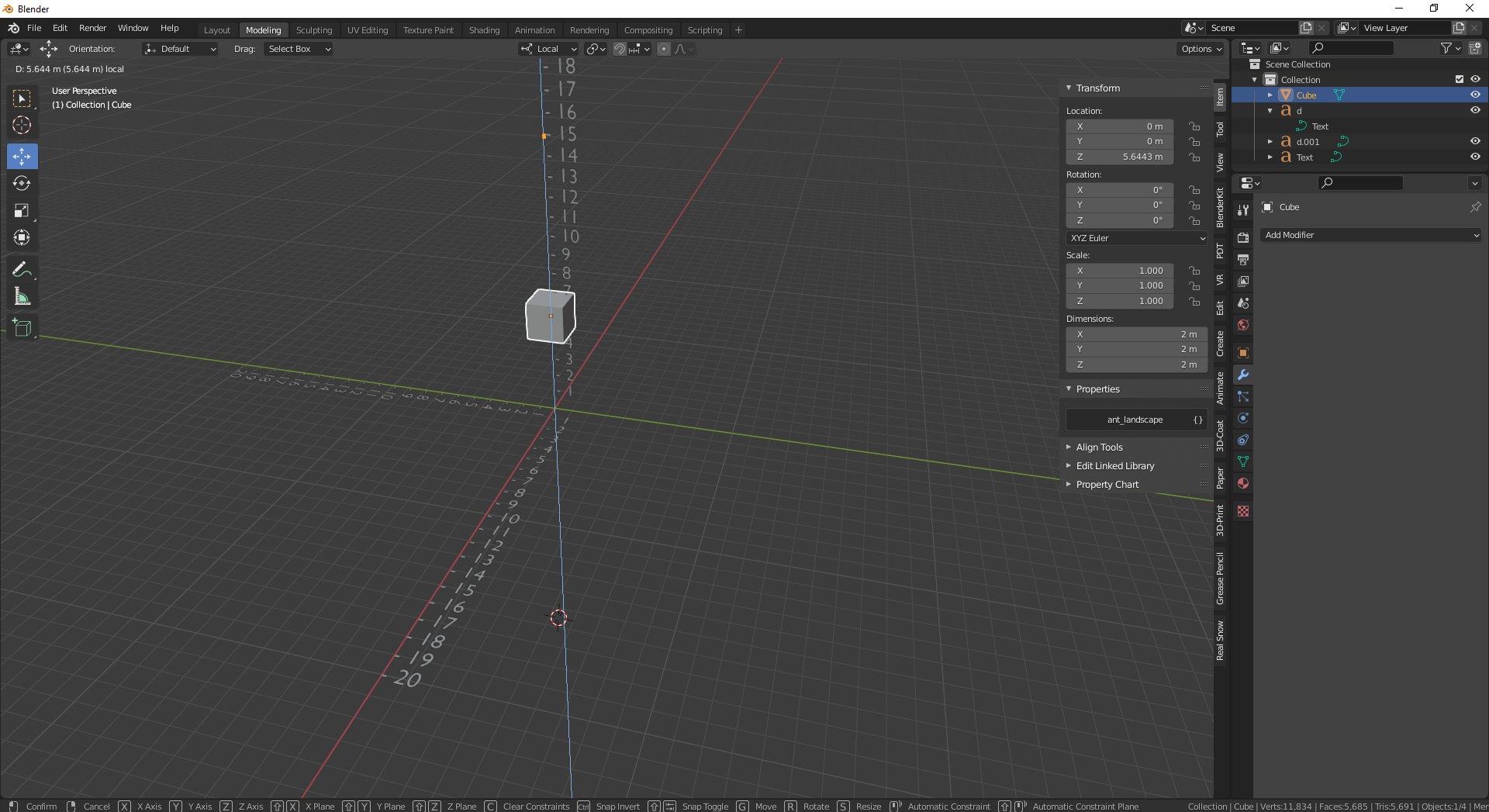
The sense of grid should be the auto divided when zoomed to reach more precision. Then grid can be as real dimension, maybe should exist some measure as numbers from axes as units in mm, cm, m. These units can be precised as normal hudge m, when click ctr then cm, when ctr+shift then mm. When alt then km alt+shit 10^2 as other direction ? Or focus by these btns on special scale of unit. I feel lack of z axes from center to up, where this same can be described by numbers and guides to snap steps of units. By this work can be more comfy in my opinion. Eg. when we click G then MBTNM then z axes is activated to move object, but still no magmenet for some units. This made no special sense of grid. Or I never meet well this role. I have habits from sketchup, where is center of x,y of ground.
2 Comments
TinyCad have this.
Take atention for cube and axes taht are for object not the cursor what expecting.