
Shift=smooth, Ctrl=Invert for Weight-Paint and Vertex-Paint, same as Sculpt do!
Just for full consistency with sculpt mode and faster workflow I feel it should be so:
For paint modes Ctrl will reverse brush function if possible (substract instead add for example). And shift will make smooth/blur. May be temporary switch colors for mix-mode in texture paint (as X do), so user can set what color is reversed.
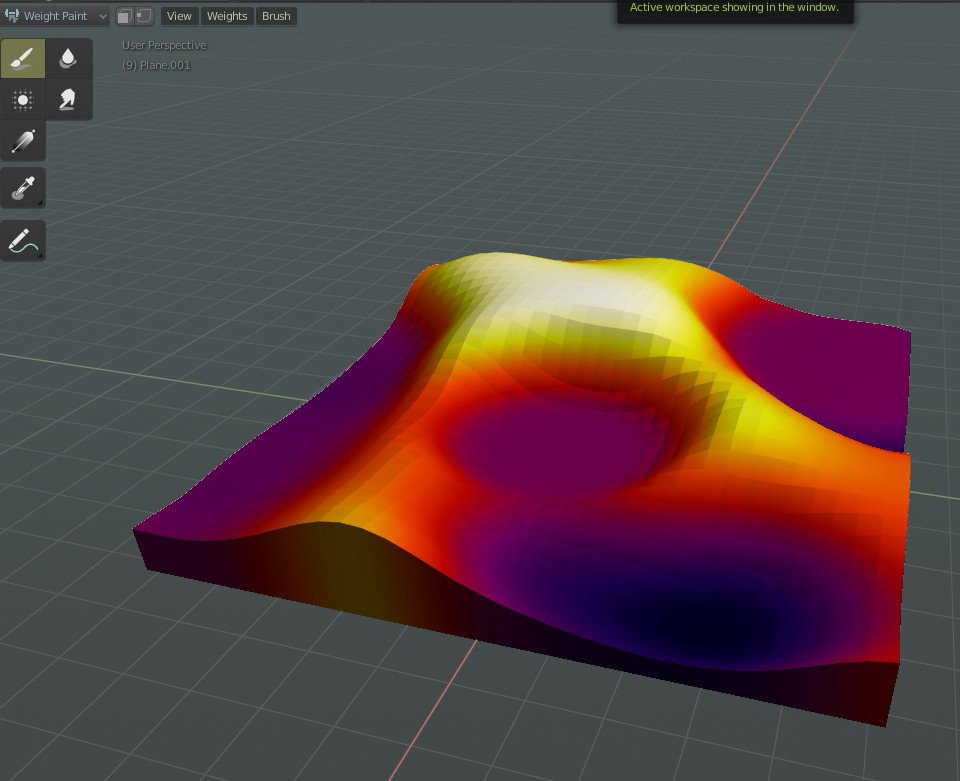
It is very handy, when you make skinning or painting heightmap like this, or painting grayscale masks and want to make it lower/darker or smoother.
Not a big task, but will improve workflow much!
16 Comments
I am no longer looking into this. There are too many blending modes that I don't understand what they are and it they have an opposite making it difficult for the brush to switch to its opposite consistently
* @Eitan * Hey there. I have a solution to propose for you.
I understand that the way this works in Sculpt mode, based on looking at the hotkey editor, is that there is a brush_stroke() operator, which always uses the active Brush to make the stroke, and passes an option to it, ie. whether to use the default, smooth, or invert functionality of the brush. And that's where your issue lies, since plenty of brushes don't really have an inverse.
My question is whether it would be possible to instead, pass a Brush to the brush_stroke() operator(at least in weight paint mode)? By default it would use the active brush, but that could be changed to any existing brush.
This would mean that you can then set up some default shortcuts, such that (for example) Left Click uses the Active Brush, Shift+Click uses Blur, and Ctrl+Click uses Subtract. No need to scratch heads about what is the inverse of what. Shift+Click and Ctrl+Click will simply no longer be context-sensitive to the active brush, because they don't need to be, at least not in weight paint mode.
Of course brushes can be renamed, added and deleted by the user, so there may be some design questions there. (Do you pass the brush by name or ID, or do you pass a Tool instead, and then find what brush is currently selected on that Tool?)
What do you think?
* @metemer001 * I will look into it.
I usually weight and vertex paint grayscale, where typically painting with white is the "normal" mode, and painting with black would be the "reverse". I agree with Eitan that what is reverse operation in general is unclear here, so perhaps instead adopt foreground/background color concept as in painting programs, with a shortcut for swapping the colors?
mouse = add,Shift=smooth, Ctrl=Invert,Alt = liner fill,I've wanted this for a while.
I want this in weight painting mode.
Version 4 has no improvement over Weight Painting as far as I know :/
I want this so bad. I've only spent a few hours in weight paint, and I'm baffled by how unintuitive the whole system is.
Just realized I wanted this too in Vertex Paint
Tried to set it via Keymapping and couldn't, I Could set the CTRL for invert, works fine because there is a option for that
But the smooth option does nothing, I think it was overlooked or forgotten because the tool is called Blur and not smooth.
That will be great feature!
This would be great!
Should the reverse of the draw brush be part of the draw brush or a separate eraser brush?
* @Eitan * I don't think it's a good idea to hardcode any kind of opposites in. For vertex paint, it should be the equivalent of changing to the other color (I think so, anyway). For weight paint, it's a little harder to say. Add/subtract, Multiply/divide are opposites, but they should be redesigned to keep it consistent if there's that kind of behavior.
By the way I see you in a lot of these posts writing about working on making patches. Do you have any advice about getting started making contributions? I know the basics of C and Git, but I don't understand the patch/diff/review system. Can you link me to an article or something that explains it? Thanks.
* @Eitan * as far as there is no alpha in most cases and it is unwanted to make Alpha (eraser), reverse behavior should be substract or selected (background) color or selected (previously) brush. I think, selected second color will be more easy to understand and use.
The best, but most complex is history-eraser.
YES. I've wanted this for a while.
brilliant, consitency is the key. That's why the outliner should be ctrl + left click to select all object between the first click and the second click (same as verts etc in edit mode), maybe change rename to alt + click instead.