
Render in temporary image editor at cursor position
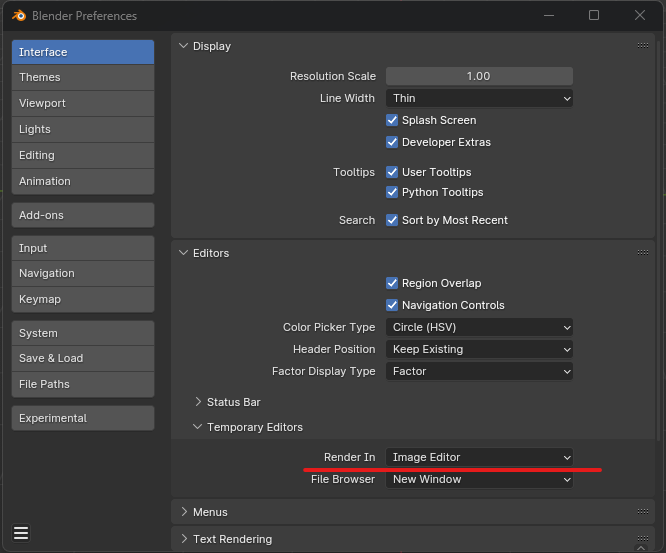
Hey, I've changed my render settings to 'Render in: Image Editor,' though I find it somewhat unpredictable the way it opens up the image editor. It would be beneficial if the image editor opened in the area where the cursor is.
4 Comments
Or, just render to a tab and get on with life.
not an option for me in some scenarios - thanks for the super valuable feedback though genius
It would lead to weird scenarios where you get the image editor placed in barely visible areas. A simple example of that would be the default layout workspace, if you run the render while hovering the timeline, I bet lots of users would be confused:
And even if not confused, it would still mean you made the render appear in a ridiculously small area that you have to either discard or enlarge.
As for unpredictability, the manual says:
It is a rule more likely to produce an expected result, as most renders have a large aspect ratio, and most people are most likely willing to see their render in big, and the largest area is therefore most likely to allow that.
But when you have multiple "largest areas" competing, I.E. one vertical split with two staked vertically like here:
From tests, it seems to pick the tallest one, but I know I've had times in the past where it didn't.
Perhaps there should be a rule for that too. If there is, it should be documented in the manual.
I probably should have read the user manual - I guess it makes sense now, thanks!