
Plane/Grid and Camera Visibility in Side view
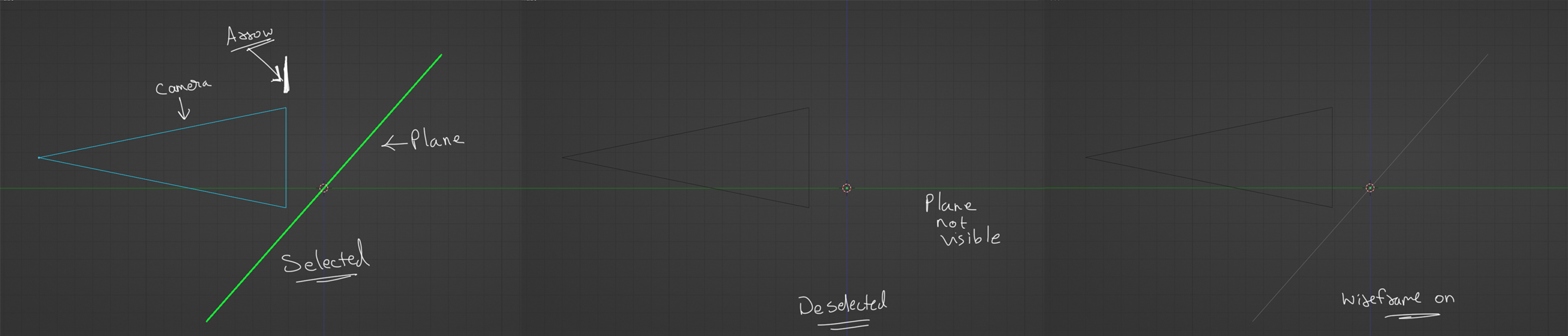
If you create a Plane/Grid, its selection is visible in orthographic View(Side view). But If it gets deselect, you cannot see it in the orthographic side view. Only way to see it in side view is to either enable wire frame or to add solidify modifier to add a bit of thickness. A similar thing happens with the Camera's arrow which points the Top direction of the Camera. The cameras outline is visible but the arrow pointing upwards is not visible in Side view (Orthographic) .
A basic solution can be to make the wireframe visible in the side view, so that whenever we switch to side view, we always see the Plane(Wireframe). For Camera, a small Black Arrow or a Thin Black Arrow can be added just for the side Orthographic view.
1 Comment
This is a really horrible papercut that I sometimes face, i always need to add solidify to see the plane in side view, but it is not a good way to do that.