
Child objects highlighted when parents are selected
A problem I have noticed when loading large cad data sets in blender is that its impossible to see what is a child object to the currently selected parent in the viewport, it's even noticible in smaller scenarios like this.
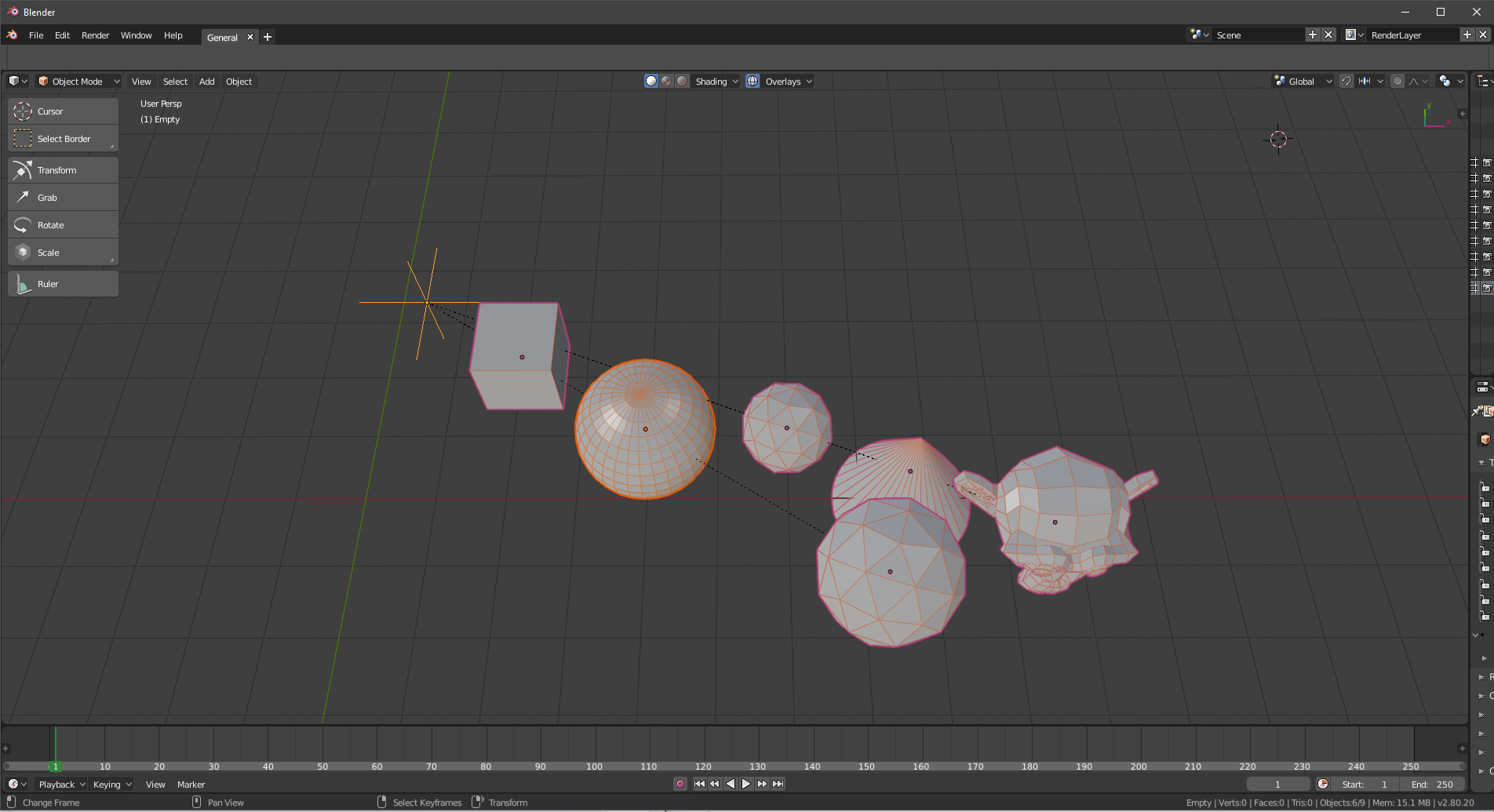
Can you tell which objects are parented to the empty?
 Not the sphere!
 with simple highlighting in another colour we can see what objects belong to the empty
 By giving this highlighting a different colour to the secondary highlight colour. it allows us to see that the empty is the active selection, The sphere is a secondary selection and the other objects are children to one of the other two objects so will move if we move our current selection
 now imagine this scenaro, but with hundreds of child objects very close together (for example, parts within a car engine bay) with multiple branching parent trees. it gets very hard very quick to see whats what in the outliner alone, so having visual feedback in the viewport helps a lot
This is how maya behaves and makes it very easy to see what you have selected in large data trees, I assume this is a hold up from blender 2.79 where there was significant lag to showing objects selected due to how outlines were drawn. However with the new 2.8 draw code this could be a potential improvement to help with data management
5 Comments
Nice idea! Although having yet another color on top of Active/Selected can lead to confusion, especially if in the future we want to support more ways to visualize relations (objects in the same collection, objects with shared properties, etc).
That said, we do have relationship lines that communicate parenting, maybe we could improve those? Tint them with gradient between the selected object and the parent or vice-versa?
@Pablo Vazquez: It can still work with using the same colour as the selected colour as per how maya does it.
The problem with the relationship lines is the sheer amount of objects in one location in cad data sets coupled with that origins are often nowhere near the actual object, so the lines don't even point to the meshes. I wish I could show you an example on a proper data set but everything i have is confidential
yes, in small scenes it might look ok with relationship lines. But in real production environments the 'relationship lines' are of no use. In fact the lines add more clutter to the scenes. A simple visual clue like coloured outlines can solve it. It can be available through theme setting so users can edit it according to their tastes.
* @Pablo Vazquez * Ideally this would user preference option with on/off toggles for relationship lines, highlighting and possibly others
How is possible that such a needed feature is still not available?