
Poly select doesn't take account of backface culling
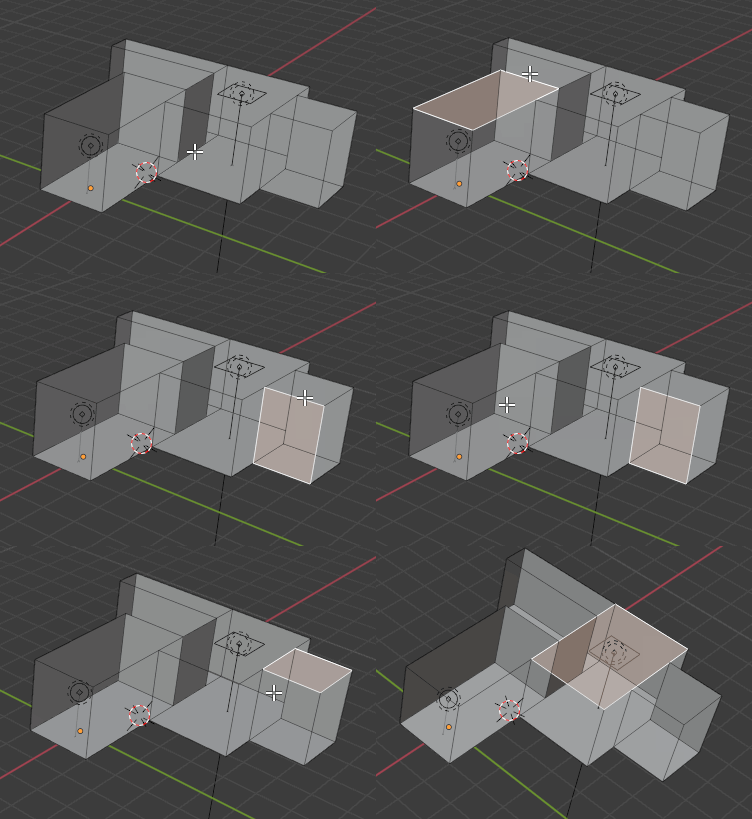
When editing interiors, caves or similar objects from outside, backface culling is essential. But now face selection ignores backface culling state, it always selects the nearest polygon, even if it is culled. There should be a setting for this.
A "force backface culling" view option is missing a lot too, that works in any rendering mode, without setting materials one by one and building tricky Cycles shader graphs.

9 Comments
As a hardsurface modeller, sometimes I do want to select all backfaced surfaces, so a toggle like you suggested would be nice
I can't tell you how many times I've worked on a skybox setup, trying to select parts on the other side and accidentally clicking the wrong part. Having done this same work in both Blender and modo, I can tell you that Modo has this and it's important.
Good idea.
imgur.com/a/9ditI2z its possible to use poly centers and xray mode...
* @impacman * You did not understand the problem. In your case, the back faces should not selection. In a post, on the contrary, the normals are turned upside they do not allow to stand out in front. Need the ability to block the backs of polygons.
* @cmykcat * What?)
* @impacman * The poly center point selection sometimes helps, but for a higher poly, more complex object its hard to see, which point belongs to which poly. And the view becomes quite chaotic with the visible, unrelated lines and points. Moreover, the circle select, box select and lasso select tools will "see" the backfacing polys, so they are useless in this situation.
* @Sombrero * Created a theme with pictures.{attachment Lock_Hide_BackFacejpg}
+++++ I also wanted to write about it. It burns terribly from this ((It would also be nice to be able, in addition to blocking the back of the polygon wall, to exclude them from view.
The worst case is when an invisible poly covers the whole viewport, and user doesn't understand why he/she cannot select the clicked poly. This happened to me a lot while modeling interiors.