
Show stop sampling areas in "Sample Count"
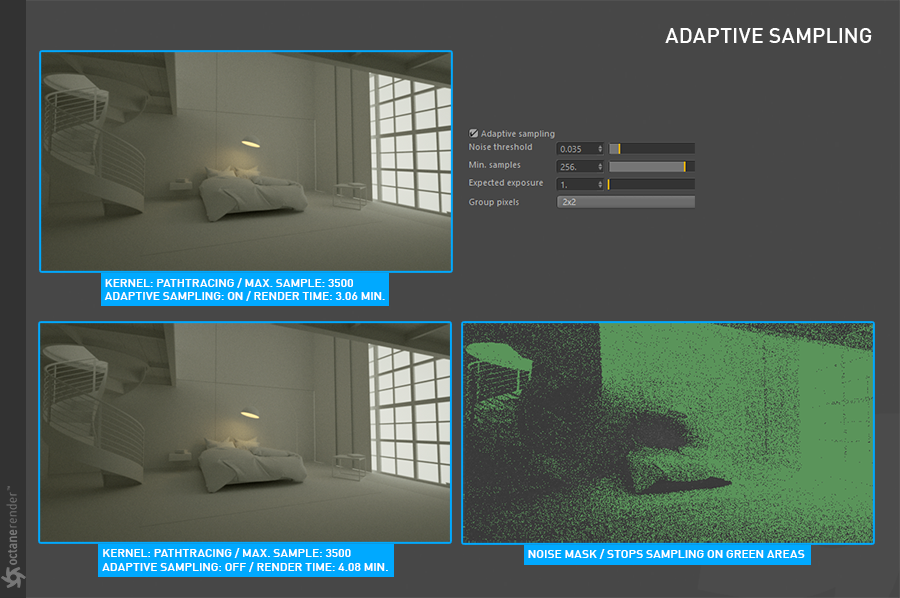
In Octane render, the stop sampling areas are seen in green. This helps to find noisier areas better.
 you can see in this video how it works:
In Octane render, the stop sampling areas are seen in green. This helps to find noisier areas better.
you can see in this video how it works:
4 Comments
Isn't that what the Debug Sample Count pass provides?
docs.blender.org/manual/en/latest/render/layers/passes.html
Yes but it is not clear. It is constantly changing and it is not clear which point has ended.
Oh I get it, it's more like an overly that shows which part is finished sampling in real time while rendering?
In combination with what -LOLock- said, some kind of "confidence" pass could be a nice addition to know where the adaptive threshold has been reached or not