
Group Node. Passthrough node, texture input and merge values for vector type.
Node groups in blender are the most convenient I have ever seen, but they have one big disadvantage, when you need a texture that is responsible for a certain parameter with certain settings, and when you want to replace it, you need to open this group, find this texture and replace it, which is not very convenient.
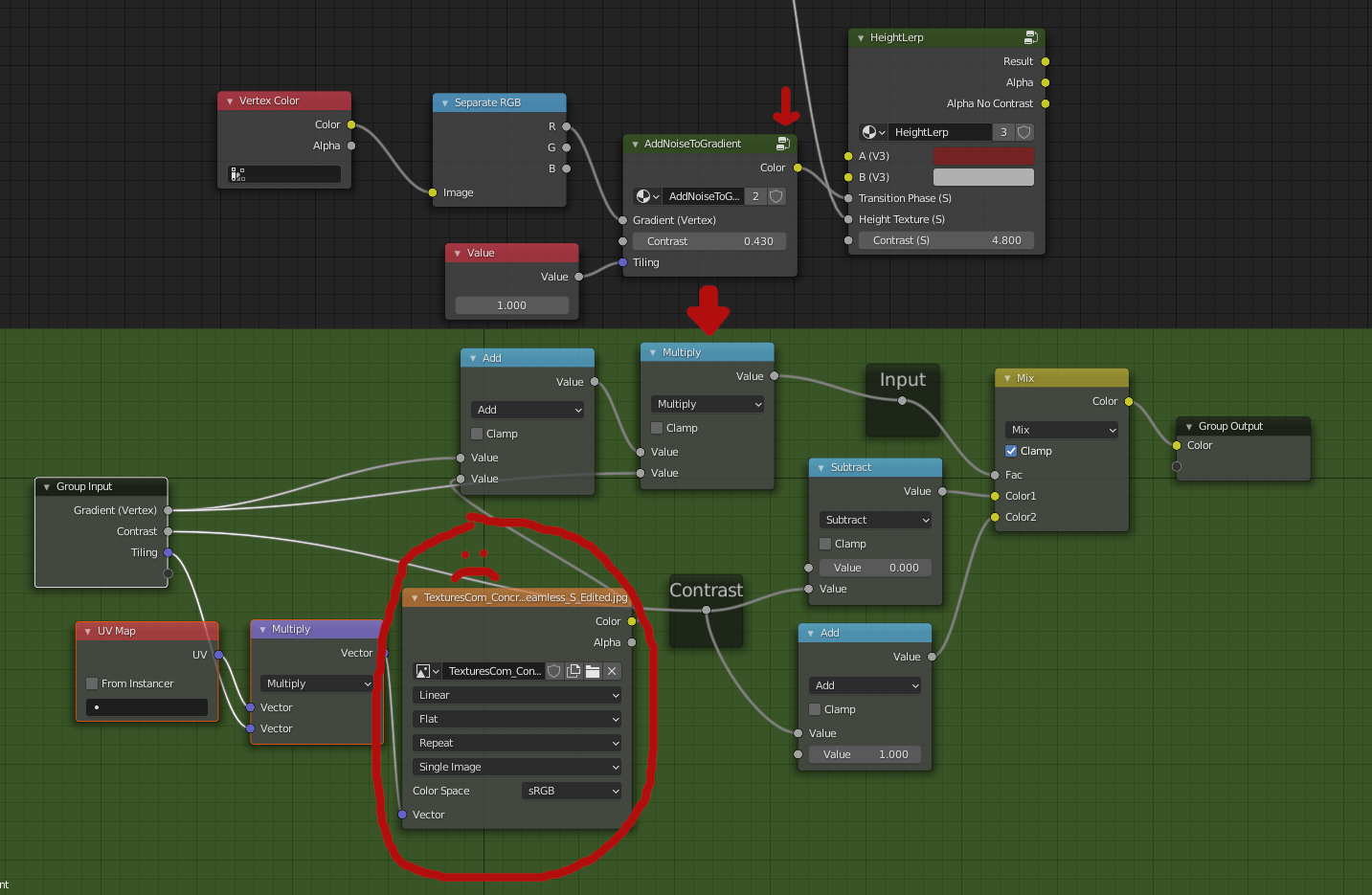
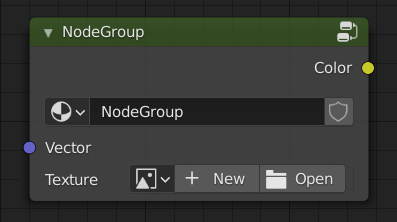
To fix this flaw, the developers need to create a Passhrough node, which would pass through a texture and would have a Vector input for the possibility of various kinds of transformations.
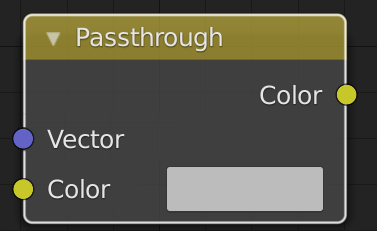
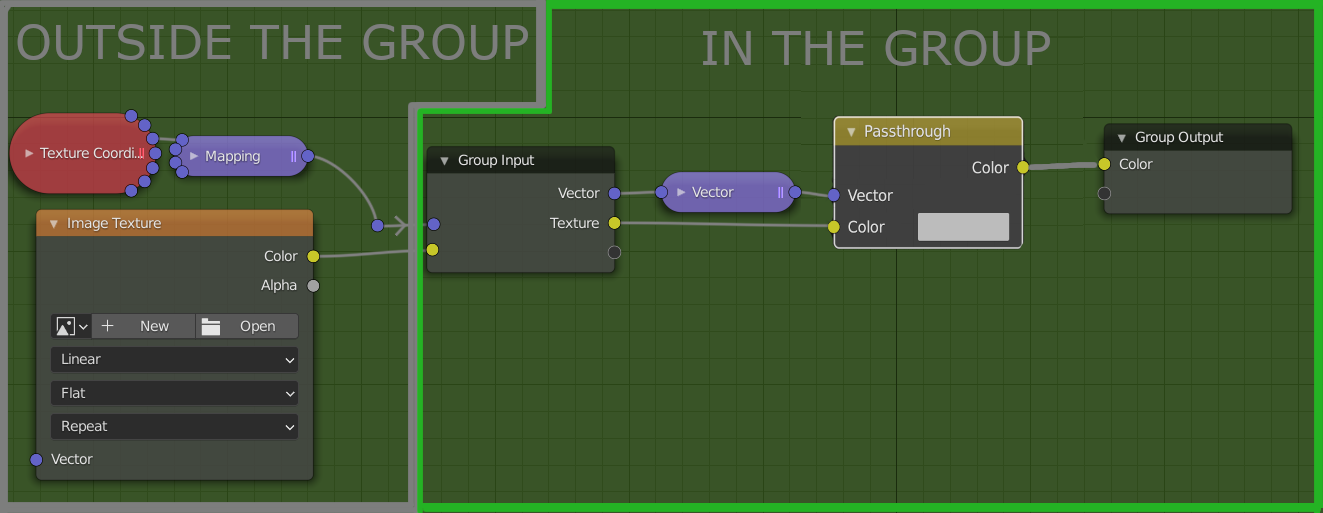 Also, to get rid of the Image texture node, it would be great to add a socket type to Node Groups, which would be called "Texture". The picture basically shows the whole concept of what I propose.
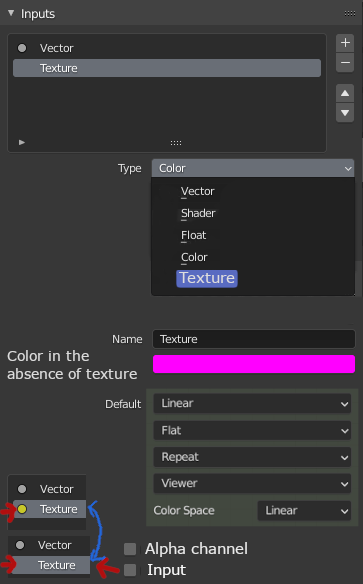
- It's the default color value in the absence of texture
- The default texture parameters, such as color spaces, extrapolations and interpolations, and projections.
- The texture also has an alpha channel, and turning on the option would add a socket for the alpha channel to the Input.
- Unchecking Input would remove socket out of group, but checked Input would work as Passthrough (without Vector).
For the Vector type it would be nice to add Split Value. This would further minimize the interface.
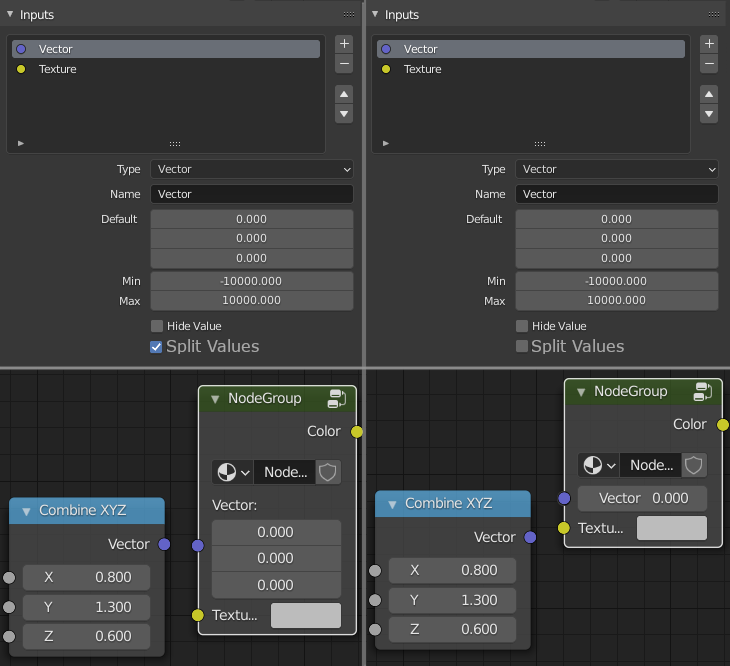
Of course you could specify Float type in the socket, but it would be a single channel value, which outside the group could not be edited individually, using XYZ Vector node
2 Comments
Many other softwares I know have a different approach to image texture nodes compared to Blender.
While Blender has one node that contains the link to a file plus projection settings and has only verctor and color/alpha exposed as sockets, other softwares usually have this somewhat in multiple nodes. More specifically, the file link itself is a different node, independent from the projection modes and whatnot. This allows, among other things, exactly what this proposal is all about.
I guess it would be smarter to align Blender on the rest for this one.
i like this idea! yes please!