
Different kinds of Node Groups should have different subcategories in the Outliner
I love node groups and use them all the time. However, it can get difficult to manage them, even if you're pretty systematic with the naming.
One (small, easily fixed?) problem is that the
Outliner
in
Blender File
mode simply has a category for
Node Groups
that features
Geometry Node Groups
,
Shader Node Groups
, and any other node groups all jumbled together (see example image).
Sure, these are all Node Groups, but it's not like they're compatible with each other, they're not really the same thing at all!
I would suggest:
Change the outliner display from a single Node Group category to separate categories!
-
Shader Node Groups -
Geometry Node Groups -
Compositor Node Groups -
Animation Node Groups(if you're using AN) - and whatever else.
It's a small change but in my opinion it's more logical and much more useable, these are different things so it makes sense for them to have different categories!
What do you think?
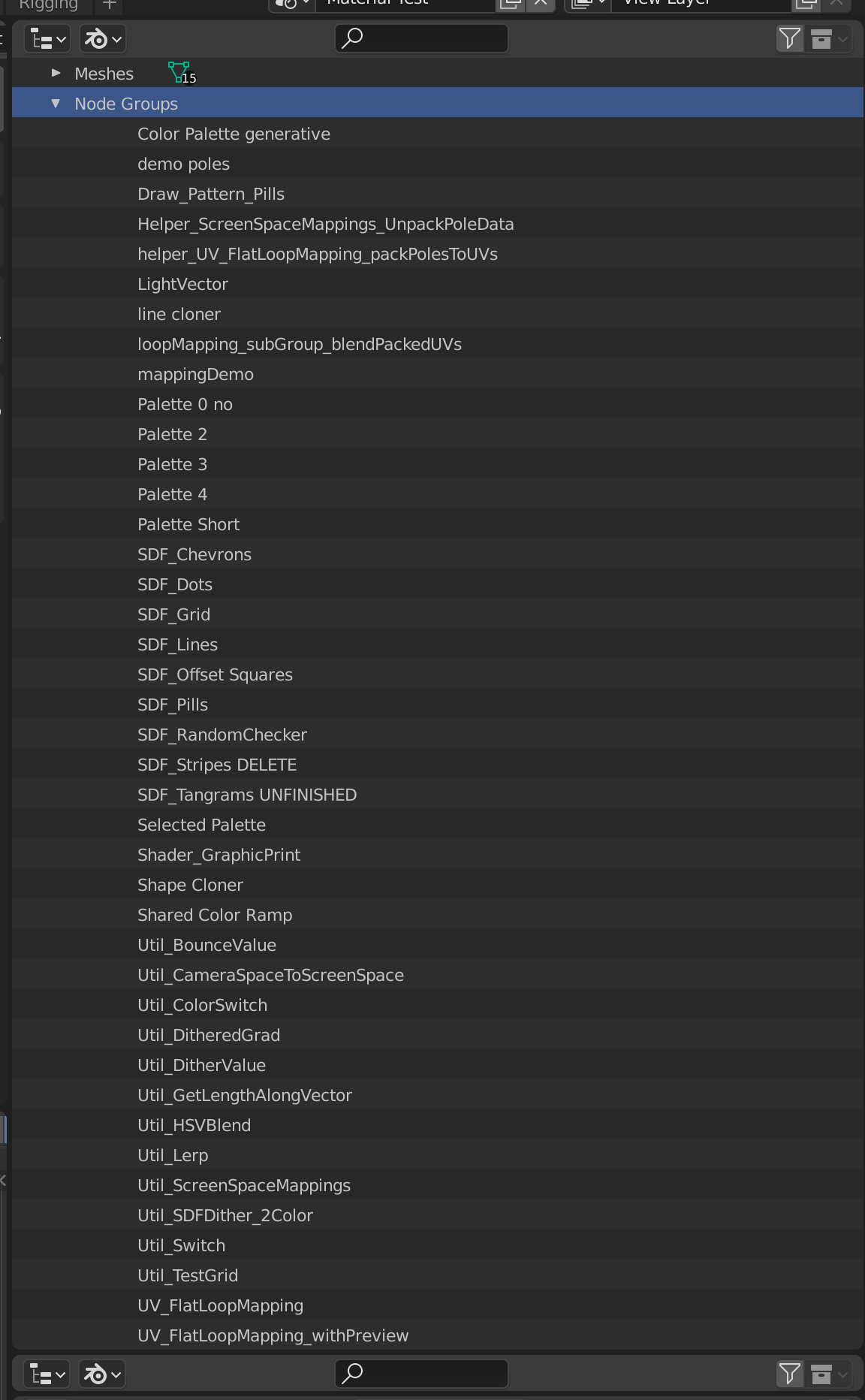
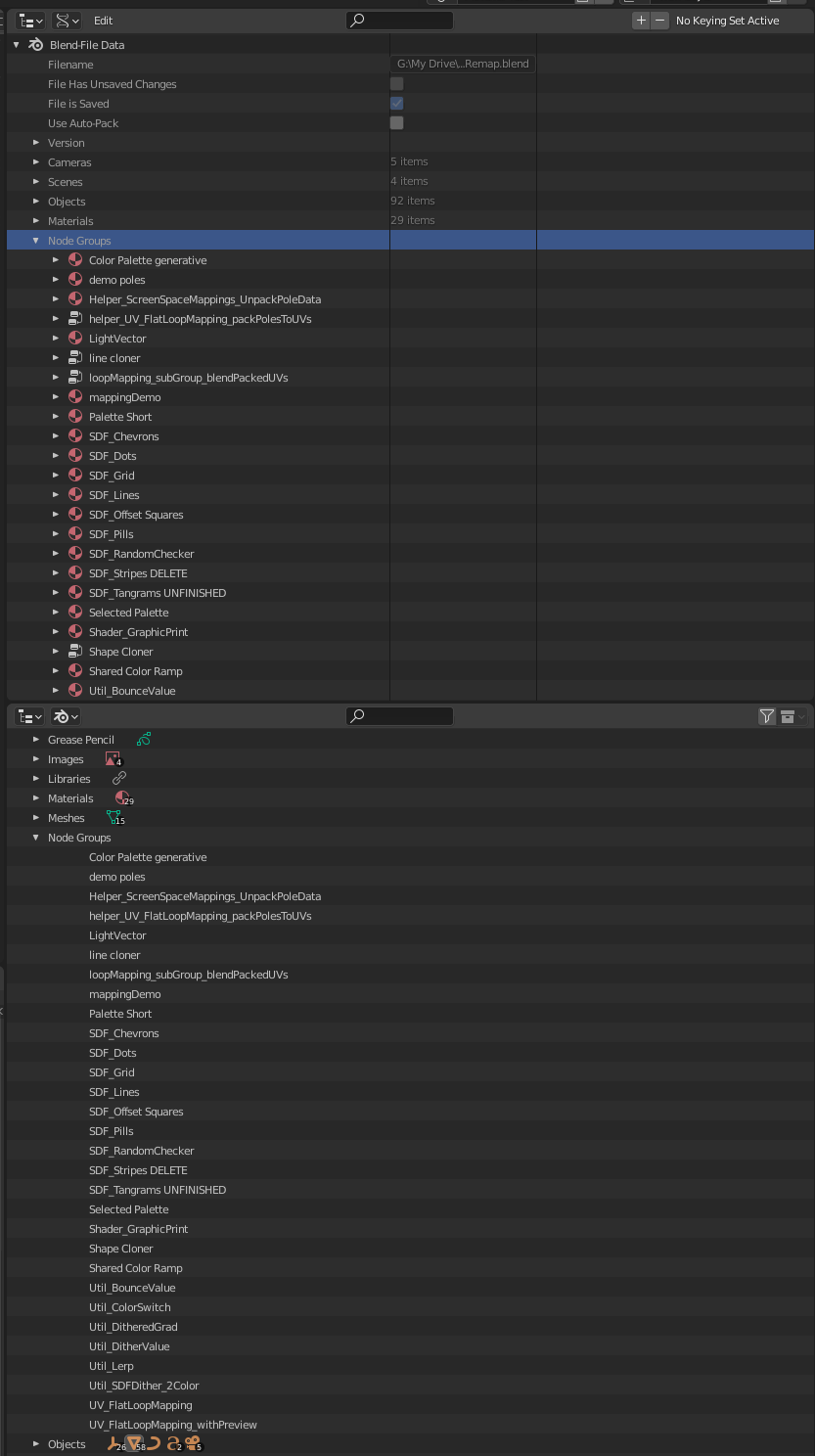
Edit: one extra thing I've noticed is that the situation isn't so bad in the
Data API
mode of the outliner, because at least it shows an icon at the start of each line from which you can figure out what kind of node group it is. It helps, but it still doesn't really make sense to have them all jumbled together I think, subcategories would make it much easier to find stuff...
1 Comment
One additional thought - if people are ok with nesting these groups within the Node Groups category, I think we get the best of both worlds: They're not jumbled up, but the list isn't crazy long? It's true that most of those groups don't have nested subcategories, but Scenes and Collections effectively do already, and I think it's fairly intuitive?